




Here's how it works



How to use or fill out hennepin icmc sheet with our platform

- Click ‘Get Form’ to open the hennepin icmc sheet in the editor.
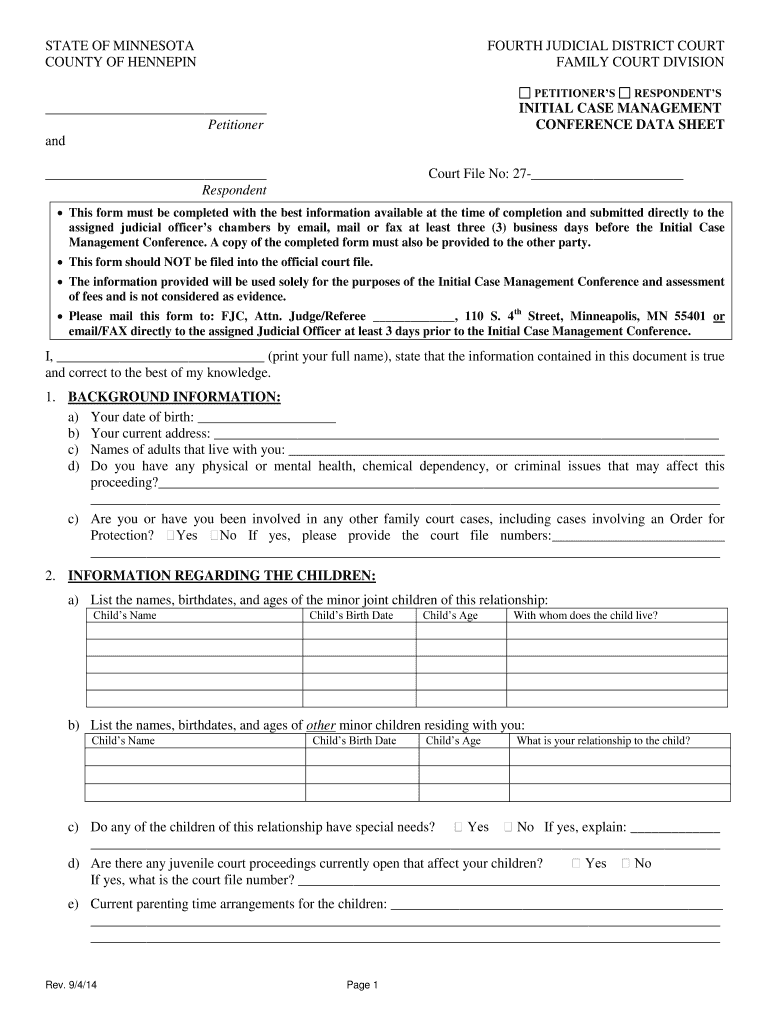
- Begin by filling out the 'Petitioner' and 'Respondent' sections with your full names. Ensure accuracy as this information is crucial for court records.
- Complete the 'Court File No' section, which is essential for identifying your case. If you do not have a number yet, leave it blank.
- In the 'Background Information' section, provide your date of birth, current address, and details about any adults living with you. Be honest about any health or legal issues that may impact your case.
- Fill in the 'Information Regarding the Children' section by listing all minor children involved, including their names, birthdates, ages, and living arrangements.
- Proceed to the 'Information Regarding Finances, Assets, Debt' section. Here you will detail your employment information, income sources, monthly expenses, and any agreements regarding financial support.
- Attach required documents such as paystubs and tax returns directly within our platform before submitting.
Start using our platform today to easily complete your hennepin icmc sheet online for free!
It's free
Got questions?
How can I send my county icmc data for eSignature?
Upload your county icmc data to DocHub (after you’ve set up an account for this). If you need to complete fields in it, use proper tools from the upper pane. For instance, add Signature Fields, assign each to specific person, and click on Sign → Request signatures from others. Personalize your message for your recipients and click Send Request. You can also send your form by fax or as a Signing link instead of using email (you’ll locate these options by navigating to the Menu → Send)
What internet browser do I need to edit hennepin icmc sheet online?
If you need to edit your hennepin icmc sheet online easily, it does not matter what web browser you use. DocHub’s straightforward editing tools are accessible using any internet browser. Just open the appropriate tab within our editor, add your document, and fill it out without stress.
Security and compliance
At DocHub, your data security is our priority. We follow HIPAA, SOC2, GDPR, and other standards, so you can work on your documents with confidence.
Learn more


