




Here's how it works

01. Edit your reg 65 online
Type text, add images, blackout confidential details, add comments, highlights and more.

02. Sign it in a few clicks
Draw your signature, type it, upload its image, or use your mobile device as a signature pad.

03. Share your form with others
Send dmv application for vehicle license fee refund via email, link, or fax. You can also download it, export it or print it out.
How to use or fill out dmv reg 65 with our platform

- Click ‘Get Form’ to open the DMV Reg 65 in the editor.
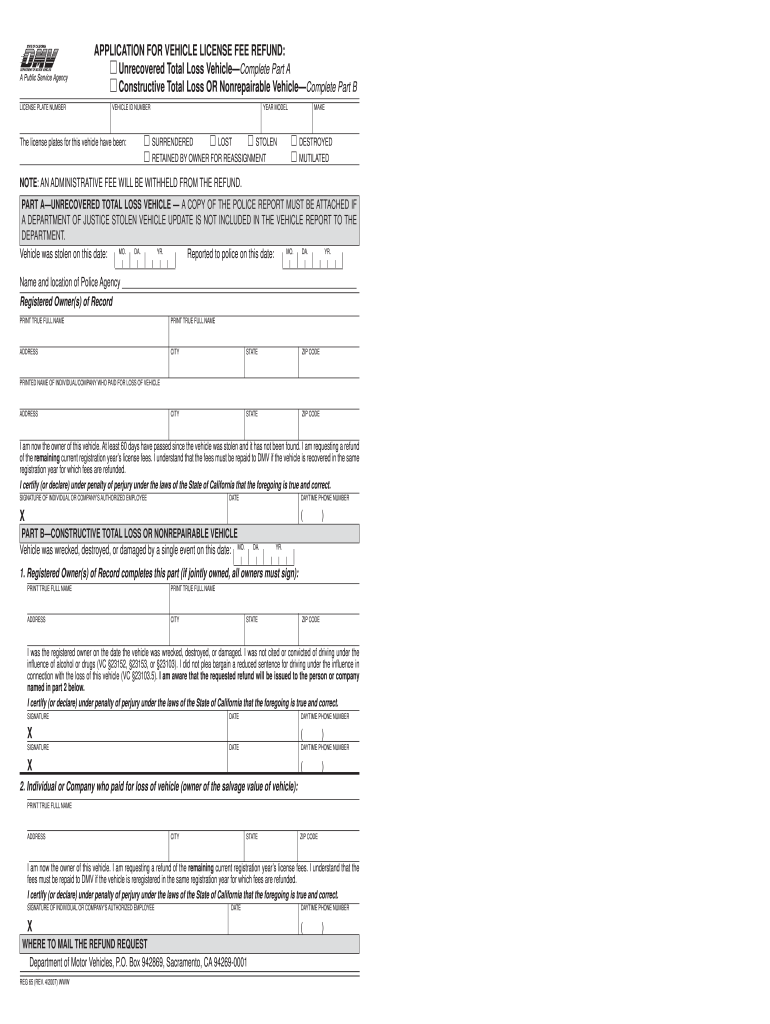
- Begin by entering your License Plate Number and Vehicle ID Number at the top of the form. This information is crucial for identifying your vehicle.
- Select whether the license plates have been surrendered, lost, stolen, or retained by you for reassignment. Check the appropriate box to indicate your situation.
- If you are completing Part A for an unrecovered total loss vehicle, provide details such as the date of theft and police report information. Ensure to attach a copy of the police report if necessary.
- For Part B regarding constructive total loss or nonrepairable vehicles, fill in the date of damage and confirm that you were not cited for driving under influence. All registered owners must sign this section.
- Finally, review all entered information for accuracy before signing and dating the form. Make sure to include your daytime phone number for any follow-up.
Start using our platform today to easily complete your DMV Reg 65 form online for free!
Fill out dmv reg 65 online
It's free
It's free
Security and compliance
At DocHub, your data security is our priority. We follow HIPAA, SOC2, GDPR, and other standards, so you can work on your documents with confidence.
Learn more


