Type text, add images, blackout confidential details, add comments, highlights and more.
02. Sign it in a few clicks
Draw your signature, type it, upload its image, or use your mobile device as a signature pad.
03. Share your form with others
Send it via email, link, or fax. You can also download it, export it or print it out.
How to use or fill out missed punch form template with our platform
Ease of Setup
DocHub User Ratings on G2
Ease of Use
DocHub User Ratings on G2
Click ‘Get Form’ to open the missed punch form template in the editor.
Begin by entering your name and employee number in the designated fields at the top of the form.
Fill in the date of the missed punch, along with your social security number, school or department, and supervisor's name.
For each instance of a missed punch, enter the date, time in, time out, and reason for missing the punch. Ensure all details are accurate.
Once all sections are completed, sign and date the form to certify its accuracy. Don’t forget that a director or principal’s signature is required for any changes submitted.
Start using our platform today to easily fill out your missed punch form for free!
Fill out missed punch form template online It's free
We've got more versions of the missed punch form template form. Select the right missed punch form template version from the list and start editing it straight away!
Missed punch form template wordPrintable missed punch form templateMissed punch form template excelMissed punch form template pdfMissed Punch Form template free WordMissed Punch form PDFMissed Punch LogMissed punch reason
Security and compliance
At DocHub, your data security is our priority. We follow HIPAA, SOC2, GDPR, and other standards, so you can work on your documents with confidence.
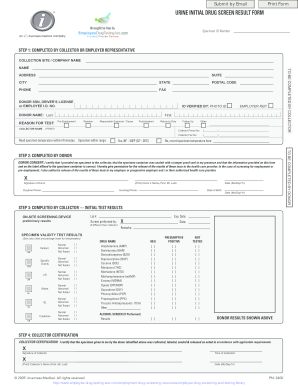
Photocopy Template for iCup Employee Drug Testing Kits The Photocopy Template for iCup Drug Testing Kits found at wwwEmployeeDrugTestAcecom differs from the 2-Part Result Form in that there is a window which allows the user to copy the drug
Photocopy Template for iCup Employee Drug Testing Kits The Photocopy Template for iCup Drug Testing Kits found at wwwEmployeeDrugTestAcecom differs from the 2-Part Result Form in that there is a window which allows the user to copy the drug
The document is a Urine Initial Drug Screen Result Form used for drug testing, detailing the collection process, donor i ...
Record your missed punches, sign and return to your supervisor. I DocHub that the punches reported above represent the punches missed in my time report for
Cookie consent notice
This site uses cookies to enhance site navigation and personalize your experience.
By using this site you agree to our use of cookies as described in our Privacy Notice.
You can modify your selections by visiting our Cookie and Advertising Notice.