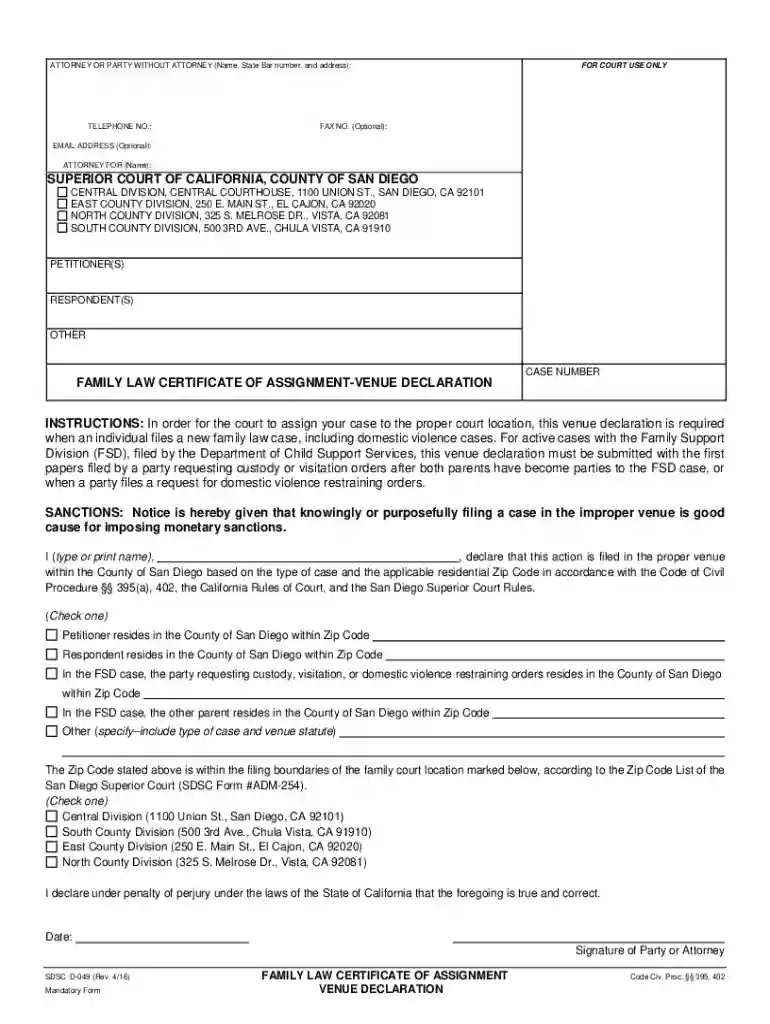
PKT-004 Dissolution Packet 2026

Get Form
disolution packet san diego Preview on Page 1

Here's how it works

01. Edit your disolution packet san diego online
Type text, add images, blackout confidential details, add comments, highlights and more.

02. Sign it in a few clicks
Draw your signature, type it, upload its image, or use your mobile device as a signature pad.

03. Share your form with others
Send dissolution san diego via email, link, or fax. You can also download it, export it or print it out.

How to use or fill out PKT-004 Dissolution Packet with DocHub

Form edit decoration
9.5
Ease of Setup
DocHub User Ratings on G2
9.0
Ease of Use
DocHub User Ratings on G2
  1. Click ‘Get Form’ to open the PKT-004 Dissolution Packet in our platform.
  2. Begin by filling out the 'Petitioner' and 'Respondent' sections at the top of the form. Ensure that all names are spelled correctly and match any legal documents.
  3. Proceed to complete each included form, such as the Petition for Dissolution (FL-100) and Summons (FL-110). Pay attention to specific fields like dates of marriage and separation.
  4. If there are minor children involved, fill out the Declaration Under Uniform Child Custody Jurisdiction and Enforcement Act (UCCJEA) (FL-105) accurately, providing details about custody arrangements.
  5. Complete the Income and Expense Declaration (FL-150) by detailing your financial situation, including income sources and monthly expenses. Attach necessary documentation as required.
  6. Review all entries for accuracy before saving your work. Utilize our editor's features to make any necessary adjustments easily.
  7. Once completed, download or share your filled forms directly from our platform for submission to the court.

Start using our platform today to streamline your document editing and ensure a smooth completion of your PKT-004 Dissolution Packet!

See more PKT-004 Dissolution Packet versions

We've got more versions of the PKT-004 Dissolution Packet form. Select the right PKT-004 Dissolution Packet version from the list and start editing it straight away!
Versions Form popularity Fillable & printable
2023 4.1 Satisfied (60 Votes)
2021 4.8 Satisfied (230 Votes)
2020 4.4 Satisfied (52 Votes)
2019 4.4 Satisfied (129 Votes)
2016 4.3 Satisfied (97 Votes)
2013 4.3 Satisfied (44 Votes)
be ready to get more

Complete this form in 5 minutes or less

Get form

Got questions?

We have answers to the most popular questions from our customers. If you can't find an answer to your question, please contact us.
Contact us
A dissolution is faster and may be less expensive than divorce. You can end your marriage in about 1 to 3 months after filing. However, if you and your spouse start to disagree about any of the terms after you file, you must start over with a new dissolution or divorce.
Even after you meet any residency requirement, the court still needs some processing time to finalize your divorce. Other states are faster than others at this. Alaska is notoriously fast at finalizing a divorce. Alaska, Nevada, and South Dakota can usually finalize a divorce in just under two months.
Is there a waiting period before a divorce or dissolution is finalized in Alaska? Generally, you must wait at least 30 days after filing for divorce or dissolution before the judge will sign the final divorce decree.
Many jurisdictions allow printing divorce forms online from official court websites. After printing, ensure you complete all required sections accurately. Some courts require original signatures or notarization.

Security and compliance

At DocHub, your data security is our priority. We follow HIPAA, SOC2, GDPR, and other standards, so you can work on your documents with confidence.

Learn more
ccpa2
pci-dss
gdpr-compliance
hipaa
soc-compliance
be ready to get more

Complete this form in 5 minutes or less

Get form