




Here's how it works



How to use or fill out kansas u3c july latest with our platform

- Click ‘Get Form’ to open it in the editor.
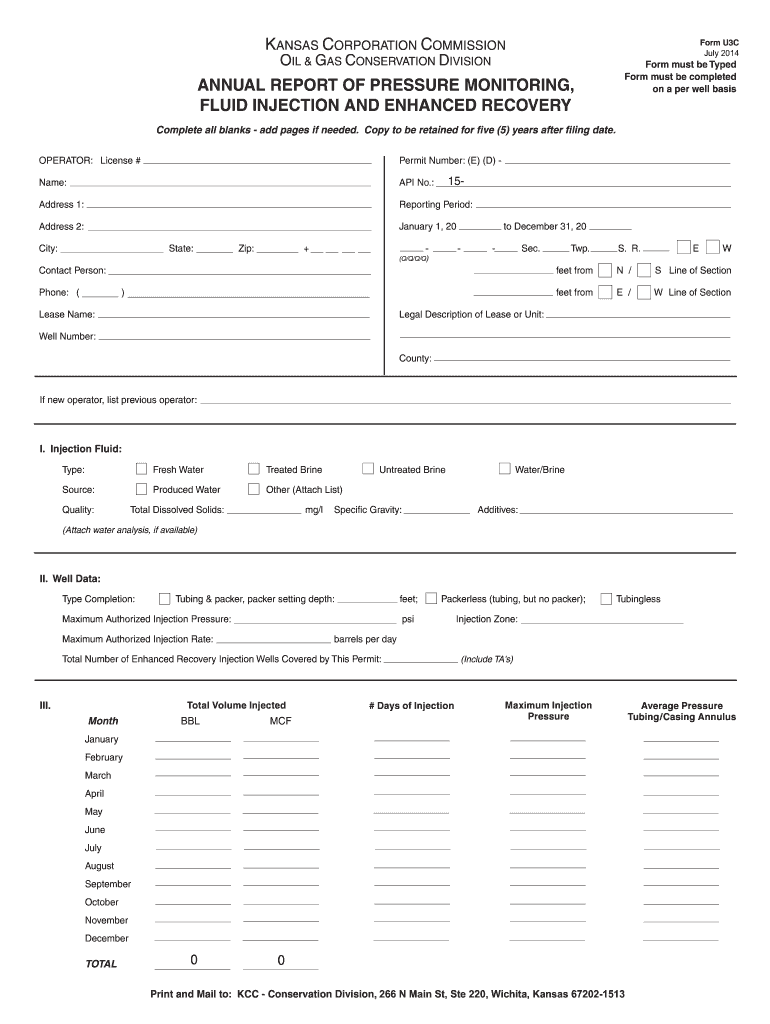
- Begin by filling in the 'Operator' and 'License #' fields. Ensure that you provide accurate information as this is crucial for identification.
- Next, complete the 'Permit Number' section, including the API No., and your address details. Make sure to include the reporting period accurately.
- In Section I, specify the type of injection fluid being used. Choose from options like Fresh Water or Produced Water, and provide additional details such as source and quality.
- Proceed to Section II to enter well data. Fill in completion type, maximum authorized injection pressure, and rate. Don't forget to document total volume injected per month.
- Finally, review all entries for accuracy before printing. Once completed, print and mail the form to the designated KCC address provided at the bottom of the document.
Start using our platform today for free to streamline your form completion process!
It's free
See more kansas u3c july latest versions
Got questions?
What do I need to sign my kansas u3c july latest electronically?
Electronic document approval demands a software solution that works in compliance with data protection and eSignature standards. DocHub is a great tool for that, since it fulfills all the previously mentioned requirements. Whatever method you like to sign your kansas u3c july latest in DocHub, your electronic signature will be legally binding and court-admissible.
How do you edit kansas u3c july latest on iOS?
You can easily edit fill out your kansas u3c july latest on any iOS gadget. Open an internet browser of your choice, go to the DocHub website, authorize or create a new account, upload your file for editing, and make your desired adjustments. Our service is mobile-friendly, so using its features on your phone will be a no-brainer, even on the first try.
What is Kansas UCCC?
What is the total loss threshold in Kansas?
What is the Uniform Consumer Credit Code?
Security and compliance
At DocHub, your data security is our priority. We follow HIPAA, SOC2, GDPR, and other standards, so you can work on your documents with confidence.
Learn more


