01. Edit your girl scouts troop finance report online
Type text, add images, blackout confidential details, add comments, highlights and more.
02. Sign it in a few clicks
Draw your signature, type it, upload its image, or use your mobile device as a signature pad.
03. Share your form with others
Send it via email, link, or fax. You can also download it, export it or print it out.
How to use or fill out Troop Finance Report with our platform
Ease of Setup
DocHub User Ratings on G2
Ease of Use
DocHub User Ratings on G2
Click ‘Get Form’ to open the Troop Finance Report in the editor.
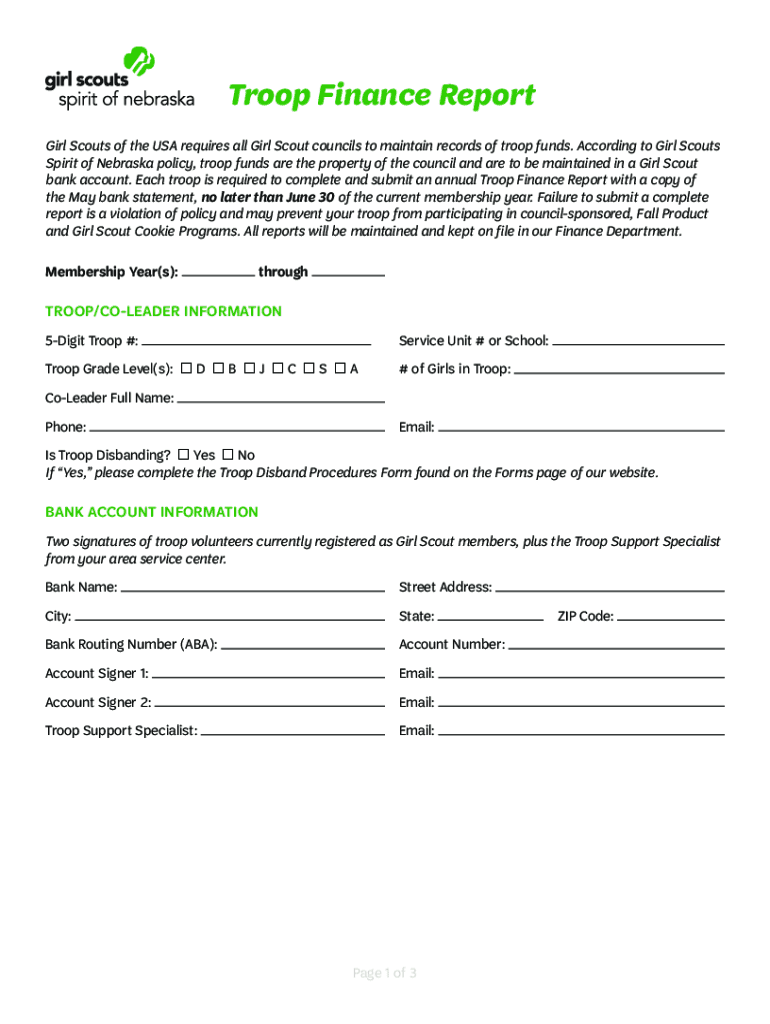
Begin by filling in the Membership Year(s) at the top of the form, ensuring you specify the correct range.
In the Troop/Co-Leader Information section, enter your 5-Digit Troop #, Service Unit # or School, and Troop Grade Level(s). Provide details about the number of girls in your troop and co-leader information including full name, phone, and email.
Indicate whether your troop is disbanding by selecting 'Yes' or 'No'. If applicable, follow up with the Troop Disband Procedures Form.
Fill out the Bank Account Information section with details such as Bank Name, Address, Routing Number, and Account Number. Ensure two registered volunteers sign this section.
Complete the Troop Income and Expenses sections by entering all relevant financial data. Calculate total income and expenses to find your ending balance.
If your ending balance exceeds $1000, describe your future plans in the provided space.
Finally, sign and date the Acknowledgement section to verify accuracy before submitting.
Start using our platform today for free to streamline your Troop Finance Report process!
We've got more versions of the Troop Finance Report form. Select the right Troop Finance Report version from the list and start editing it straight away!
Aiden Troop is a sophomore Finance and Math major. He currently serves as the Lead Analyst of Energy and the Director of the Annual Report in the Nittany Lion
Cookie consent notice
This site uses cookies to enhance site navigation and personalize your experience.
By using this site you agree to our use of cookies as described in our Privacy Notice.
You can modify your selections by visiting our Cookie and Advertising Notice.