




Here's how it works



How to use or fill out Utah Statutory Durable Power of Attorney Form with our platform

- Click ‘Get Form’ to open the Utah Statutory Durable Power of Attorney Form in the editor.
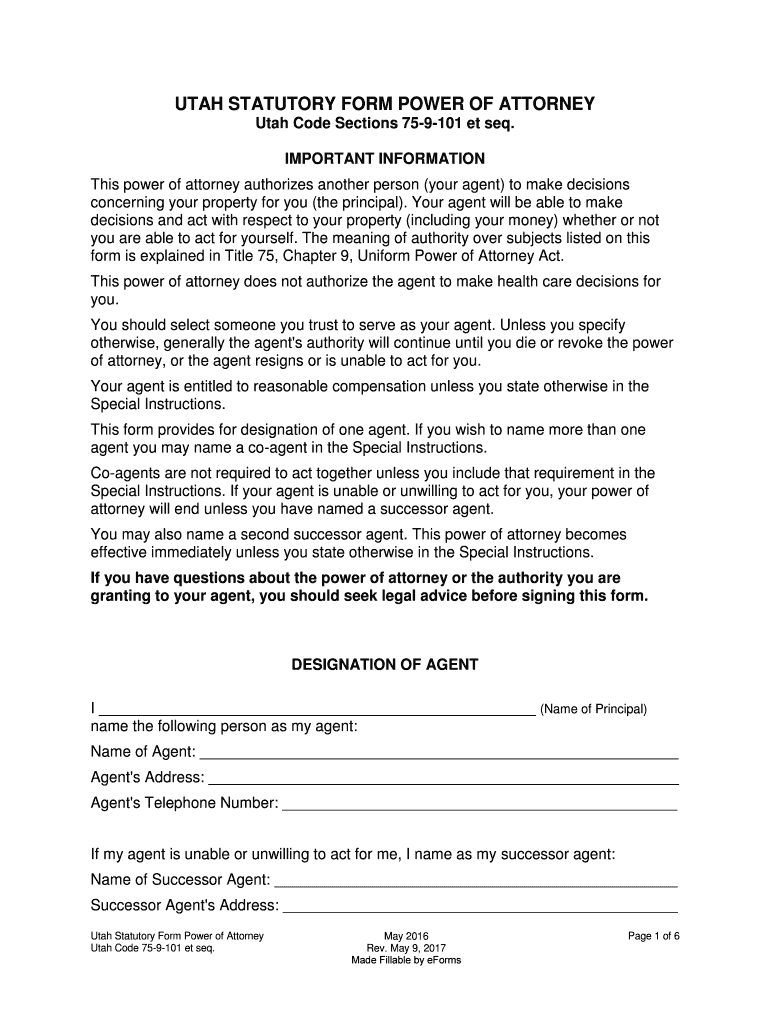
- Begin by filling in your name as the principal at the top of the form. This identifies you as the person granting authority.
- Designate your agent by entering their name, address, and telephone number in the designated fields. Ensure this is someone you trust.
- If applicable, provide details for a successor agent and a second successor agent to ensure continuity in decision-making.
- In the 'Grant of General Authority' section, initial next to each subject you wish to grant authority over. You can also choose 'All Preceding Subjects' for comprehensive authority.
- For specific authorities, initial only those actions you want your agent to perform. Be cautious as these can significantly impact your property.
- Complete any special instructions if necessary, and indicate when this power of attorney becomes effective.
- Finally, sign and date the document at the bottom, ensuring all information is accurate before submission.
Start using our platform today for free to complete your Utah Statutory Durable Power of Attorney Form effortlessly!
It's free
See more Utah Statutory Durable Power of Attorney Form versions
Got questions?
Can I type my electronic signature on my Utah Statutory Durable Power of Attorney Form?
Yes, a typed name is recognized as a valid electronic signature when you add it to your form using a compliant solution like DocHub. Simply upload your Utah Statutory Durable Power of Attorney Form to our editor, click Sign in the top tool pane → Create your signature → Type your name in the appropriate tab, and decide how it will appear on your document.
How do you edit Utah Statutory Durable Power of Attorney Form on iOS?
You can easily edit fill out your Utah Statutory Durable Power of Attorney Form on any iOS gadget. Open an internet browser of your liking, go to the DocHub site, authorize or create a new account, upload your file for editing, and make your required changes. Our service is mobile-friendly, so utilizing its features on your smartphone will be a no-brainer, even on the first try.
Security and compliance
At DocHub, your data security is our priority. We follow HIPAA, SOC2, GDPR, and other standards, so you can work on your documents with confidence.
Learn more


