01. Edit your cafta certificate of origin form online
Type text, add images, blackout confidential details, add comments, highlights and more.
02. Sign it in a few clicks
Draw your signature, type it, upload its image, or use your mobile device as a signature pad.
03. Share your form with others
Send cafta form download via email, link, or fax. You can also download it, export it or print it out.
How to use or fill out cafta form with our platform
Ease of Setup
DocHub User Ratings on G2
Ease of Use
DocHub User Ratings on G2
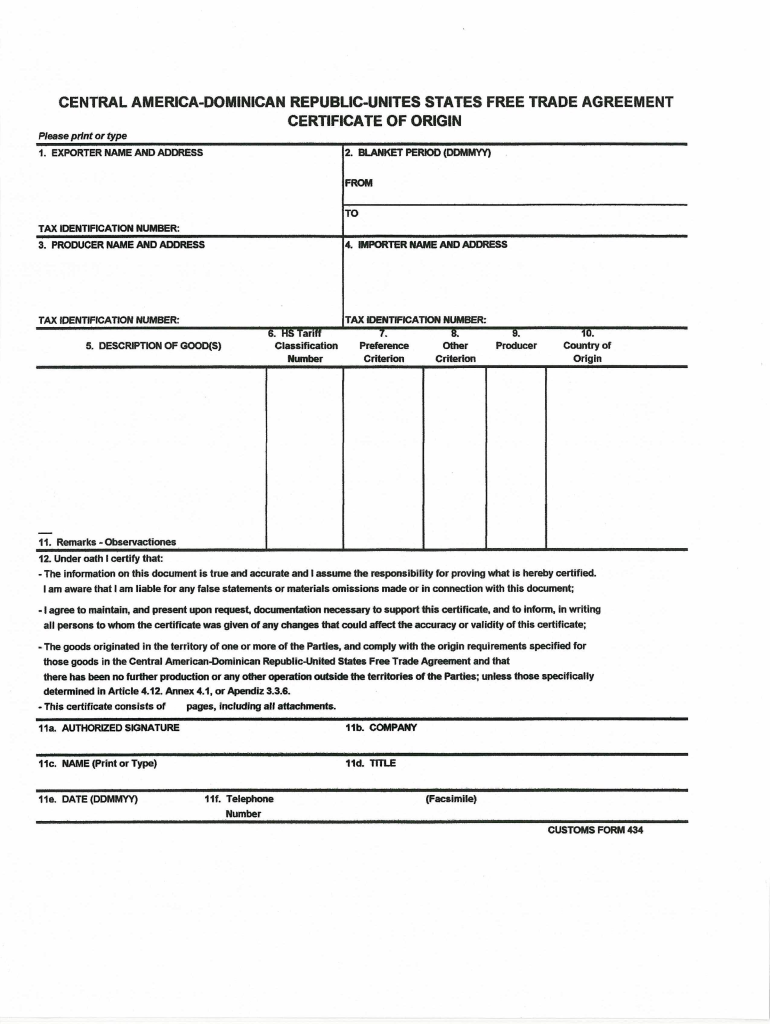
Click ‘Get Form’ to open the cafta form in the editor.
Begin by entering your personal information in the designated fields, including your name, address, and contact details. Ensure accuracy for seamless processing.
Next, navigate to the section that requires details about the goods or services involved. Fill in the description, quantity, and value as specified.
Review any additional sections that may require signatures or dates. Use our platform’s signature feature to sign electronically if needed.
Finally, double-check all entries for completeness and correctness before saving or submitting your completed cafta form.
Start using our platform today to fill out your cafta form online for free!
Cafta form dominican republicCafta form pdfPrintable cafta formCAFTA-DR Certificate of Origin templateCafta dr formCAFTA-DR Certificate of Origin template PDF free downloadCafta form pdf fillableIs CAFTA-DR still in effect
Security and compliance
At DocHub, your data security is our priority. We follow HIPAA, SOC2, GDPR, and other standards, so you can work on your documents with confidence.
As an alternate to the Certificate of Origin template, a free-form certification can be used by CAFTA-DR producers and exporters, and US importers, whenRead more
Cookie consent notice
This site uses cookies to enhance site navigation and personalize your experience.
By using this site you agree to our use of cookies as described in our Privacy Notice.
You can modify your selections by visiting our Cookie and Advertising Notice.