Type text, add images, blackout confidential details, add comments, highlights and more.

02. Sign it in a few clicks
Draw your signature, type it, upload its image, or use your mobile device as a signature pad.

03. Share your form with others
Send it via email, link, or fax. You can also download it, export it or print it out.

How to use or fill out LEOSA Application with our platform
Ease of Setup
DocHub User Ratings on G2
Ease of Use
DocHub User Ratings on G2
Click ‘Get Form’ to open the LEOSA Application in the editor.
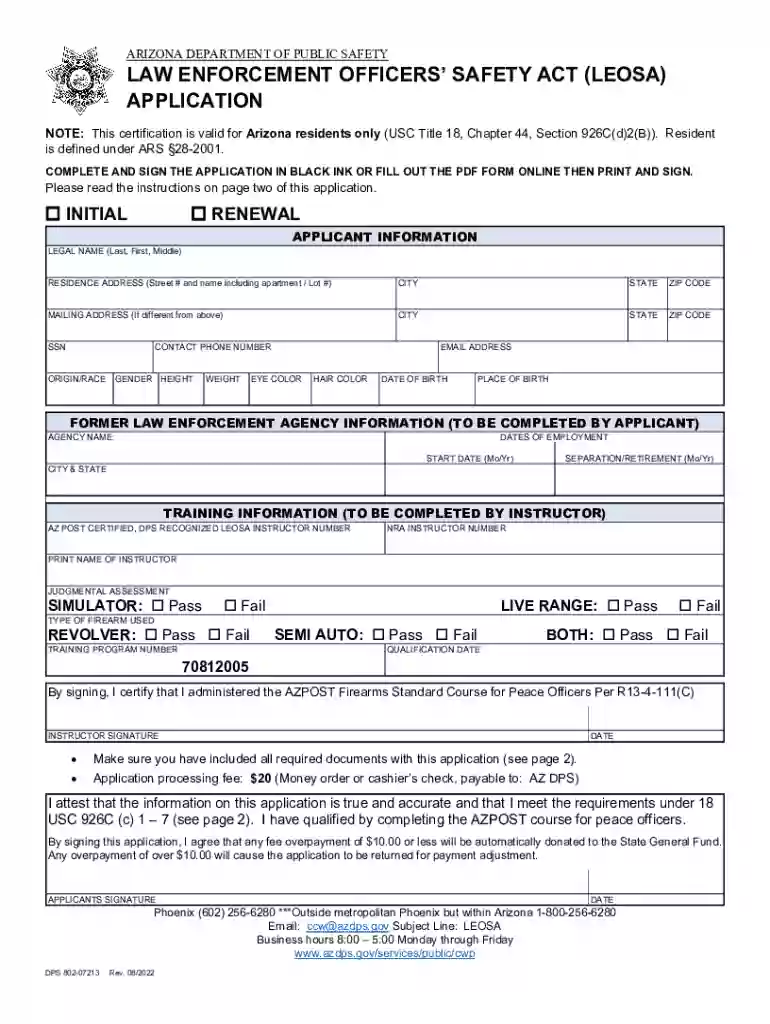
Begin by filling out your personal information in the 'Applicant Information' section. Include your legal name, residence address, contact phone number, and email address. Ensure all details are accurate.
Indicate whether this is an initial application or a renewal by checking the appropriate box.
Complete the 'Former Law Enforcement Agency Information' section with your agency's name and dates of employment. This includes both start and separation dates.
In the 'Training Information' section, provide details about your AZ POST certified instructor, including their certification numbers and signature after completing the firearms qualification.
Review all sections for completeness and accuracy before submitting. Attach required documents such as identification credentials and payment information.
Start using our platform today to fill out your LEOSA Application easily and for free!
LEOSA application FormLEOSA requirementsLEOSA application air forceLEOSA websiteLEOSA ID card requirementsLEOSA cardLEOSA permitLEOSA requirements for military
Security and compliance
At DocHub, your data security is our priority. We follow HIPAA, SOC2, GDPR, and other standards, so you can work on your documents with confidence.
az law enforcement officers safety act (leosa) application
1. Complete the firearms certification/qualification event with an AZPOST certified and DPS-recognized LEOSA instructor. This is the standard AZPOST peaceRead more
Cookie consent notice
This site uses cookies to enhance site navigation and personalize your experience.
By using this site you agree to our use of cookies as described in our Privacy Notice.
You can modify your selections by visiting our Cookie and Advertising Notice.