




Here's how it works

01. Edit your form tr 200 online
Type text, add images, blackout confidential details, add comments, highlights and more.

02. Sign it in a few clicks
Draw your signature, type it, upload its image, or use your mobile device as a signature pad.

03. Share your form with others
Send tr200 form via email, link, or fax. You can also download it, export it or print it out.
How to use or fill out tr 200 with our platform

- Click ‘Get Form’ to open the TR-200 in the editor.
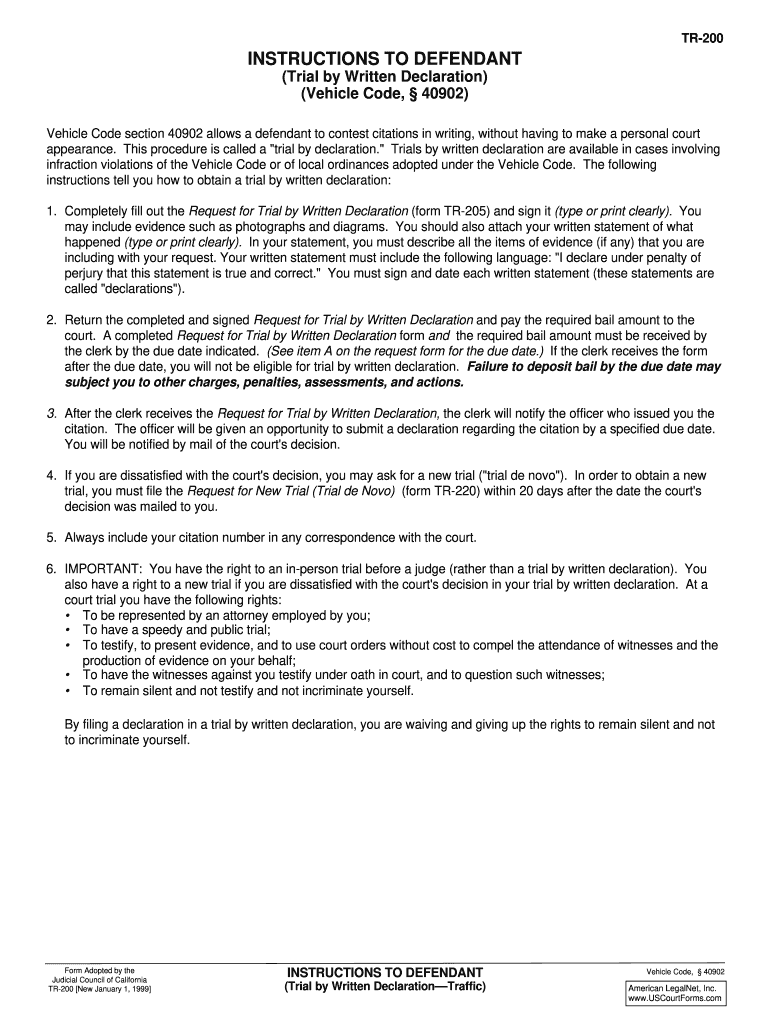
- Begin by entering your personal information, including your name and address, in the designated fields. Ensure that all details are accurate and clearly typed or printed.
- Next, provide your citation number and any relevant case details as prompted. This information is crucial for processing your request.
- In the section for your written statement, describe the events leading to your citation. Be sure to include evidence such as photographs or diagrams if applicable.
- Conclude your statement with the required declaration: 'I declare under penalty of perjury that this statement is true and correct.' Sign and date this section.
- Once completed, submit the form along with any necessary bail amount to the court by the due date indicated on the form.
Start using our platform today to easily fill out and submit your TR-200 form online for free!
Fill out tr 200 online
It's free
It's free
See more tr 200 versions
We've got more versions of the tr 200 form. Select the right tr 200 version from the list and start editing it straight away!
| Versions | Form popularity | Fillable & printable |
|---|---|---|
| 1999 | 4.8 Satisfied (122 Votes) |
Got questions?
We have answers to the most popular questions from our customers. If you can't find an answer to your question, please contact us.
Contact us
What is TR 200?
Instructions to Defendant (TR-200) Explains how to challenge a traffic citation in writing without going to court in person (called a trial by written declaration). Get form TR-200.
How to reset Trane TR200 vfd?
How to perform a Trane TR200 VFD Parameter Reset Select parameter 14-22. Press (OK) Select Initialization Press (OK) Shut off unit power at the disconnect and wait until the display on the VFD turns off. Reconnect the line power supply - the adjustable frequency drive is now reset.
What VFD does Trane use?
TR200 VFDs are orderable factory-mounted and commissioned on IntelliPak, Voyager III, and M-Series and T-Series Climate Changers. Trane TR200 VFDs are also integral to CenTraVac Remote Mounted Air-Cooled AFDs.
What is a Trane TR200?
TR200 Series. Trane TR200 Series drives play an important role in a system to reduce energy usage, extend motor life, optimize AC motor speed control, maximize occupant comfort and reduce costs. 2025 Trane.
Security and compliance
At DocHub, your data security is our priority. We follow HIPAA, SOC2, GDPR, and other standards, so you can work on your documents with confidence.
Learn more


