




Here's how it works



How to use or fill out Fillable Online Agreement to Pay for Healthcare Services Fax Email

- Click ‘Get Form’ to open it in the editor.
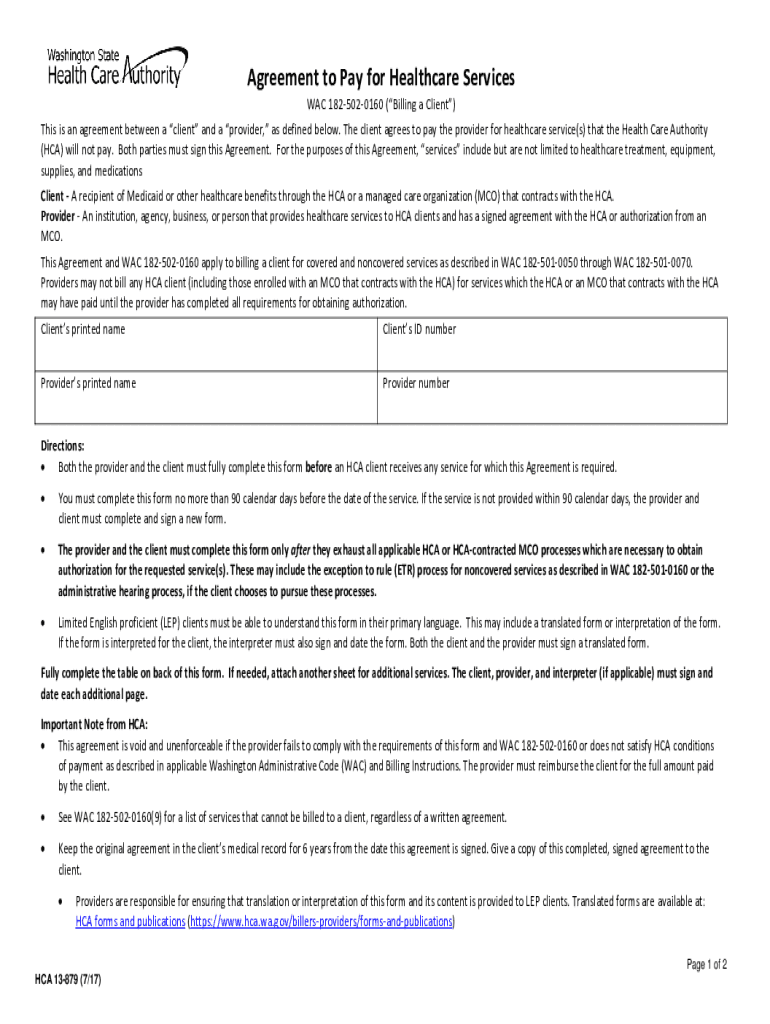
- Begin by entering the client’s printed name and ID number. This identifies the individual receiving healthcare services.
- Next, input the provider’s printed name and provider number. This ensures that the healthcare provider is recognized in the agreement.
- In the table provided, list specific service(s) or item(s) to be provided along with their anticipated date of service. Include relevant billing codes (CPT/CDT/hcpc code).
- Indicate the amount to be paid by the client and check the appropriate reason for agreeing to be billed, ensuring clarity on why these services are necessary.
- Both parties must sign and date the form. If an interpreter is involved, they must also sign, confirming accurate interpretation.
Start using our platform today for free to streamline your document editing and signing process!
It's free
See more Fillable Online Agreement to Pay for Healthcare Services Fax Email versions
| Versions | Form popularity | Fillable & printable |
|---|---|---|
| 2017 | 4.3 Satisfied (44 Votes) |
Got questions?
How can I send my Fillable Online Agreement to Pay for Healthcare Services Fax Email from Google Drive for signing?
If you regularly work with documents stored in your Google Drive, DocHub is a superb solution for you to easily and quickly fill out, adjust, and sign them. This editor integrates properly with Google apps, so you can export your Fillable Online Agreement to Pay for Healthcare Services Fax Email from your Google Drive to the editor without the need of downloading and re-uploading it. Right-click on your document, choose Open With → DocHub PDF Sign and Edit. In our editor, add and assign Signature Fields for all parties involved, then click on the Menu option above → Send → choose how you want to share your paperwork.
How do you complete Fillable Online Agreement to Pay for Healthcare Services Fax Email online?
You may complete and sign your Fillable Online Agreement to Pay for Healthcare Services Fax Email on the internet, even on a tight deadline. All you need to access top-notch editing instruments on any device is a DocHub profile, that you can sign up within a couple of moments. After you register, upload your document or find what you are looking for in our catalog, complete it utilizing the editing instruments you want, and place your electronic signature on it at the end.
Security and compliance
At DocHub, your data security is our priority. We follow HIPAA, SOC2, GDPR, and other standards, so you can work on your documents with confidence.
Learn more


