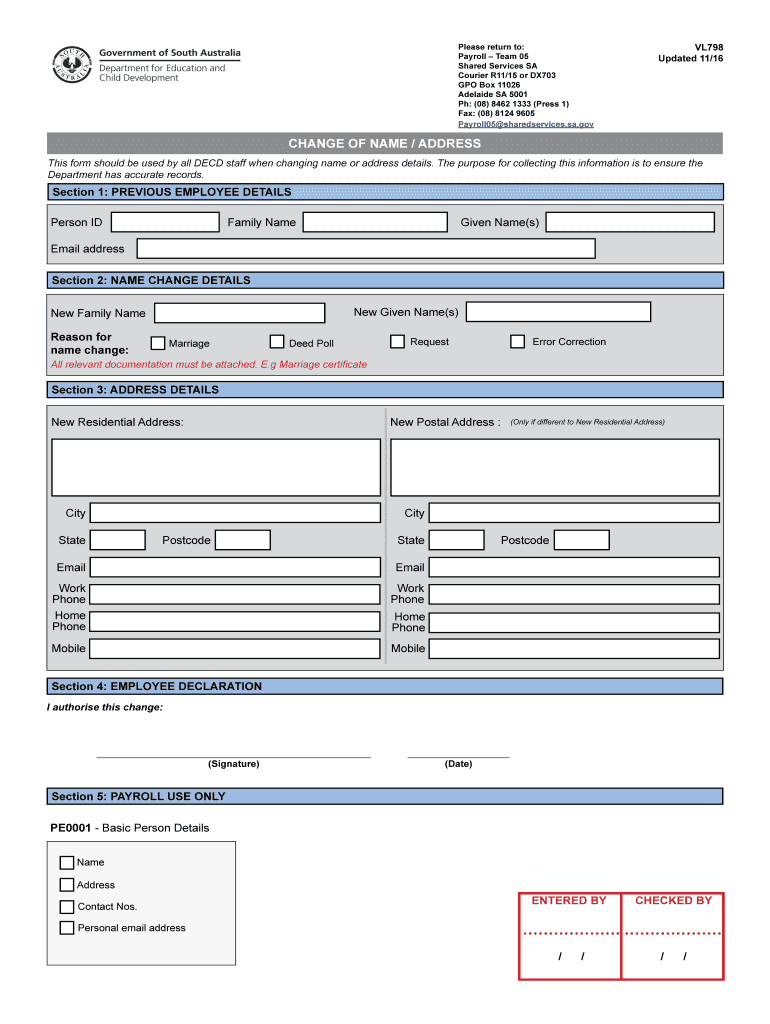
VL798 Change of Name Address Form to allow existing past employees to change their contact details 2026

Get Form
VL798 Change of Name Address Form to allow existing past employees to change their contact details Preview on Page 1

Here's how it works

01. Edit your form online
Type text, add images, blackout confidential details, add comments, highlights and more.
02. Sign it in a few clicks
Draw your signature, type it, upload its image, or use your mobile device as a signature pad.
03. Share your form with others
Send it via email, link, or fax. You can also download it, export it or print it out.

How to use or fill out VL798 Change of Name Address Form to allow existing past employees to change their contact details with our platform

Form edit decoration
9.5
Ease of Setup
DocHub User Ratings on G2
9.0
Ease of Use
DocHub User Ratings on G2
  1. Click ‘Get Form’ to open it in the editor.
  2. In Section 1, enter your previous employee details. Fill in your Person ID, Family Name, Given Name(s), and Email address as they appear on your payslip.
  3. Move to Section 2 for name change details. If applicable, provide your New Given Name(s) and New Family Name. Select the reason for the name change from options like Marriage or Error Correction, and ensure you attach relevant documentation.
  4. In Section 3, update your address information. Enter your New Residential Address and, if different, your New Postal Address. Include current contact numbers: Work Phone, Home Phone, and Mobile.
  5. Complete Section 4 by signing and dating the form to authorize the changes.

Start using our platform today to easily update your contact details for free!

See more VL798 Change of Name Address Form to allow existing past employees to change their contact details versions

We've got more versions of the VL798 Change of Name Address Form to allow existing past employees to change their contact details form. Select the right VL798 Change of Name Address Form to allow existing past employees to change their contact details version from the list and start editing it straight away!
Versions Form popularity Fillable & printable
2016 4 Satisfied (57 Votes)
be ready to get more

Complete this form in 5 minutes or less

Get form

Got questions?

We have answers to the most popular questions from our customers. If you can't find an answer to your question, please contact us.
Contact us
No, you are not required by law to inform them of your marriage UNLESS you are trying to place her onto your benefit plan.
Understanding Your Legal Rights Employers are generally required to update their records to reflect your new name and to use it in all communications, including: Employment contracts. Payroll records.
Answer: Contact your employer and ask them to correct the forms to reflect your new name as it appears on your Social Security card. You can correct the name on copies of Form W-2 and Form 1099 that you use to file your return.
Contact your employer and ask them to correct the forms to reflect your new name as it appears on your Social Security card. You can correct the name on copies of Form W-2 and Form 1099 that you use to file your return.
Notify HR/Payroll Department This commonly includes the new Social Security card, document of name change (i.e. marriage certificate), and tax forms (i.e. Form W-4, Form I-9). This process also includes confirming the employees banking information is updated and that they receive accurate paychecks.

Security and compliance

At DocHub, your data security is our priority. We follow HIPAA, SOC2, GDPR, and other standards, so you can work on your documents with confidence.

Learn more
ccpa2
pci-dss
gdpr-compliance
hipaa
soc-compliance

People also ask

Recording Changes of Name and Other Identity Information for Current Employees Complete a new Form I-9. Write the original hire date in The employees first day of employment (MM/DD/YYYY) space in Section 2; and. Attach the new Form I-9 to the previously completed Form I-9.