




Here's how it works



How to use or fill out S B Jennings' alumni go back to school, 50 years later with our platform

- Click ‘Get Form’ to open it in the editor.
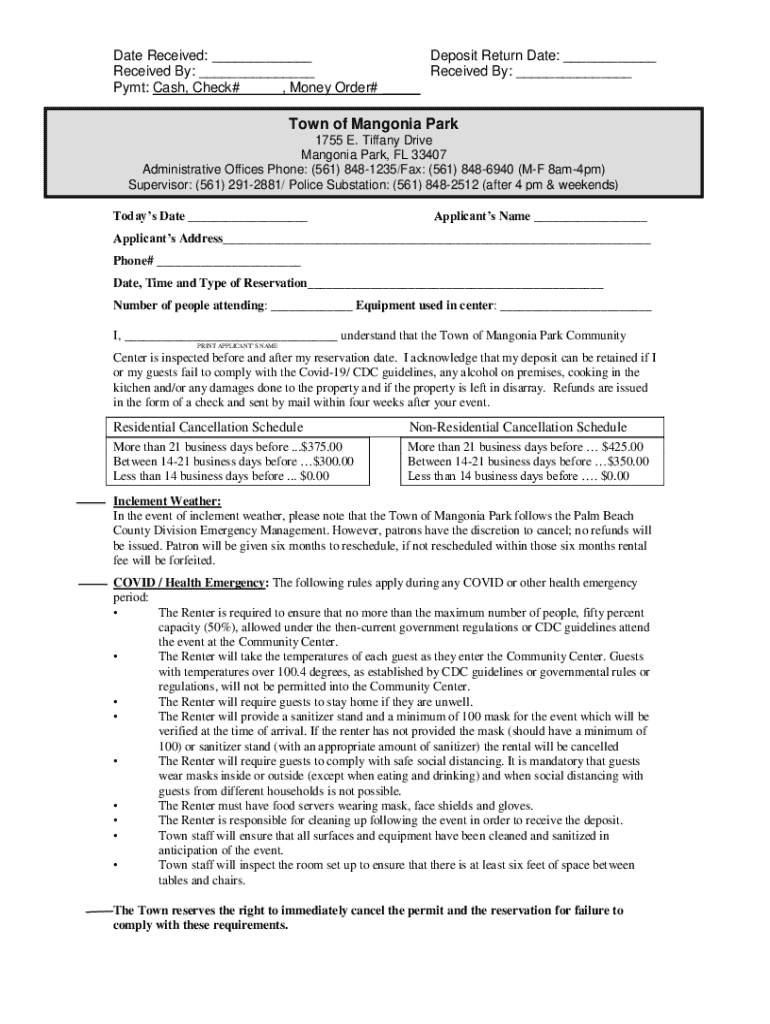
- Begin by entering the 'Date Received' and 'Deposit Return Date' at the top of the form. This ensures accurate tracking of your application.
- Fill in your name and address in the 'Applicant’s Name' and 'Applicant’s Address' fields. Make sure all information is correct for effective communication.
- Provide your phone number and specify the date, time, and type of reservation you are requesting. This helps in scheduling your event appropriately.
- Indicate the number of attendees and any equipment you plan to use during your reservation. This information is crucial for facility preparation.
- Read through the COVID-19 guidelines carefully, ensuring compliance as you acknowledge understanding by printing your name in the designated area.
- Complete any additional sections regarding fees, deposits, and cancellation policies as applicable to your reservation type.
Start using our platform today to easily fill out your form for free!
It's free
See more S B Jennings' alumni go back to school, 50 years later versions
Got questions?
How do I sign my community center near me without printing?
eSignatures are an excellent alternative to traditional signing, as they save time, effort, and money people spend on printing, scanning, and paper delivery. You can electronically sign your community center near me using a trustworthy and robust online document processing tool like DocHub. It complies with primary eSignature policies (ESIGN and UETA), so all documents approved there are legally binding and have the same validity as manually signed ones.
How to manage my mangonia park community center from Gmail?
In case your go-to email service is Gmail, it is simple to incorporate your DocHub editor into your work. Modify your mangonia park community center with DocHub instruments and connect it to your drafts in Gmail. See how effortless it is to exchange documents and collaborate having a swift PDF editing solution at hand.
Security and compliance
At DocHub, your data security is our priority. We follow HIPAA, SOC2, GDPR, and other standards, so you can work on your documents with confidence.
Learn more


