




Here's how it works



How to use or fill out TX DL-14B 2020-2024 - Fill and Sign Printable Template

- Click ‘Get Form’ to open it in the editor.
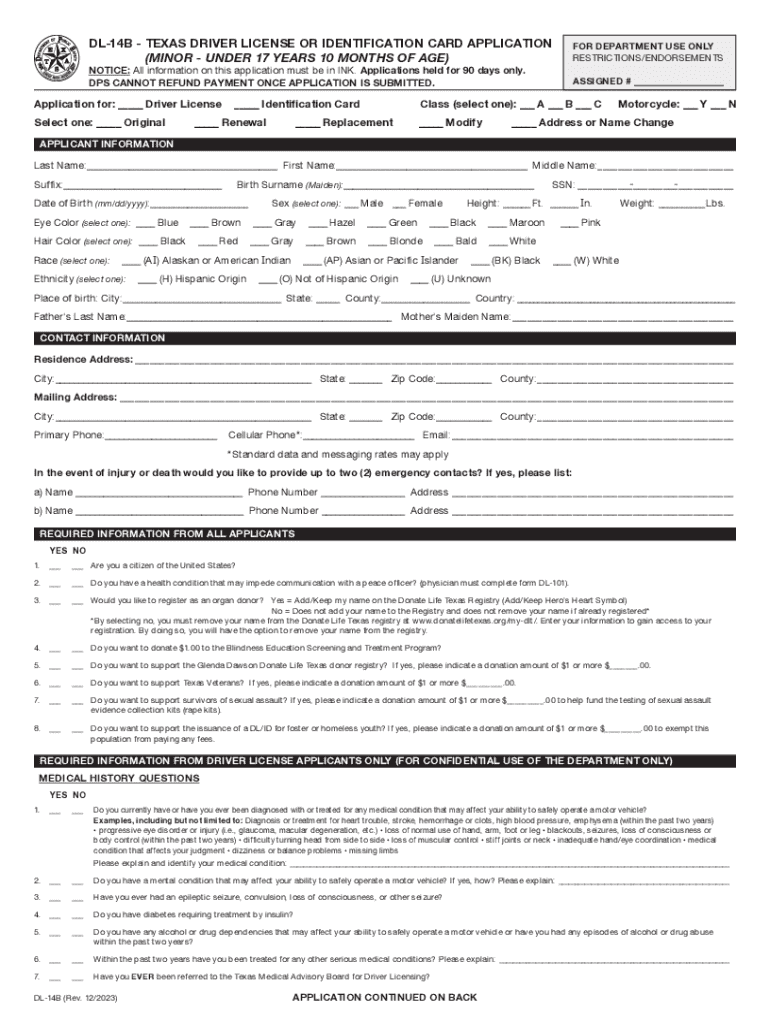
- Begin by selecting the type of application you are submitting: Driver License, Identification Card, Renewal, Replacement, or Modification. Make your selection clearly.
- Fill in your personal information in the 'Applicant Information' section. This includes your last name, first name, middle name, date of birth, sex, eye color, hair color, and height. Ensure all entries are accurate.
- Provide your contact information including residence and mailing addresses along with phone numbers and email. Double-check for any typos to avoid communication issues.
- Answer the required questions regarding citizenship and health conditions honestly. If applicable, provide details about emergency contacts.
- For first-time applicants, complete the driver history section accurately. Include any previous licenses held in other states.
- Review all sections for completeness before signing at the bottom of the form. Ensure that you have not missed any required fields.
Start using our platform today to fill out your TX DL-14B form easily and for free!
It's free
See more TX DL-14B 2020-2024 - Fill and Sign Printable Template versions
Got questions?
How do I sign my texas dl 14b for free?
Most eSignature services require users to have a paid subscription. With DocHub, there are two options for you to create an electronic signature to your texas dl 14b at no cost:
- You can do it during a 7-day trial period;
- You can sign up for a free plan.
The second option, however, has restrictions on the number of signatures, sign requests, emails, and documents for editing available per month. You can check for full information here.
How do you get dochub com fillable form?
You can find the latest and most relevant version of the dochub com fillable form in our DocHub forms library. Search it by categories or use the search field to find the exact template that suits your situation. You may open this form for editing once you find it.
Security and compliance
At DocHub, your data security is our priority. We follow HIPAA, SOC2, GDPR, and other standards, so you can work on your documents with confidence.
Learn more


