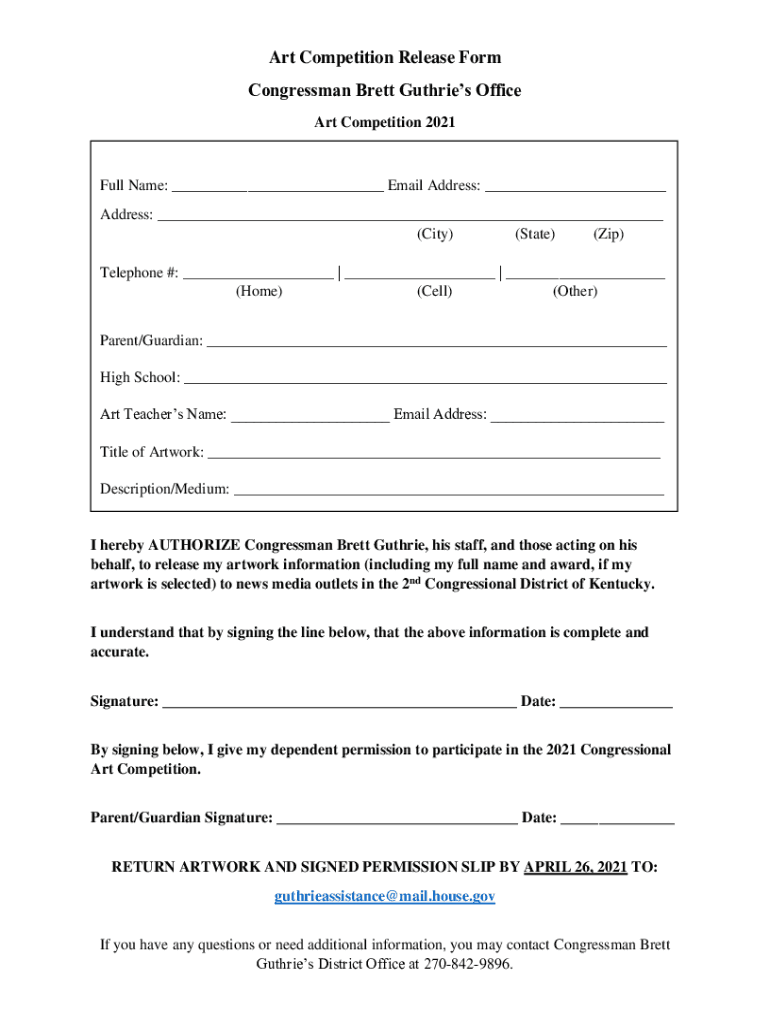
Start using our platform today to easily complete and submit your Art Competition Release Form!
Managing your documentation with DocHub this way is very straightforward after you have downloaded its extension for Google Chrome. Navigate to the Chrome Web Store and set up DocHub - Sign PDF from Gmail to get it. Give our tool access to your Google account, and then open an email containing drawing competition form as an attachment and point to the file with your cursor - the DocHub extension key will automatically appear there. Click on it to open your form in our editor. Make any required adjustments, complete the blanks, and click Sign to create your legally-binding electronic signature.
Apart from an extensive toolset for editing PDFs on mobile devices, DocHub enables you to sign your drawing competition form format in bengali along the way. Open our editor in your internet browser, make changes using DocHub’s toolset, and finish your editing by eSigning the finished form.
At DocHub, your data security is our priority. We follow HIPAA, SOC2, GDPR, and other standards, so you can work on your documents with confidence.
Learn more