




Here's how it works

01. Edit your colorado last will testament form online
Type text, add images, blackout confidential details, add comments, highlights and more.

02. Sign it in a few clicks
Draw your signature, type it, upload its image, or use your mobile device as a signature pad.

03. Share your form with others
Send last will testament form via email, link, or fax. You can also download it, export it or print it out.
How to use or fill out Last Will And Testament Template - Free Last Will PDF

- Click ‘Get Form’ to open it in the editor.
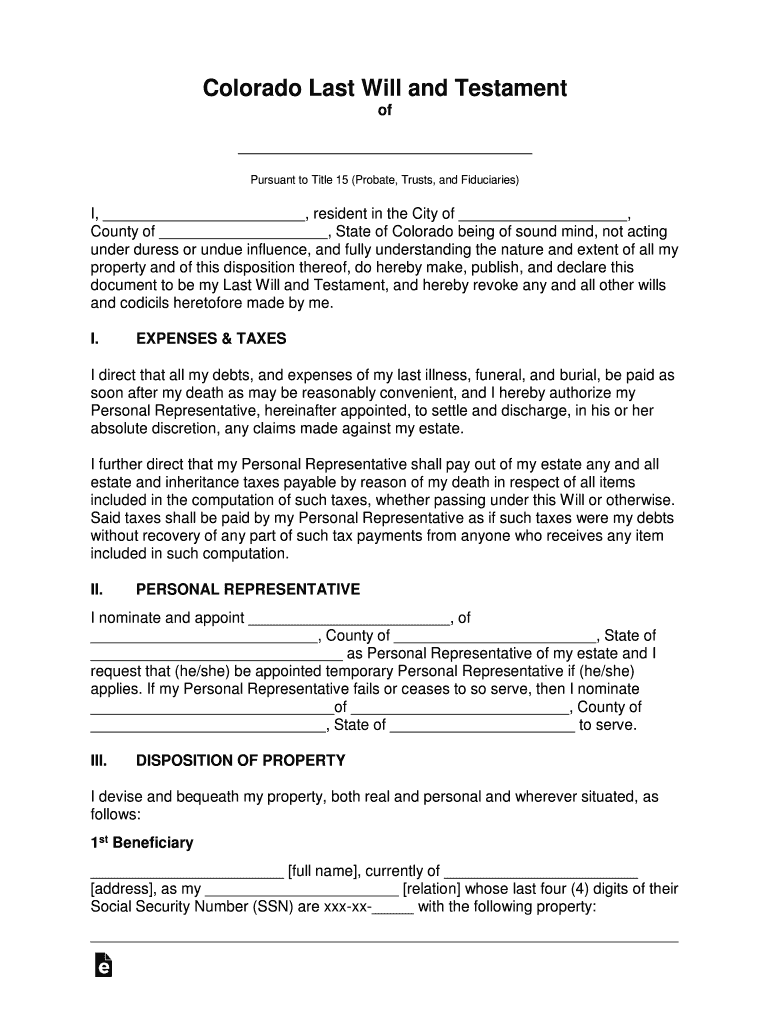
- Begin by filling in your full name and address at the top of the document. This identifies you as the testator.
- In the 'Expenses & Taxes' section, specify how you want your debts and taxes handled after your passing.
- Designate a Personal Representative by entering their name and address in the corresponding section. This person will manage your estate.
- List your beneficiaries in the 'Disposition of Property' section. Include their names, addresses, relationships to you, and any specific property they are to receive.
- Review all sections for accuracy and completeness before signing. Ensure witnesses are present when you sign to validate the document.
Start using our platform today to create your Last Will effortlessly and for free!
Fill out Last Will And Testament Template - Free Last Will PDF online
It's free
It's free
See more Last Will And Testament Template - Free Last Will PDF versions
We've got more versions of the Last Will And Testament Template - Free Last Will PDF form. Select the right Last Will And Testament Template - Free Last Will PDF version from the list and start editing it straight away!
| Versions | Form popularity | Fillable & printable |
|---|---|---|
| 2018 | 4.4 Satisfied (52 Votes) |
Got questions?
We have answers to the most popular questions from our customers. If you can't find an answer to your question, please contact us.
Contact us
Does Word have a last will and testament template?
Does Word have a last will and testament template? Yes, Microsoft Word does have a last will and testament template available for free, compatible with all Word versions from 2003 onward.
Can you create your own last will and testament?
You can write up your own will, hire a lawyer to write a will for you, or you can use a California Statutory Will form, which is a simple will for people with relatively small estates. The California Statutory Will form lets you appoint an executor to make sure your wishes are carried out.
Where can I get a free last will and testament form?
Free Resource for Creating a Will We believe it is so important to plan and get ones financial affairs in order that we have partnered with FreeWill.com so that you can create your will online entirely for free. FreeWill is a secure, online tool that will take you through the will preparation process step by step.
Security and compliance
At DocHub, your data security is our priority. We follow HIPAA, SOC2, GDPR, and other standards, so you can work on your documents with confidence.
Learn more


