



Here's how it works



How to use or fill out printable eyelash extension consent form with our platform

- Click ‘Get Form’ to open the printable eyelash extension consent form in the editor.
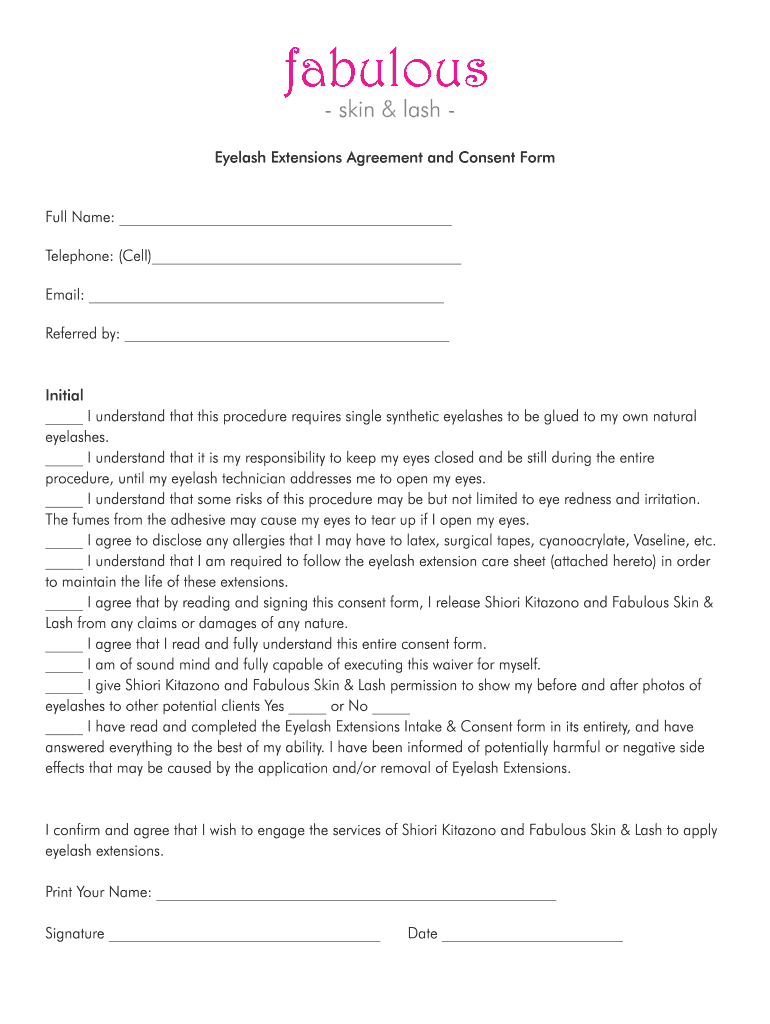
- Begin by entering your full name, telephone number, and email address in the designated fields. This information is essential for communication and record-keeping.
- Indicate how you were referred to the service by filling in the 'Referred by' section. This helps us understand how clients find us.
- Carefully read each statement under the initial section. You must acknowledge your understanding of the procedure and its risks by placing your initials next to each statement.
- In the final section, print your name, sign, and date the form. This confirms your consent and agreement to engage our services.
Start using our platform today for free to easily fill out your eyelash extension consent form!
It's free
Got questions?
Can I complete and sign my affidavit blank pdf online?
Sure, and it’s really straightforward! DocHub is a web-based PDF editor with advanced document management capabilities that allow you rapidly adjust your forms, complete blank fields and add new ones for other people to fill out, and create eSignatures in several ways. Upload your affidavit blank pdf, provide information as required, and decide how you want to eSign your template - by typing your name, drawing your signature, uploading its image, or utilizing a QR code.
How do you fill out eyelash consent form online?
You may get and modify your eyelash consent form online with the help of DocHub. Its simple yet feature-rich design enables you to start productive work right after you register your account. Create your profile and add your file, and then our user interface will guide you through our stress-free form completion experience.
What do you need to be a lash tech in NJ?
Can you do lashes with just a certificate in Florida?
What two forms do your lash models need to fill out?
Security and compliance
At DocHub, your data security is our priority. We follow HIPAA, SOC2, GDPR, and other standards, so you can work on your documents with confidence.
Learn more