




Here's how it works



How to use or fill out New Hampshire Veterans Association - GuideStar Profile with our platform

- Click ‘Get Form’ to open the New Hampshire Veterans Association - GuideStar Profile in the editor.
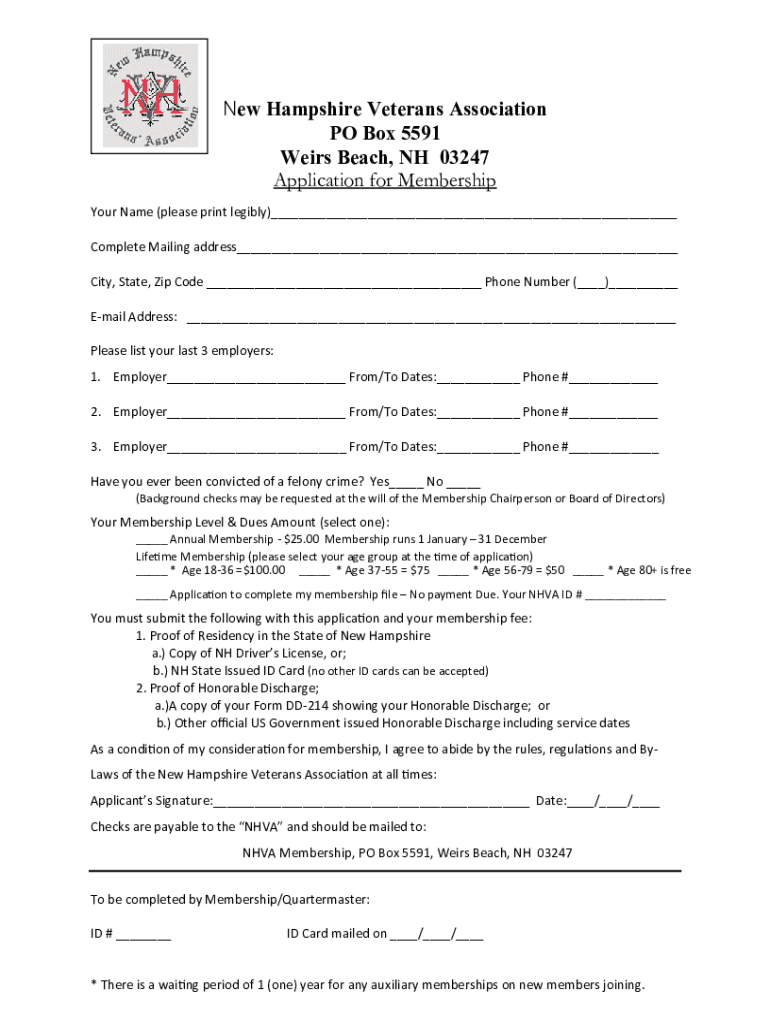
- Begin by entering your name clearly in the designated field. Ensure that it is legible for processing.
- Fill out your complete mailing address, including city, state, and zip code. Don’t forget to provide a valid phone number and email address for communication.
- List your last three employers along with the dates of employment and their contact numbers. This information is crucial for your application.
- Indicate whether you have ever been convicted of a felony crime by selecting 'Yes' or 'No'. Be aware that background checks may be conducted.
- Select your membership level and dues amount from the options provided. Make sure to choose the correct age group if applying for lifetime membership.
- Prepare to submit proof of residency and honorable discharge as specified in the application requirements.
- Finally, sign and date the application at the bottom before submitting it along with any required fees to ensure a smooth processing experience.
Start filling out your application today using our platform for free!
It's free
See more New Hampshire Veterans Association - GuideStar Profile versions
Got questions?
How can I create an electronic signature in my New Hampshire Veterans Association - GuideStar Profile on Android?
Approving documents on a mobile device is fast, straightforward, and doesn’t require software installation if you have an account with DocHub. Log in from any browser, fill in your empty fields with your data, and click on Sign → Create your signature. You can draw your eSignature the same way you usually do on paper, add its image to your New Hampshire Veterans Association - GuideStar Profile, or type in your name and stylize its look. No matter what option you select, your document will be valid.
How do you complete New Hampshire Veterans Association - GuideStar Profile on iOS?
You need only an internet connection and a browser to complete your New Hampshire Veterans Association - GuideStar Profile on an iOS phone. Open the DocHub website and authenticate. Then, add your file or select it from the list in your dashboard. Then use our editing instruments to complete your form and save all your changes. You can also send it to a dedicated recipient immediately.
What is the veteran indicator on a NH drivers license?
What benefits do veterans get in New Hampshire?
Is military retirement taxed in New Hampshire?
Security and compliance
At DocHub, your data security is our priority. We follow HIPAA, SOC2, GDPR, and other standards, so you can work on your documents with confidence.
Learn more


