




Here's how it works



How to use or fill out FAM-009 Notice of Rejection of Application and Order For Publication 09-07 DOC with our platform

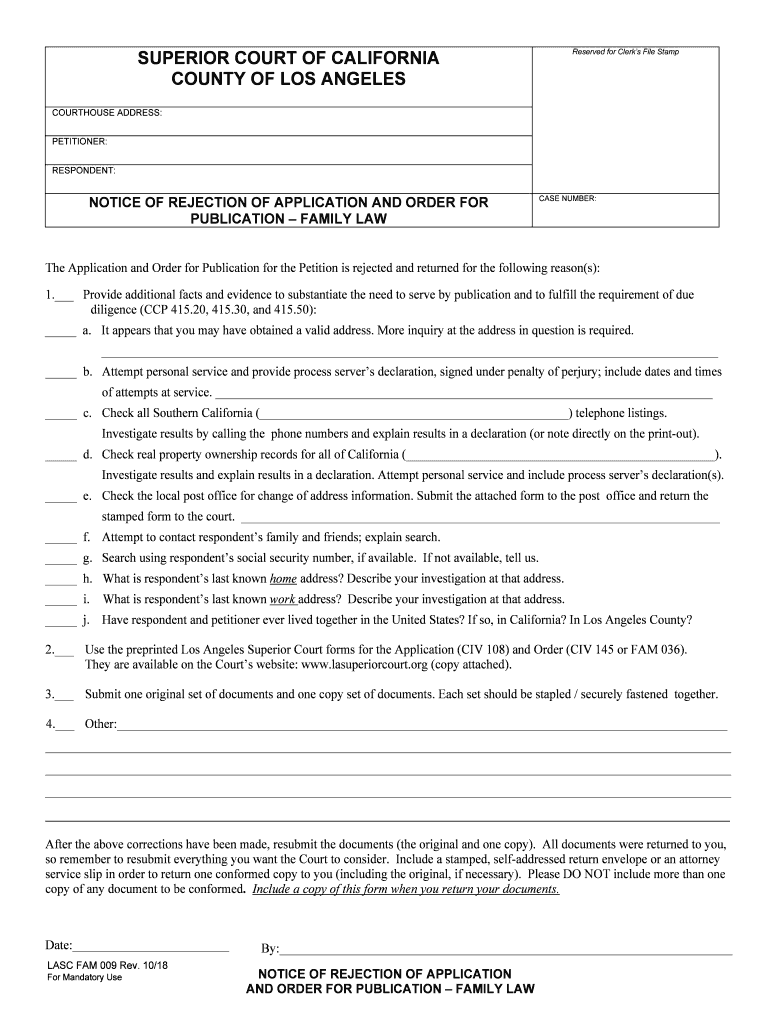
- Click ‘Get Form’ to open the FAM-009 document in the editor.
- Begin by entering the case number at the top of the form. This is essential for identifying your application.
- Fill in the petitioner and respondent details accurately. Ensure that all names are spelled correctly to avoid any processing delays.
- In section one, check the appropriate boxes indicating the reasons for rejection. Provide detailed explanations in the space provided for each reason checked.
- For section two, ensure you are using the correct preprinted Los Angeles Superior Court forms as specified. You can find these forms on the court’s website.
- Prepare one original set and one copy of all documents, securely fastened together as instructed in section three.
- Finally, review your completed form for accuracy before submitting it along with a stamped self-addressed envelope or attorney service slip.
Start editing your FAM-009 form online for free today!
It's free
See more FAM-009 Notice of Rejection of Application and Order For Publication 09-07 DOC versions
Got questions?
Is it safe to sign my FAM-009 Notice of Rejection of Application and Order For Publication 09-07 DOC electronically?
You need to use only trusted software solutions with strong security compliance to sign your documents electronically. DocHub is just the type of service you need! It stores data on Amazon Web Servers and complies with all required security standards and eSignature regulations, so it’s a reliable way to eSign your FAM-009 Notice of Rejection of Application and Order For Publication 09-07 DOC or other paperwork with this tool.
How do you complete FAM-009 Notice of Rejection of Application and Order For Publication 09-07 DOC on iOS?
You need only a web connection and a browser to fill out your FAM-009 Notice of Rejection of Application and Order For Publication 09-07 DOC by using an iOS phone. Open the DocHub website and authenticate. Then, add your file or select it from the list in your dashboard. Then use our editing tools to fill out your form and save all your changes. You may also send it to a specified recipient immediately.
Security and compliance
At DocHub, your data security is our priority. We follow HIPAA, SOC2, GDPR, and other standards, so you can work on your documents with confidence.
Learn more


