




01. Edit your jv 794 online
Type text, add images, blackout confidential details, add comments, highlights and more.

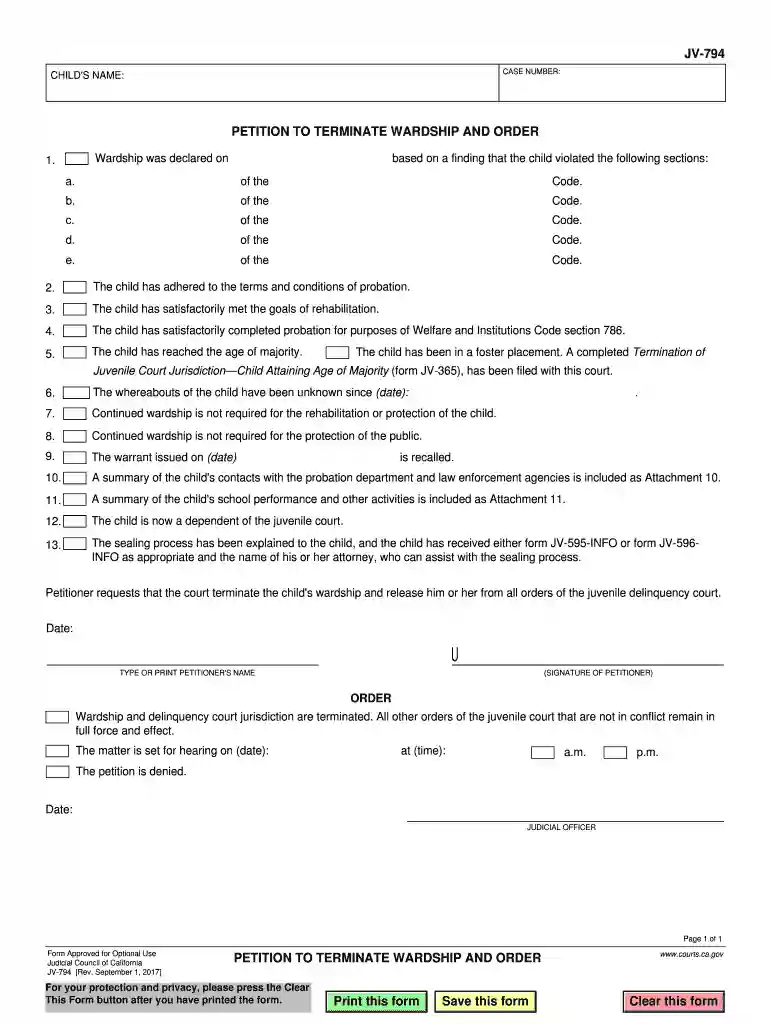
Type text, add images, blackout confidential details, add comments, highlights and more.

Draw your signature, type it, upload its image, or use your mobile device as a signature pad.

Send wardship form via email, link, or fax. You can also download it, export it or print it out.

Start using our platform today to easily fill out your JV-794 form online for free!
We've got more versions of the jv 794 form. Select the right jv 794 version from the list and start editing it straight away!
At DocHub, your data security is our priority. We follow HIPAA, SOC2, GDPR, and other standards, so you can work on your documents with confidence.
Sep 1, 2017 Petitioner requests that the court terminate the childs wardship and release him or her from all orders of the juvenile delinquency court.
Mar 12, 2026 Clever Minds is a film company from the Philippines. Technique: Flash animation. Releasing United International Pictures (JV) Universal
Stock # Genotype . 794 mwh[1] jv[1] Components and genes: Abd-B[M2] jv[1] Associated Genes: jv (allele - classic) Donor: Rob Denell, Kansas State University


