




Here's how it works



How to use or fill out acciona energy company canada application form with our platform

- Click ‘Get Form’ to open the acciona energy company canada application form in the editor.
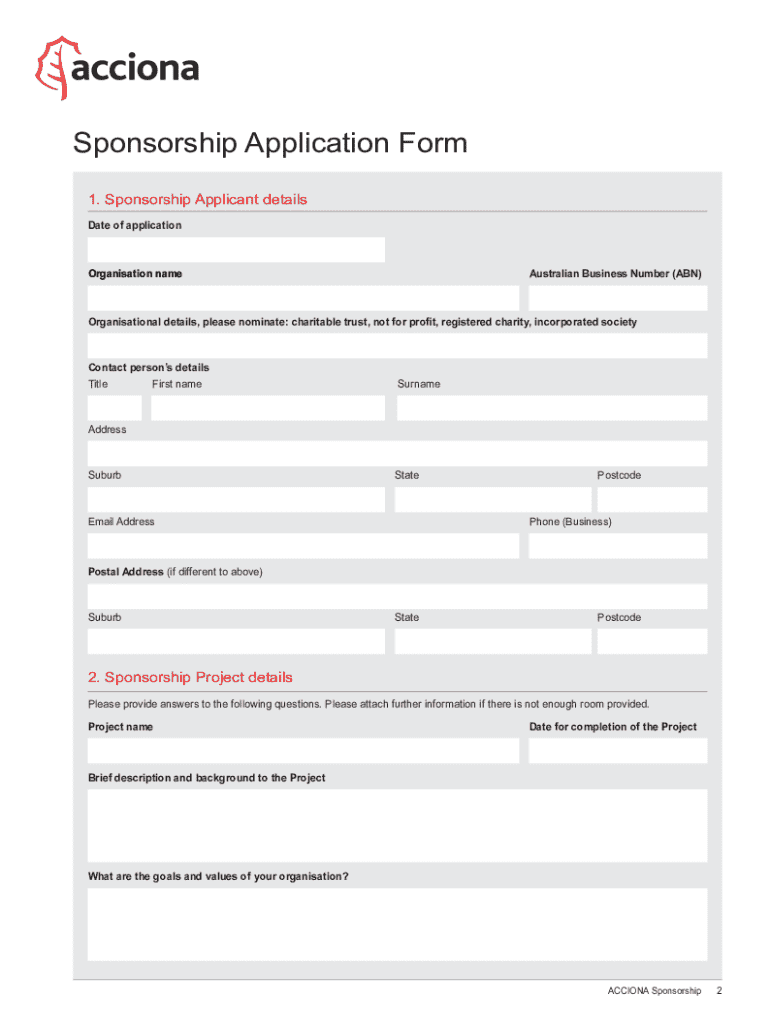
- Begin by filling out the 'Sponsorship Applicant details' section. Enter the date of application, organization name, and Australian Business Number (ABN). Specify your organizational type such as charitable trust or not for profit.
- Provide contact person’s details including title, first name, surname, address, suburb, state, postcode, email address, and phone number. If your postal address differs from your physical address, include that information as well.
- Move on to the 'Sponsorship Project details' section. Here you will need to provide a project name, completion date, and a brief description along with your organization's goals and values.
- In this section, describe how sponsoring your project will benefit ACCIONA and detail community involvement. Outline promotional strategies and educational benefits associated with the project.
- Complete the 'Funding details' section by specifying total financial support required and any other funding sources you have applied for.
- Finally, review the 'Further information' section regarding previous sponsorship applications. Ensure all fields are completed accurately before signing the declaration on the terms and conditions page.
Start using our platform today to fill out your application form for free!
It's free
See more acciona energy company canada application form versions
Got questions?
Can I complete and sign my acciona whatsapp online?
Sure, and it’s really straightforward! DocHub is an online PDF editor with advanced document processing features that allow you quickly edit your documents, fill out blank fields and insert new ones for others to fill out, and create electronic signatures in several ways. Upload your acciona whatsapp, provide information as required, and select how you want to eSign your document - by typing your name, drawing your signature, uploading its image, or using a QR code.
How do you edit acciona canada in Chrome?
If you are using Chrome, there are two simple ways to edit your acciona canada online. First, go to the DocHub website, add your document, and edit it utilizing our toolbar. You may also install our Chrome extension and edit any document by dragging and dropping it in your browser tab.
Security and compliance
At DocHub, your data security is our priority. We follow HIPAA, SOC2, GDPR, and other standards, so you can work on your documents with confidence.
Learn more


