01. Edit your canada international education admission online
Type text, add images, blackout confidential details, add comments, highlights and more.
02. Sign it in a few clicks
Draw your signature, type it, upload its image, or use your mobile device as a signature pad.
03. Share your form with others
Send it via email, link, or fax. You can also download it, export it or print it out.
How to use or fill out InC P with our platform
Ease of Setup
DocHub User Ratings on G2
Ease of Use
DocHub User Ratings on G2
Click ‘Get Form’ to open the InC P document in the editor.
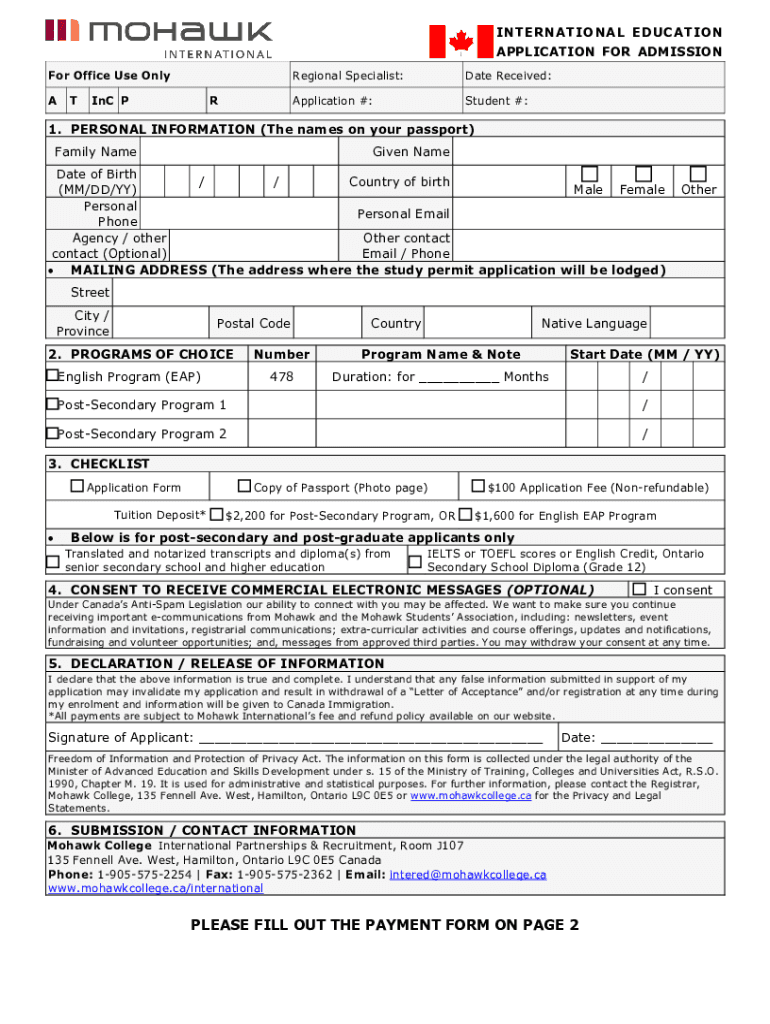
Begin by filling out the 'Personal Information' section. Enter your Family Name, Given Name, Date of Birth, and Country of Birth. Select your gender and provide your personal email and phone number.
Next, complete the 'Mailing Address' field with your street address, city, province, and postal code where the study permit application will be lodged.
In the 'Programs of Choice' section, indicate your preferred English Program or Post-Secondary Programs by entering the program name and start date.
Review the 'Checklist' to ensure you have included all necessary documents such as a copy of your passport and any required fees.
If applicable, consent to receive commercial electronic messages by checking the box provided.
Finally, sign and date the declaration to confirm that all information is accurate before submitting your application.
Start using our platform today for free to streamline your InC P form completion!
The IncP plasmid-encoded cell envelope-associated DNA
by R Daugelavicius 1997 Cited by 57 IncP-type plasmids are broad-host-range conjugative plasmids. DNA translocation requires DNA transfer-replication functions and additional factors required forRead more
Triple P America, Inc. Contact Email contact.us@triplep.net Organization Phone 8034512278 1201 Lincoln Street Suite 201 Columbia, SC 29201 United States. Phone
Cookie consent notice
This site uses cookies to enhance site navigation and personalize your experience.
By using this site you agree to our use of cookies as described in our Privacy Notice.
You can modify your selections by visiting our Cookie and Advertising Notice.