




Here's how it works



How to use or fill out SMFT Grant Application Form - Sarva Mangal Family Trust with our platform

- Click ‘Get Form’ to open the SMFT Grant Application Form in the editor.
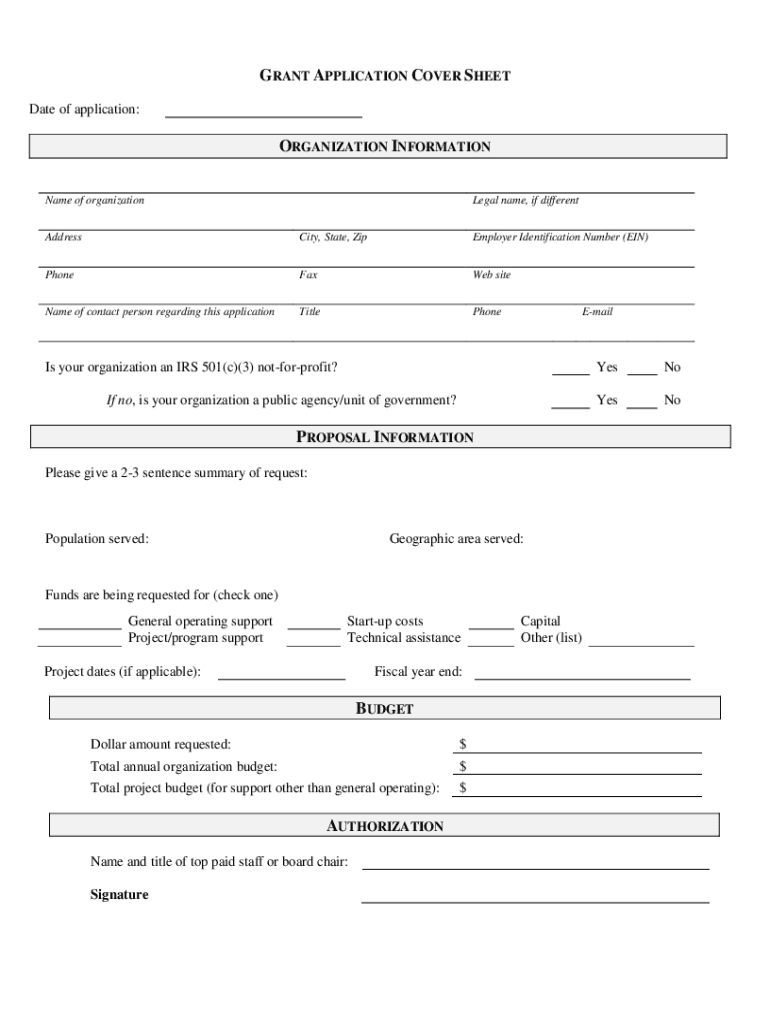
- Begin by filling out the 'Grant Application Cover Sheet' section. Enter the date of application and provide your organization’s name, legal name (if different), address, EIN, and contact details.
- In the 'Proposal Information' section, summarize your request in 2-3 sentences. Specify the population and geographic area served, and indicate whether you are requesting funds for general operating support or project/program support.
- Complete the 'Budget' section by entering the dollar amount requested along with your total annual organization budget and total project budget if applicable.
- Proceed to the 'Proposal Narrative' where you will provide detailed information about your organization’s history, mission, current programs, and relationship with other organizations.
- Finally, ensure all required attachments are included as listed in the 'Required Attachments' section before submitting your application.
Start using our platform today to streamline your grant application process for free!
It's free
See more SMFT Grant Application Form - Sarva Mangal Family Trust versions
| Versions | Form popularity | Fillable & printable |
|---|---|---|
| 2017 | 4.4 Satisfied (30 Votes) |
Got questions?
How can I create an electronic signature in my california grant application form on Android?
Approving paperwork on a mobile device is fast, easy, and doesn’t require software installation if you have an account with DocHub. Log in from any browser, complete your empty fields with your information, and click on Sign → Create your signature. You can draw your eSignature the same way you usually do on paper, add its image to your california grant application form, or type in your name and stylize its look. No matter what option you choose, your document will be valid.
How do you edit SMFT Grant Application Form - Sarva Mangal Family Trust on Android?
Document editing with DocHub is equally convenient on desktop and mobile devices. You just need an internet browser to revise your SMFT Grant Application Form - Sarva Mangal Family Trust on Android. Open our site and sign in to access the tools you need. Add your document and introduce your intended modifications. After that, you can keep your form in your document storage or send it out instantly.
Security and compliance
At DocHub, your data security is our priority. We follow HIPAA, SOC2, GDPR, and other standards, so you can work on your documents with confidence.
Learn more


