




Here's how it works



How to use or fill out Minnesota Racing Commission Association and Vendor Employee License Application 2021 with our platform

- Click ‘Get Form’ to open the Minnesota Racing Commission Association and Vendor Employee License Application 2021 in the editor.
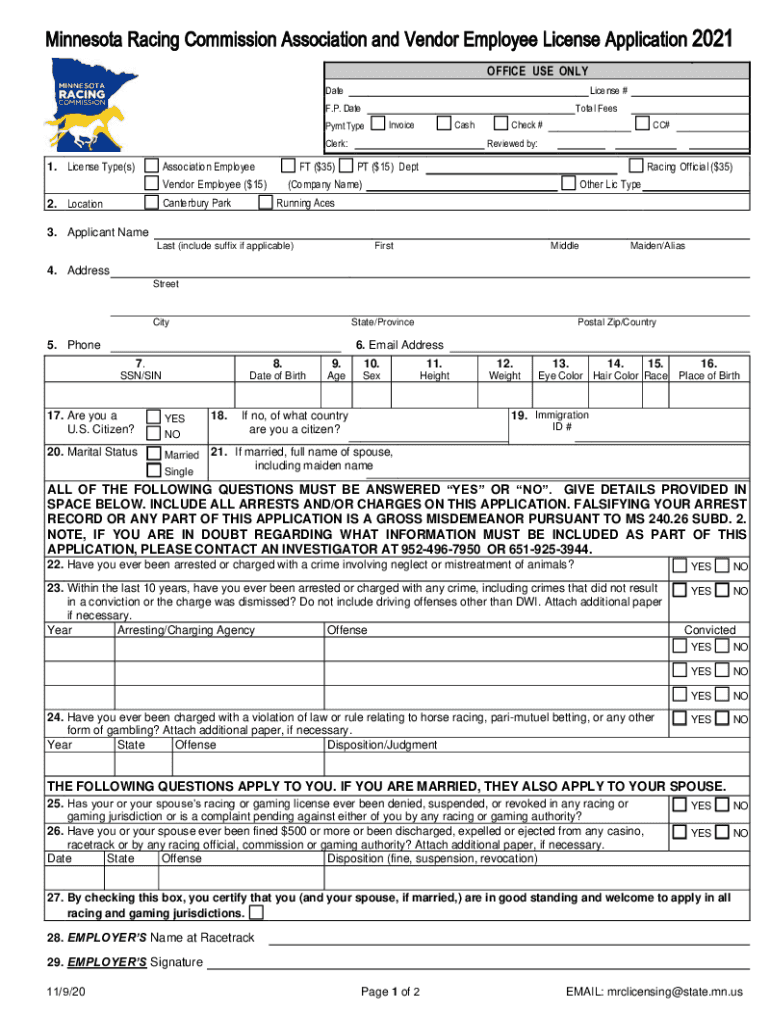
- Begin by selecting your license type(s) from the options provided, such as Canterbury Park or Running Aces. Ensure you check the appropriate box for either Association Employee or Vendor Employee.
- Fill in your personal information, including your full name, address, phone number, and email address. Make sure all details are accurate to avoid processing delays.
- Complete the sections regarding your Social Security Number (SSN), date of birth, age, sex, height, weight, eye color, hair color, and race. This information is crucial for identification purposes.
- Answer all questions regarding your criminal history honestly. Each question must be answered with a 'YES' or 'NO', providing details where necessary.
- Review the Affidavit of Qualification section carefully. Confirm that you meet all qualifications and sign where indicated.
- Once completed, save your application and utilize our platform’s features to share or submit it directly to the Minnesota Racing Commission.
Start using our platform today to fill out your application quickly and efficiently!
It's free
See more Minnesota Racing Commission Association and Vendor Employee License Application 2021 versions
Got questions?
How do I sign my Minnesota Racing Commission Association and Vendor Employee License Application 2021 online?
Log in to your DocHub account and import your Minnesota Racing Commission Association and Vendor Employee License Application 2021 to our editor using one of its upload methods - from your device, cloud storage, protected URL, or your DocHub folders if you have already processed your document before. Open our editor, click the Sign key in the top toolbar, and choose your signing method. You can use a picture of your handwritten signature, draw it, type in your name, or use a QR code instead.
How do you create an e-signature for the Minnesota Racing Commission Association and Vendor Employee License Application 2021 on iOS?
In addition to a comprehensive toolset for editing PDFs on mobile phones, DocHub allows you to sign your Minnesota Racing Commission Association and Vendor Employee License Application 2021 along the way. Open our editor in your internet browser, make modifications using DocHub’s toolset, and finish your editing by eSigning the completed form.
Security and compliance
At DocHub, your data security is our priority. We follow HIPAA, SOC2, GDPR, and other standards, so you can work on your documents with confidence.
Learn more


