




Here's how it works



How to use or fill out STATE OF CALIFORNIA DIVISION OF WORKERS' COMPENSATION WORKERS' COMPENSATION APPEALS BOARD STIPULATIO with our platform

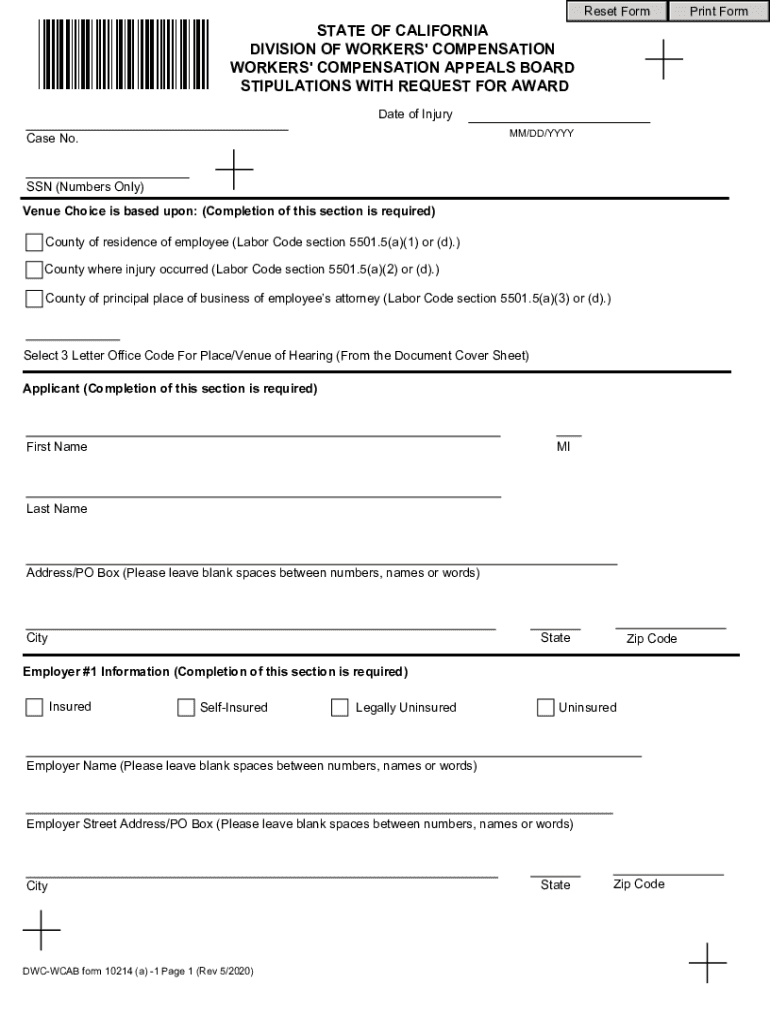
- Click ‘Get Form’ to open the STATE OF CALIFORNIA DIVISION OF WORKERS' COMPENSATION WORKERS' COMPENSATION APPEALS BOARD STIPULATIO in the editor.
- Begin by entering the 'Date of Injury' and 'Case No.' in the designated fields. Ensure that you provide accurate information as this is crucial for your case.
- Complete the 'Venue Choice' section by selecting the appropriate county based on your situation. This is a required field, so make sure to choose wisely.
- Fill out the 'Applicant' section with your personal details, including first name, last name, and address. Pay attention to leave blank spaces between numbers and words for clarity.
- Proceed to enter information for each employer involved in your case. For each employer, indicate whether they are insured or self-insured and provide their respective details.
- In the 'Injury Details' section, specify any injuries sustained along with relevant dates. Be thorough in listing all body parts affected.
- Review all entered information for accuracy before submitting. Utilize our platform's features to save or print your completed form as needed.
Start filling out your stipulation form today using our platform for free!
It's free
See more STATE OF CALIFORNIA DIVISION OF WORKERS' COMPENSATION WORKERS' COMPENSATION APPEALS BOARD STIPULATIO versions
Got questions?
Can I draw my eSignature to approve my STATE OF CALIFORNIA DIVISION OF WORKERS' COMPENSATION WORKERS' COMPENSATION APPEALS BOARD STIPULATIO?
Of course, electronically drawing your signature is acceptable, but only if you use a tool that complies with industry laws and regulations. Consider DocHub, which guarantees eSignature validity under ESIGN and UETA requirements. All you need to approve your STATE OF CALIFORNIA DIVISION OF WORKERS' COMPENSATION WORKERS' COMPENSATION APPEALS BOARD STIPULATIO electronically is an account with DocHub and an internet connection. Once you open your paperwork in our editor, click Sign and choose the Draw option.
How do you complete STATE OF CALIFORNIA DIVISION OF WORKERS' COMPENSATION WORKERS' COMPENSATION APPEALS BOARD STIPULATIO online?
You may complete and eSign your STATE OF CALIFORNIA DIVISION OF WORKERS' COMPENSATION WORKERS' COMPENSATION APPEALS BOARD STIPULATIO online, even on a tight deadline. All you need to access top-notch editing instruments on any device is a DocHub profile, that you can sign up in just a few moments. Once you sign up, upload your file or find what you are searching for in our catalog, complete it using the editing instruments you want, and place your electronic signature on it at the end.
What does the Workers compensation Appeals Board do?
Can you waive a workers compensation claim in California?
What is stipulation with request for award in California?
Security and compliance
At DocHub, your data security is our priority. We follow HIPAA, SOC2, GDPR, and other standards, so you can work on your documents with confidence.
Learn more


