HOW TO BECOME AN APPROVED PROVIDER OF WHS ENTRY PERMIT 2026

Get Form
entry permit holder training Preview on Page 1

Here's how it works

01. Edit your entry permit holder training online
Type text, add images, blackout confidential details, add comments, highlights and more.
02. Sign it in a few clicks
Draw your signature, type it, upload its image, or use your mobile device as a signature pad.
03. Share your form with others
Send whs entry permit holder training via email, link, or fax. You can also download it, export it or print it out.

How to use or fill out HOW TO BECOME AN APPROVED PROVIDER OF WHS ENTRY PERMIT with our platform

Form edit decoration
9.5
Ease of Setup
DocHub User Ratings on G2
9.0
Ease of Use
DocHub User Ratings on G2
  1. Click ‘Get Form’ to open it in the editor.
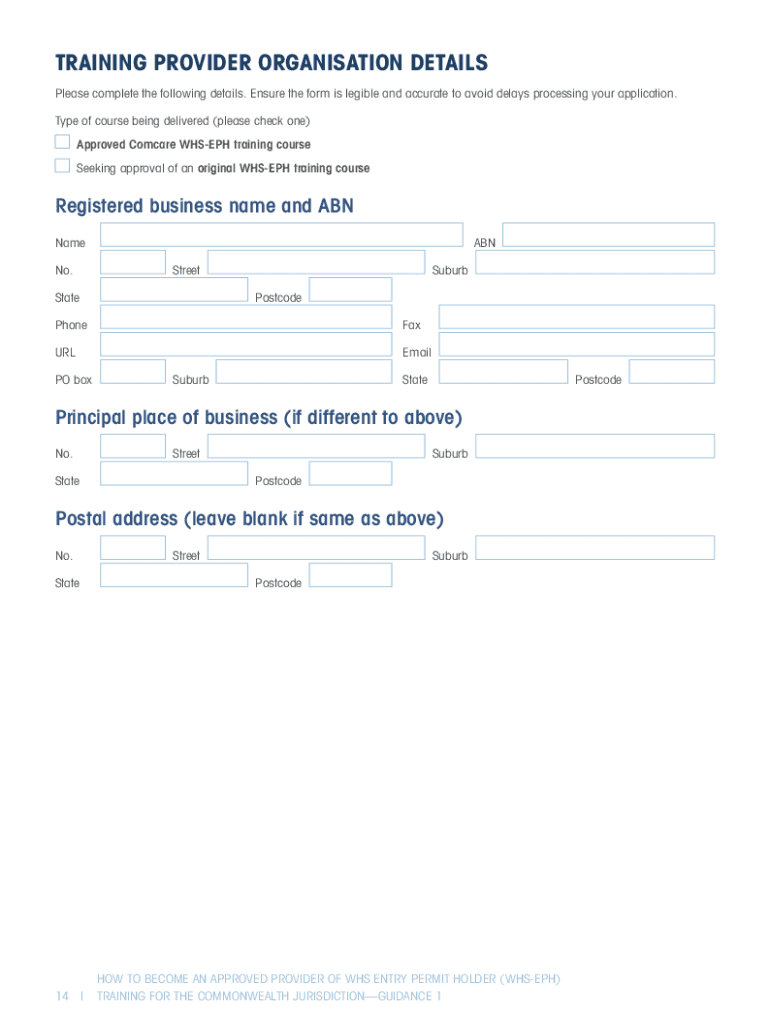
  2. Begin by filling out the 'Training Provider Organisation Details' section. Ensure all information is accurate, including your registered business name and ABN.
  3. Complete the 'Authorised Officer Details' section, providing names and contact information for those responsible for signing certificates of attendance.
  4. In the 'Nominated Trainer Details' section, list at least one trainer who meets the qualifications outlined in Part 2 of the document. Ensure you validate their experience and qualifications.
  5. Attach all required documentation as specified in Part 1.3, including a completed application form, trainers’ details, and payment information for the $550 fee.
  6. Review your application using the provided checklist to ensure completeness before submitting it via email or post to Comcare.

Start your journey towards becoming an approved provider today by utilizing our platform for free!

See more HOW TO BECOME AN APPROVED PROVIDER OF WHS ENTRY PERMIT versions

We've got more versions of the HOW TO BECOME AN APPROVED PROVIDER OF WHS ENTRY PERMIT form. Select the right HOW TO BECOME AN APPROVED PROVIDER OF WHS ENTRY PERMIT version from the list and start editing it straight away!
Versions Form popularity Fillable & printable
2017 4.8 Satisfied (125 Votes)
be ready to get more

Complete this form in 5 minutes or less

Get form

Got questions?

We have answers to the most popular questions from our customers. If you can't find an answer to your question, please contact us.
Contact us

Yes, a typed name is accepted as a legitimate electronic signature when you add it to your paperwork using a compliant solution like DocHub. Simply import your HOW TO BECOME AN APPROVED PROVIDER OF WHS ENTRY PERMIT to our editor, click Sign in the top tool pane → Create your signature → Type your name in the proper tab, and choose how it will look on your document.

When you go for analog methods of completing your HOW TO BECOME AN APPROVED PROVIDER OF WHS ENTRY PERMIT, it is simple to download your file for printing. Search DocHub’s Forms & Templates catalog to get the exact document template you need and open it for editing or download it on your gadget in the format of your choice. It is easy to complete your form electronically and put your handwritten signature on it after printing or eSign your document with DocHub.

Work health and safety (WHS) entry permit holders are union officials who have completed an approved training course and hold a valid entry permit under the Fair Work Act 2009 (Cth) or Industrial Relations Act 2016, as well as the Work Health and Safety Act 2011(WHS Act).
A WHS permit holder may enter a workplace to inquire into a suspected contravention or bdocHub of the WHS Act. For more information, please visit Worksafe - Right of Entry. A business should not refuse or delay entry of, or hinder or obstruct, a WHS permit holder.
The WHS Act aims to: reduce risks in a place of work. make sure work health and safety issues are dealt with and resolved fairly. help businesses and workers achieve a healthier and safer working environment.

Security and compliance

At DocHub, your data security is our priority. We follow HIPAA, SOC2, GDPR, and other standards, so you can work on your documents with confidence.

Learn more
ccpa2
pci-dss
gdpr-compliance
hipaa
soc-compliance

People also ask

Worker employees, contractors, subcontractors, outworkers, apprentices and trainees, work experience students, volunteers and PCBUs who are individuals if they perform work for the business or undertaking.
Workplace Health and Safety Queensland - Office of Industrial Relations. Workplace Health and Safety Queensland ( WHSQ ) - Office of Industrial Relations is responsible for improving work health and safety in Queensland and helping reduce the risk of workers being killed or injured on the job.

Related links