




Here's how it works



How to use or fill out statement of claim form nsw with our platform

- Click ‘Get Form’ to open the statement of claim form in the editor.
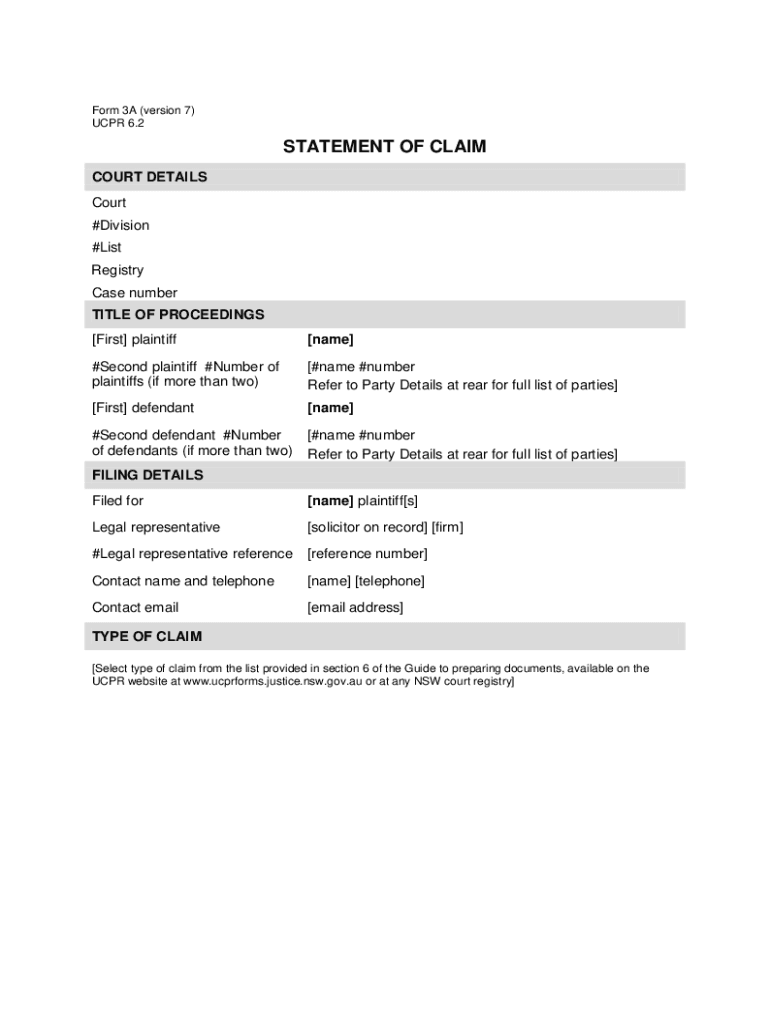
- Begin by filling in the court details, including the court name, division, list, registry, and case number. Ensure accuracy as this information is crucial for your filing.
- In the 'Title of Proceedings' section, enter the names of all plaintiffs and defendants. If there are more than two parties involved, refer to the Party Details at the rear of the form.
- Complete the 'Filing Details' by providing your name as the plaintiff(s), along with your legal representative's details including their firm and contact information.
- Select the type of claim from the provided list in section 6. This helps categorize your claim appropriately.
- In 'Relief Claimed', specify any amounts being claimed, including interest and fees. Make sure to calculate totals accurately.
- Finally, sign and date where indicated under 'Signature of Legal Representative'. Ensure that all required fields are completed before submitting.
Start using our platform today to fill out your statement of claim form nsw easily and for free!
It's free
See more statement of claim form nsw versions
| Versions | Form popularity | Fillable & printable |
|---|---|---|
| 2015 | 4.8 Satisfied (55 Votes) |
Got questions?
Can I draw my electronic signature to sign my statement of claim form nsw?
Of course, electronically drawing your signature is acceptable, but only if you use a tool that complies with industry regulations and policies. Consider DocHub, which ensures eSignature validity under ESIGN and UETA requirements. All you need to approve your statement of claim form nsw electronically is an account with DocHub and an internet connection. Once you open your document in our editor, click Sign and choose the Draw tool.
How do you complete statement of claim form nsw on iOS?
You need only a web connection and a browser to complete your statement of claim form nsw by using an iOS phone. Open the DocHub website and authenticate. Then, add your file or select it from the list in your dashboard. Then use our editing tools to complete your form and preserve all your adjustments. You can also send it to a specified recipient immediately.
Security and compliance
At DocHub, your data security is our priority. We follow HIPAA, SOC2, GDPR, and other standards, so you can work on your documents with confidence.
Learn more


