01. Edit your republic south africa application online
Type text, add images, blackout confidential details, add comments, highlights and more.
02. Sign it in a few clicks
Draw your signature, type it, upload its image, or use your mobile device as a signature pad.
03. Share your form with others
Send republic south africa application via email, link, or fax. You can also download it, export it or print it out.
How to use or fill out the Republic South Africa Application with our platform
Ease of Setup
DocHub User Ratings on G2
Ease of Use
DocHub User Ratings on G2
Click ‘Get Form’ to open the Republic South Africa Application in the editor.
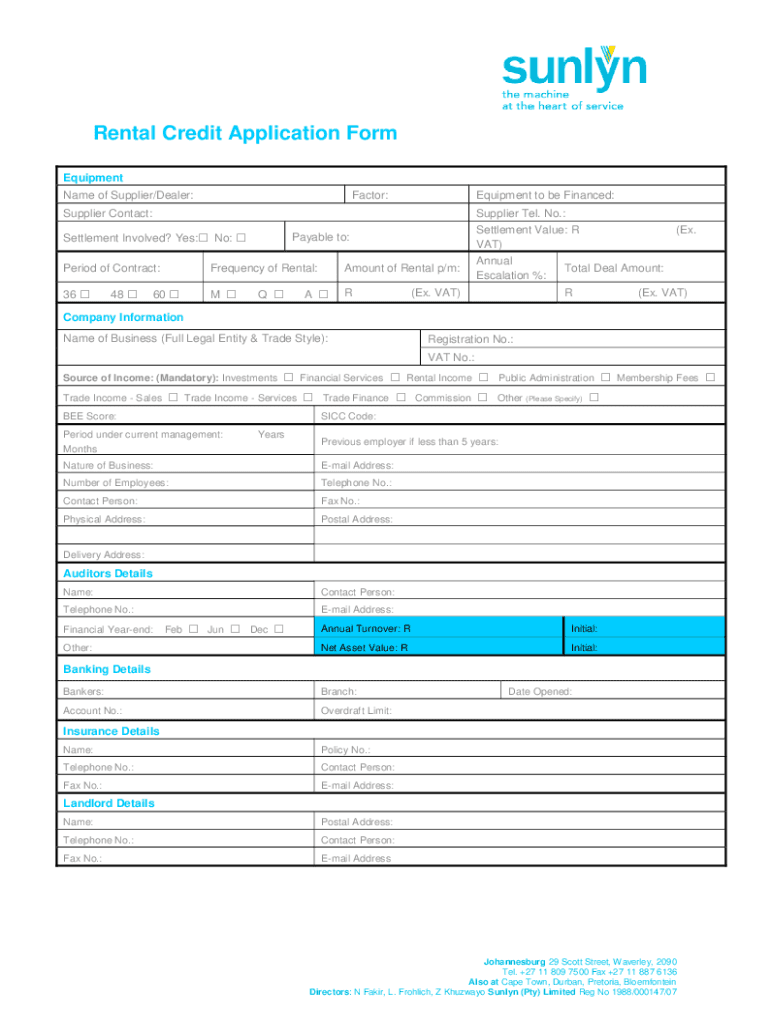
Begin by filling in the 'Equipment' section. Enter the name of the supplier or dealer, equipment to be financed, and contact details. Ensure you indicate if a settlement is involved.
Proceed to 'Company Information'. Provide your business's full legal name, registration number, VAT number, and source of income. This section is crucial for verifying your business credentials.
In 'Auditors Details', input the auditor's name and contact information. This helps establish financial credibility.
Complete the 'Banking Details' section with your banker's information and account details to facilitate transactions.
Fill out 'Shareholders, Directors, Members' details accurately. Include names, ID numbers, share percentages, and years of service.
Finally, review all sections for accuracy before signing off on consent forms related to credit checks and marketing.
Start using our platform today for free to streamline your application process!
Fill out republic south africa application online It's free
See more republic south africa application versions
We've got more versions of the republic south africa application form. Select the right republic south africa application version from the list and start editing it straight away!
South Africa visa application onlineVFS Czech Republic South Africae-Visa application South AfricaHow to apply for a visa in South AfricaSouth AFRICA visa application form pdfVisa for prague from South AfricaSouth Africa visa for U.S. green card holdersVisa application form South Africa
Security and compliance
At DocHub, your data security is our priority. We follow HIPAA, SOC2, GDPR, and other standards, so you can work on your documents with confidence.
U.S. citizens visiting the Republic of South Africa for 90 days or less do not need a visa. USAC semester and yearlong students must obtain a study visa.
Cookie consent notice
This site uses cookies to enhance site navigation and personalize your experience.
By using this site you agree to our use of cookies as described in our Privacy Notice.
You can modify your selections by visiting our Cookie and Advertising Notice.