




Here's how it works



How to use or fill out dtop dis 255 with our platform

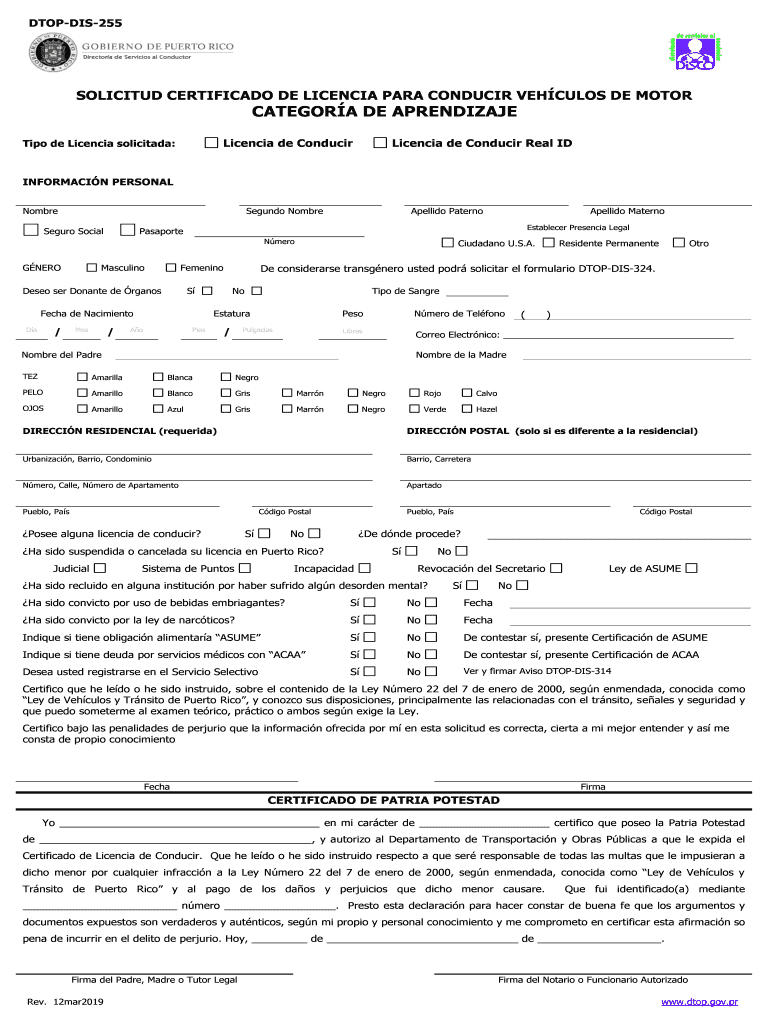
- Click ‘Get Form’ to open the DTOP-DIS-255 in the editor.
- Begin by filling out your personal information. Enter your first name, middle name, last name, and social security number in the designated fields.
- Indicate your legal presence by providing your passport number and select your gender. If applicable, check the box for organ donation.
- Complete the residential address section accurately. If your mailing address differs from your residential address, fill that in as well.
- Answer questions regarding previous licenses and any legal issues. Be honest about any suspensions or convictions as this is crucial for processing.
- Review all sections carefully before signing at the bottom of the form to certify that all information is correct.
Start using our platform today to complete your DTOP-DIS-255 form online for free!
It's free
See more dtop dis 255 versions
Got questions?
Can I type my electronic signature on my dtop dis 255 pdf?
Yes, a typed name is recognized as a legitimate electronic signature when you create it on your paperwork using a compliant solution like DocHub. Simply upload your dtop dis 255 pdf to our editor, click Sign in the top tool pane → Create your signature → Type your name in the appropriate tab, and choose how it will appear on your document.
How do you edit formulario dtop dis 255 online?
With DocHub, there are several convenient methods to edit your formulario dtop dis 255 online. You can drag and drop the form and edit it directly at the DocHub site or use our browser extension to fill out your form right away. On top of that, you can edit your PDF on your smartphone, as DocHub works with all the available mobile platforms.
How do I get a real ID in Puerto Rico?
Can you get a REAL ID in Puerto Rico?
What is DTOP PR in English?
Security and compliance
At DocHub, your data security is our priority. We follow HIPAA, SOC2, GDPR, and other standards, so you can work on your documents with confidence.
Learn more


