
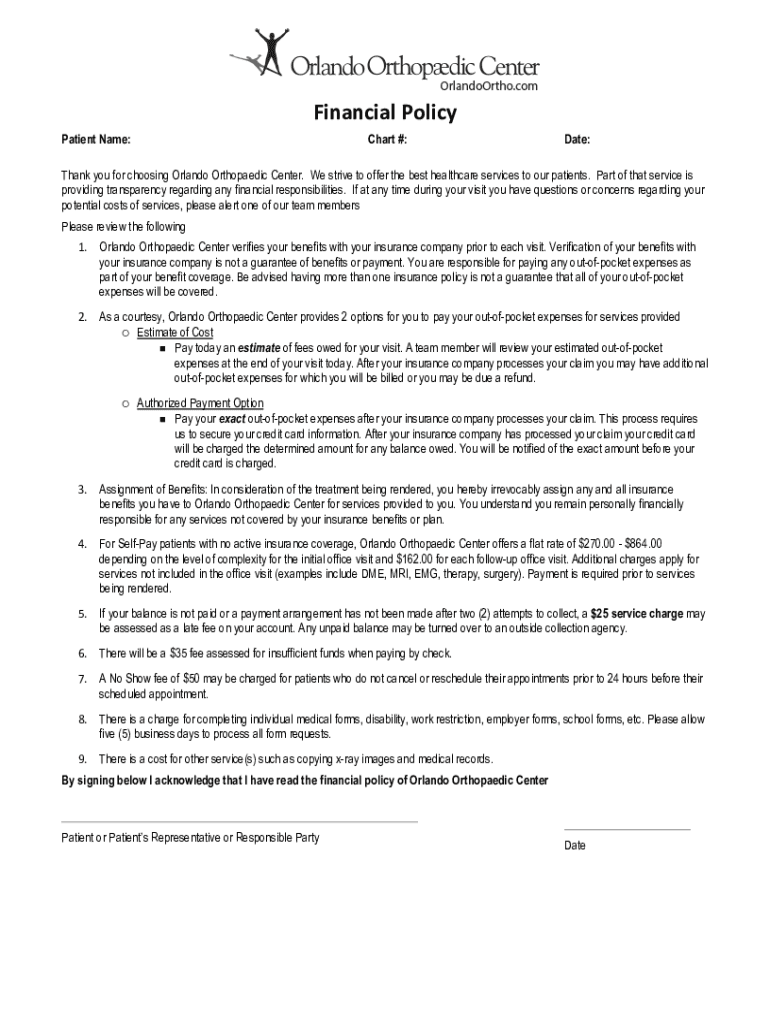




Here's how it works



How to use or fill out PDF Dear Valued Patient, Thank you for choosing Manatee Physician

- Click ‘Get Form’ to open it in the editor.
- Begin by entering your Patient Name and Chart Number at the top of the form. This information is essential for identifying your records.
- Fill in the Date field to indicate when you are completing this form. This helps maintain accurate records.
- Review the financial policy section carefully. If you have questions about any terms, feel free to reach out to our team for clarification.
- Complete the Consent for Purposes of Treatment section by signing and dating where indicated. Ensure that you understand your rights regarding your protected health information.
- Proceed to fill out the Patient Medical History section, providing details about your past health history, current medications, and any allergies.
- Finally, review all entered information for accuracy before submitting the form through our platform.
Engage with our platform today to complete your forms easily and efficiently!
It's free
See more PDF Dear Valued Patient, Thank you for choosing Manatee Physician versions
Got questions?
What is the best way to electronically sign my PDF Dear Valued Patient, Thank you for choosing Manatee Physician?
Many software applications are available out there for document modifying and signing. DocHub is one of the most in-demand online solutions that comply with all data protection and compliance requirements and ensures your eSigned paperwork is legally enforceable. All you need to give it a try is to register an account, add your PDF Dear Valued Patient, Thank you for choosing Manatee Physician, fill out the required information, and click Sign. Generate your eSignature by typing, drawing it, uploading its image to your template, or scanning a unique QR code.
How do you edit PDF Dear Valued Patient, Thank you for choosing Manatee Physician in Chrome?
If you use Chrome, there are two simple methods to edit your PDF Dear Valued Patient, Thank you for choosing Manatee Physician online. First, visit the DocHub website, add your file, and edit it utilizing our toolbar. You may also set up our Chrome extension and edit any document by dragging and dropping it in your web browser tab.
Security and compliance
At DocHub, your data security is our priority. We follow HIPAA, SOC2, GDPR, and other standards, so you can work on your documents with confidence.
Learn more


