




Here's how it works



How to use or fill out Fillable Online medical information form for air travel Fax

- Click ‘Get Form’ to open it in the editor.
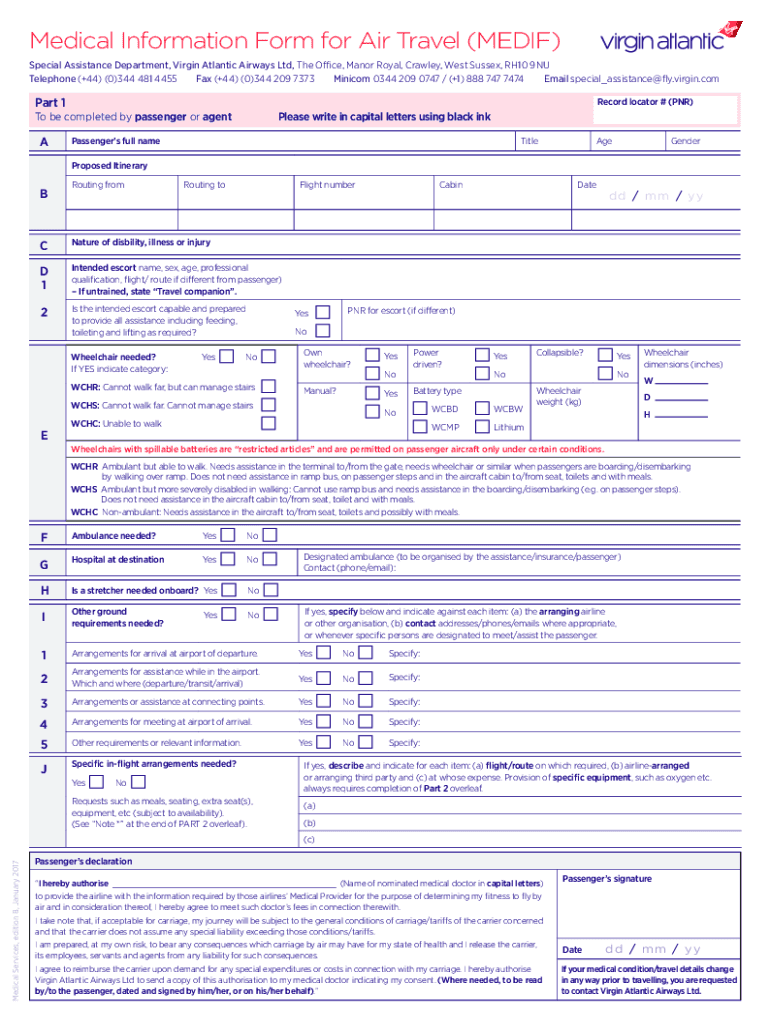
- Begin with Part 1, entering your Record Locator number (PNR) and filling in your personal details such as full name, title, age, and gender. Ensure all entries are in capital letters using black ink.
- Provide your proposed itinerary by specifying routing from and to, along with the flight number.
- Detail any disabilities or medical conditions in section C. Include information about your intended escort if applicable, indicating their qualifications and ability to assist you.
- In sections D through J, answer questions regarding wheelchair needs, ambulance requirements, hospital arrangements at the destination, and any specific in-flight requests.
- Complete Part 2 by having your attending physician fill out their section. They will provide confidential medical information necessary for assessing your fitness to fly.
Start filling out your form today on our platform for free!
It's free
See more Fillable Online medical information form for air travel Fax versions
Got questions?
What do I need to sign my Fillable Online medical information form for air travel Fax electronically?
Electronic document approval requires a software solution that works in compliance with data security and eSignature regulations. DocHub is a great tool for that, as it fulfills all the aforementioned requirements. Whatever method you like to sign your Fillable Online medical information form for air travel Fax in DocHub, your eSignature will be legally binding and court-admissible.
How do you complete Fillable Online medical information form for air travel Fax online?
You may complete and eSign your Fillable Online medical information form for air travel Fax on the internet, even on a tight deadline. All you need to access top-notch editing tools on any device is a DocHub profile, which you can register within a few moments. Once you sign up, add your file or find what you are looking for in our catalog, complete it using the editing tools you want, and place your electronic signature on it at the end.
What is a Medif form?
What is the meaning of Medif form?
Do I need a medical certificate to fly?
Security and compliance
At DocHub, your data security is our priority. We follow HIPAA, SOC2, GDPR, and other standards, so you can work on your documents with confidence.
Learn more


