




Here's how it works



How to use or fill out Liberty Athletic Booster Club Membership Form

- Click ‘Get Form’ to open it in the editor.
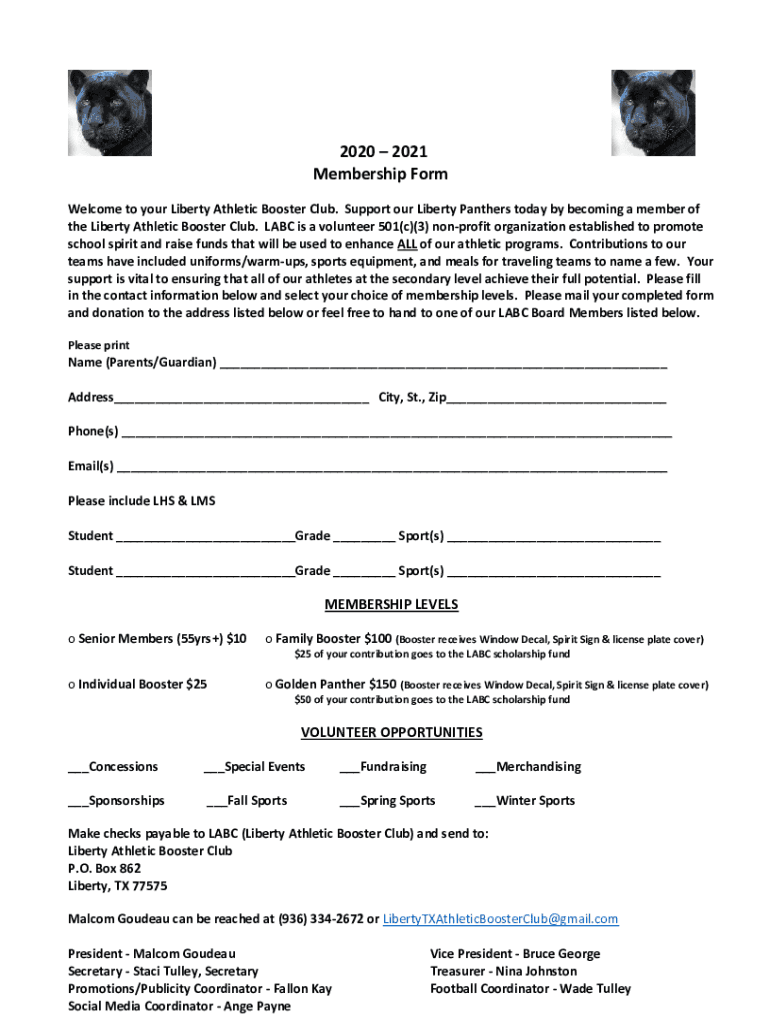
- Begin by filling in your contact information. Enter the name of the parent or guardian, followed by the address, city, state, and zip code.
- Next, provide your phone numbers and email addresses to ensure we can reach you easily.
- List your student(s) attending LHS & LMS along with their respective grades and sports they participate in.
- Select your desired membership level from the options provided. Each level has different benefits, so choose one that best fits your support for our athletes.
- Indicate any volunteer opportunities you are interested in by checking the appropriate boxes.
- Once completed, save your form and either mail it to the address listed or hand it to a board member.
Start supporting our Liberty Panthers today by filling out the form online for free!
It's free
See more Liberty Athletic Booster ClubWe've had a few inquires versions
Got questions?
How do I sign my Liberty Athletic Booster ClubWe've had a few inquires for free?
Most eSignature services require users to have a paid subscription. With DocHub, there are two ways for you to add an electronic signature to your Liberty Athletic Booster ClubWe've had a few inquires without being charged:
- You can do it during a 7-day trial period;
- You can subscribe to a free plan.
The second option, however, has restrictions on the number of signatures, sign requests, emails, and forms for adjusting available per month. You can check for full information here.
How do you get Liberty Athletic Booster ClubWe've had a few inquires?
You can find the latest and most relevant version of the Liberty Athletic Booster ClubWe've had a few inquires in our DocHub forms collection. Search it by categories or use the search field to locate the exact template that suits your case. You can open this form for editing once you find it.
Security and compliance
At DocHub, your data security is our priority. We follow HIPAA, SOC2, GDPR, and other standards, so you can work on your documents with confidence.
Learn more


