




Here's how it works



How to use or fill out Women's Services - HH for Women & Children with our platform

- Click ‘Get Form’ to open the Women's Services - HH for Women & Children document in the editor.
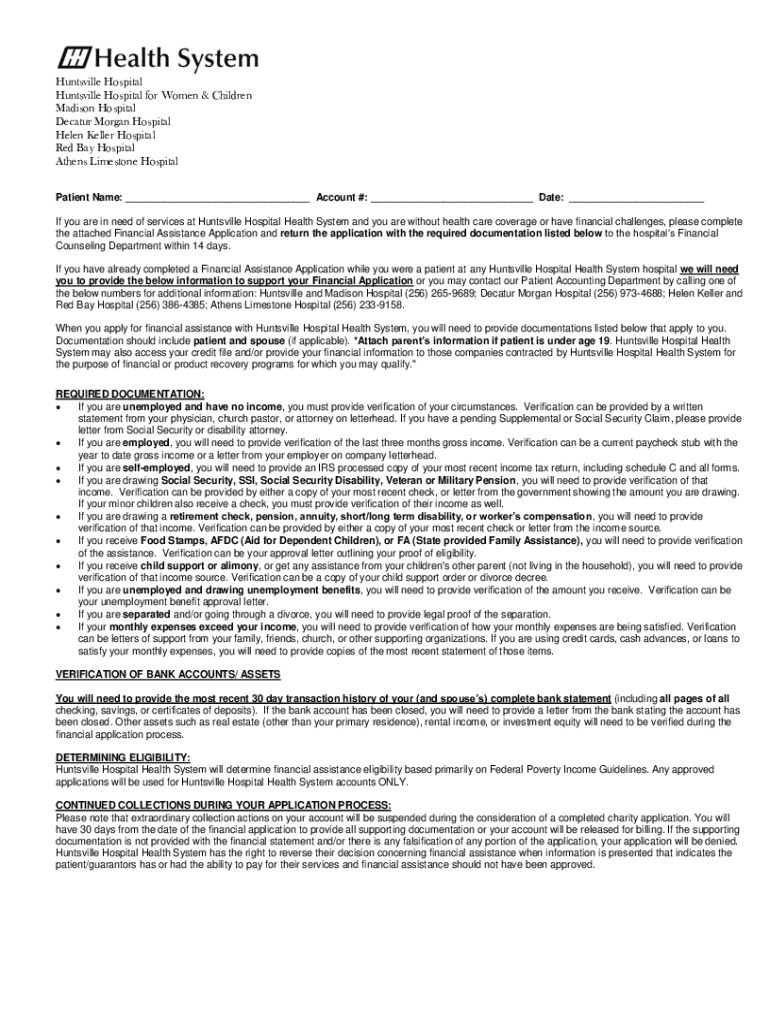
- Begin by entering your Patient Name, Account Number, and Date in the designated fields at the top of the form.
- Review the instructions regarding financial assistance. If applicable, gather the required documentation as listed in the form.
- Fill out each section of the Financial Assistance Application carefully, ensuring all necessary information is provided.
- Attach any supporting documents that verify your financial situation, such as income statements or letters from relevant authorities.
- Once completed, save your document and submit it to the Financial Counseling Department within 14 days as instructed.
Start using our platform today to easily fill out and submit your Women's Services application for free!
It's free
See more Women's Services - HH for Women & Children versions
Got questions?
Can I fill out and sign my Women's Services - HH for Women & Children online?
Yes, and it’s really easy! DocHub is a web-based PDF editor with advanced document management functions that allow you quickly edit your forms, fill out blank fields and insert new ones for other people to fill out, and create eSignatures in several ways. Import your Women's Services - HH for Women & Children, provide information as required, and select how you want to eSign your template - by typing your name, drawing your signature, uploading its picture, or utilizing a QR code.
How do you create an e-signature for the Women's Services - HH for Women & Children on iOS?
In addition to an extensive toolset for editing PDFs on mobile phones, DocHub enables you to sign your Women's Services - HH for Women & Children along the way. Open our editor in your web browser, make changes using DocHub’s toolset, and complete your editing by eSigning the completed form.
How do I call Huntsville Hospital?
How do I contact Huntsville Hospital HR?
What are the Huntsville Hospital visiting hours?
Security and compliance
At DocHub, your data security is our priority. We follow HIPAA, SOC2, GDPR, and other standards, so you can work on your documents with confidence.
Learn more


