




Here's how it works



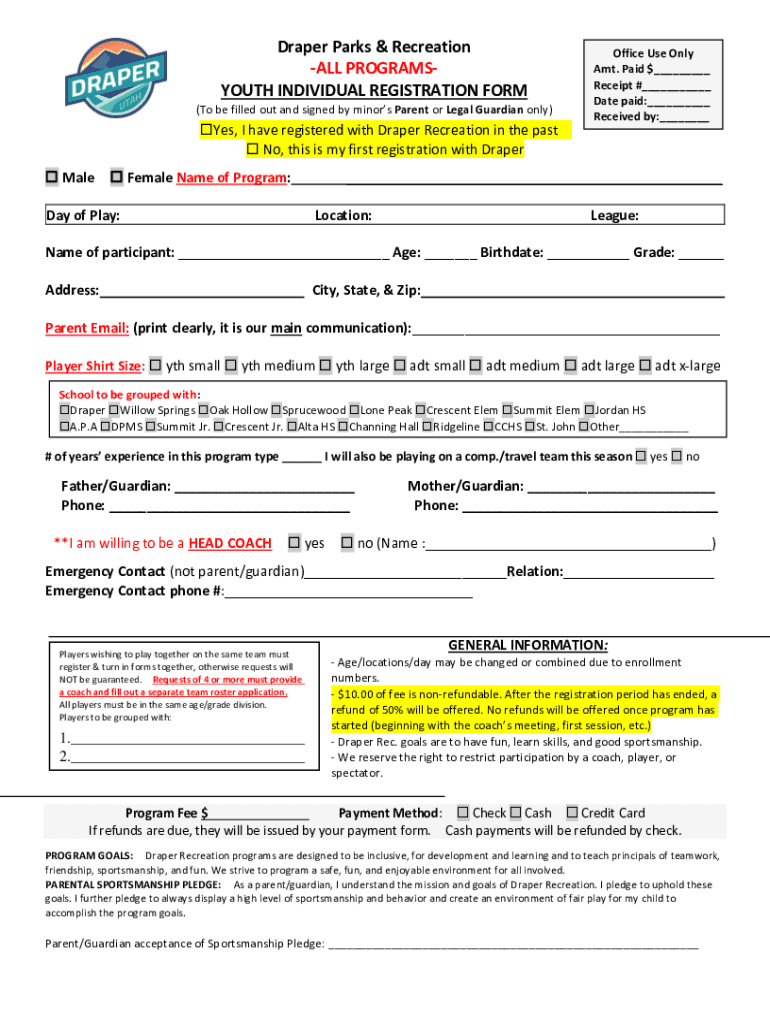
How to use or fill out Draper Parks & Recreation -ALL PROGRAMS- Amt Paid $ YOUTH

- Click ‘Get Form’ to open it in the editor.
- Begin by indicating whether you have registered with Draper Recreation before by selecting 'Yes' or 'No'.
- Fill in the participant's details, including their name, age, birthdate, and grade. Ensure all information is accurate for proper registration.
- Select the program name and day of play from the provided options.
- Complete the payment section by entering the amount paid and selecting your payment method (Check, Cash, or Credit Card).
- Provide your contact information clearly, including parent email and phone numbers for both guardians.
- Review all sections for accuracy before signing the agreement to participate and acknowledging the concussion policy.
Start filling out your form today using our platform for free!
It's free
See more Draper Parks & Recreation -ALL PROGRAMS- Amt Paid $ YOUTH versions
| Versions | Form popularity | Fillable & printable |
|---|---|---|
| 2021 | 4.8 Satisfied (83 Votes) |
Got questions?
How can I eSign my Draper Parks & Recreation -ALL PROGRAMS- Amt Paid $ YOUTH in Word?
Microsoft Word doesn’t have signing tools to generate legitimate eSignatures and enforceable forms. Luckily, DocHub is an online eSignature-compliant editor that works with different document formats, such as .doc files. Sign in to your account and upload the Word version of your Draper Parks & Recreation -ALL PROGRAMS- Amt Paid $ YOUTH from your device and cloud, or URL - our editor will automatically convert it into an editable PDF. Make all required alterations in your document and click Sign to generate your own legally-binding electronic signature. There are four signing options from which to choose.
How do you edit Draper Parks & Recreation -ALL PROGRAMS- Amt Paid $ YOUTH on iOS?
You can easily edit and complete your Draper Parks & Recreation -ALL PROGRAMS- Amt Paid $ YOUTH on any iOS device. Open an internet browser of your liking, go to the DocHub site, authorize or create a new account, upload your file for editing, and make your desired alterations. Our service is mobile-friendly, so utilizing its functions on your phone will be a no-brainer, even on the first try.
What does sivogah mean?
What is Draper Utah named after?
How old is Draper Utah?
Security and compliance
At DocHub, your data security is our priority. We follow HIPAA, SOC2, GDPR, and other standards, so you can work on your documents with confidence.
Learn more


