Type text, add images, blackout confidential details, add comments, highlights and more.
02. Sign it in a few clicks
Draw your signature, type it, upload its image, or use your mobile device as a signature pad.
03. Share your form with others
Send divorce papers maryland via email, link, or fax. You can also download it, export it or print it out.
How to use or fill out writ of summons maryland divorce with DocHub
Ease of Setup
DocHub User Ratings on G2
Ease of Use
DocHub User Ratings on G2
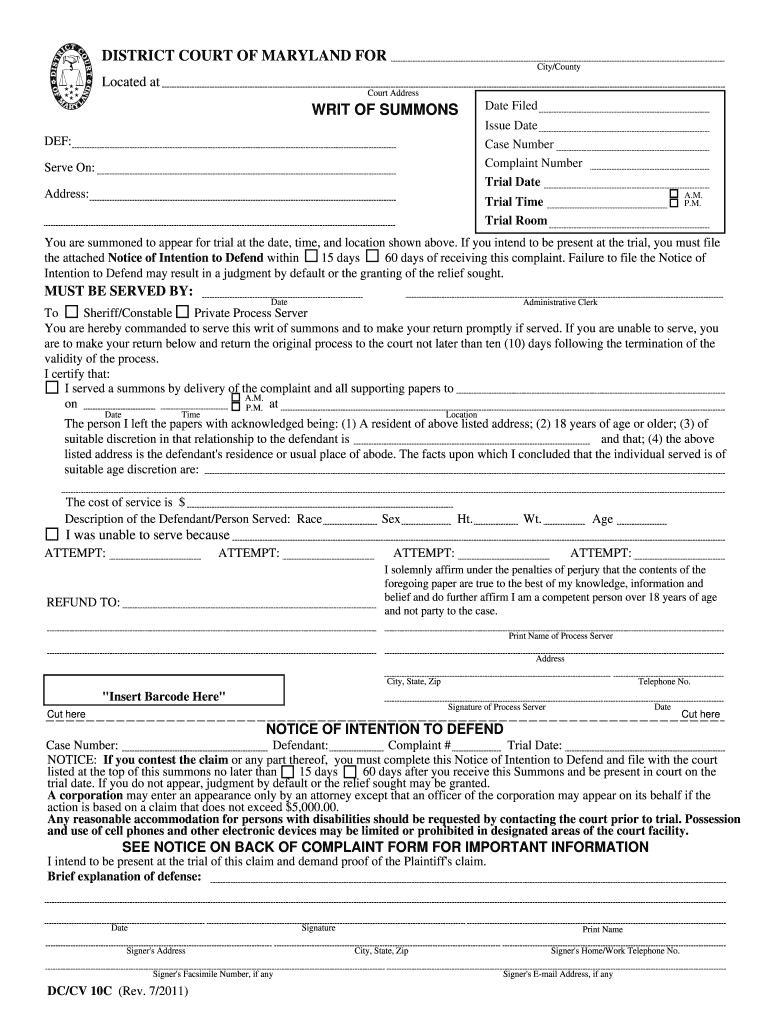
Click ‘Get Form’ to open the writ of summons in our editor.
Begin by entering the 'City/County' and 'Court Address' at the top of the form. This information is crucial for identifying the jurisdiction.
Fill in the 'Date Filed', 'Issue Date', 'Case Number', and 'Complaint Number'. Ensure these details are accurate as they pertain to your specific case.
In the 'DEF:' section, provide the name of the defendant and their address. This is essential for proper service of the summons.
Specify the trial date, time, and room in the designated fields. Make sure these match any prior notifications you have received.
Complete the 'MUST BE SERVED BY' section with relevant details about who will serve this writ, including their name and title.
If you intend to contest, fill out the attached Notice of Intention to Defend within 15 or 60 days as indicated. Provide a brief explanation of your defense.
Start using our platform today to easily complete your writ of summons for free!
Fill out writ of summons maryland divorce online It's free
See more writ of summons maryland divorce versions
We've got more versions of the writ of summons maryland divorce form. Select the right writ of summons maryland divorce version from the list and start editing it straight away!
Improper service of summons in MarylandGrounds for immediate divorce in MarylandWrit/summons/pleading electronic service MarylandAffidavit of Service MarylandMutual consent divorce MarylandMaryland Divorce forms downloadWhere to file for divorce in MarylandService of process Maryland
Security and compliance
At DocHub, your data security is our priority. We follow HIPAA, SOC2, GDPR, and other standards, so you can work on your documents with confidence.
Jurisdiction and Service of Process - NIWAP Library
(a) Upon the filing of a complaint under this chapter, the prothonotary shall issue summons, in appropriate form, directed to all of the defendants designatedRead more
You must arrange for a third party to serve a copy of the summons, the complaint, and all other papers filed with the court on your spouse within 60 days of theRead more
With the signed PSA in hand, any of the parties may then file it in court for a quick, simple and hopefully inexpensive court approval. The. PSA may (and should)Read more
Cookie consent notice
This site uses cookies to enhance site navigation and personalize your experience.
By using this site you agree to our use of cookies as described in our Privacy Notice.
You can modify your selections by visiting our Cookie and Advertising Notice.