




Here's how it works



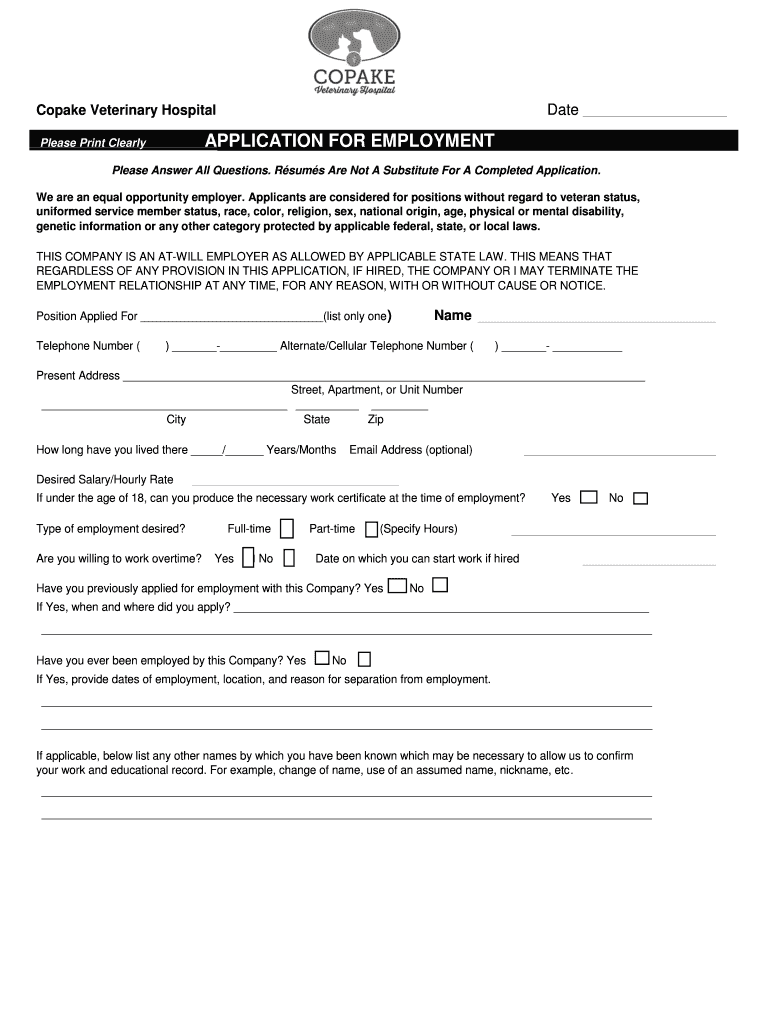
How to use or fill out Copake Veterinary Hospital Application for Employment

- Click ‘Get Form’ to open the Copake Veterinary Hospital application in our editor.
- Begin by filling in your personal information at the top, including your name, telephone number, and address. Ensure all details are printed clearly.
- Indicate the position you are applying for and provide your desired salary or hourly rate. If applicable, answer questions regarding age and work certificate availability.
- In the Education section, list your educational background, including school names, courses of study, and whether you graduated.
- For Work Experience, chronologically list your previous employers with relevant details such as job title, duties performed, and reasons for leaving. Be thorough to avoid disqualification.
- Complete the References section by providing names and contact information for individuals who can vouch for your work ethic.
- Finally, read through the Applicant Certification carefully before signing and dating the application to confirm accuracy.
Start using our platform today to easily complete your application for a seamless experience!
It's free
See more Copake Veterinary Hospital versions
| Versions | Form popularity | Fillable & printable |
|---|---|---|
| 2019 | 4.8 Satisfied (113 Votes) |
Got questions?
Can I complete and sign my Copake Veterinary Hospital online?
Sure, and it’s really straightforward! DocHub is a web-based PDF editor with advanced document management features that allow you rapidly edit your paperwork, fill out empty fields and drop new ones for others to fill out, and create electronic signatures in several ways. Add your Copake Veterinary Hospital, provide information as requested, and select how you want to eSign your template - by typing your name, drawing your signature, uploading its image, or utilizing a QR code.
How do you edit Copake Veterinary Hospital online?
With DocHub, there are several convenient ways to edit your Copake Veterinary Hospital online. You can drag and drop the form and edit it directly at the DocHub site or use our browser extension to fill out your form right away. Additionally, you can edit your PDF on your smartphone, as DocHub works with all the accessible mobile platforms.
Security and compliance
At DocHub, your data security is our priority. We follow HIPAA, SOC2, GDPR, and other standards, so you can work on your documents with confidence.
Learn more


