




Here's how it works



How to use or fill out Applied Bachelor's Degrees - Yakima Valley College with our platform

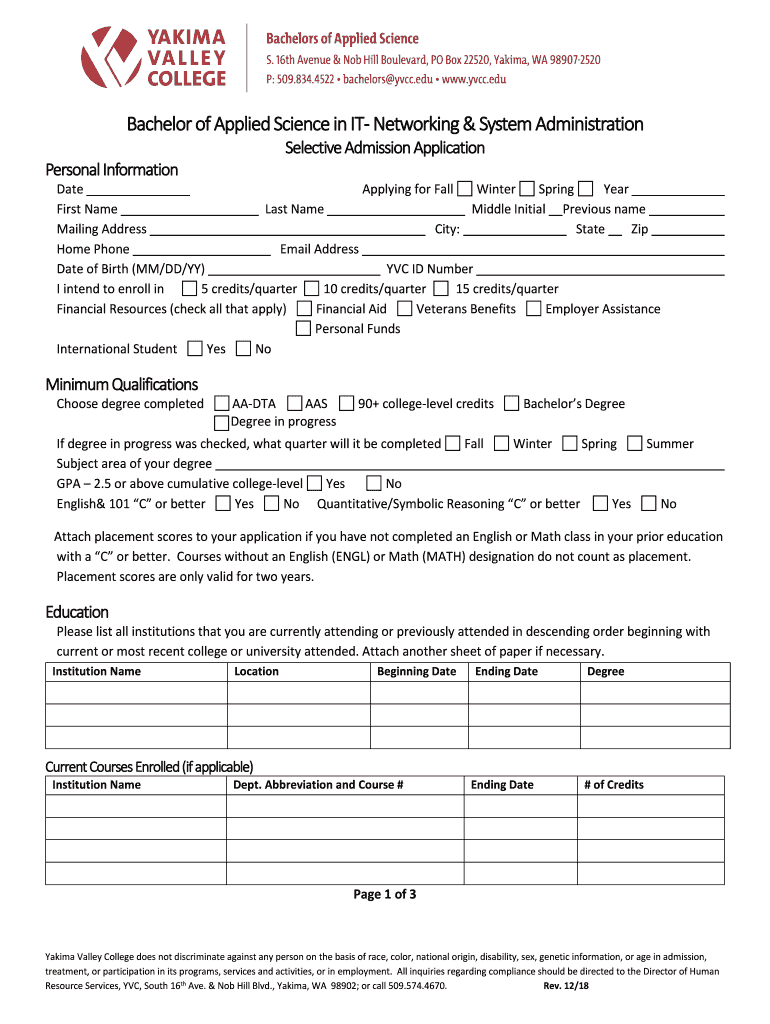
- Click ‘Get Form’ to open the Applied Bachelor's Degrees application in the editor.
- Begin by filling out your personal information, including your name, mailing address, and contact details. Ensure accuracy as this information is crucial for communication.
- Indicate the term you are applying for (Fall, Winter, Spring) and specify your intended credit load per quarter.
- In the Financial Resources section, check all applicable options that will support your education. This helps the admissions team understand your financial situation.
- Complete the Minimum Qualifications section by selecting your highest degree completed and confirming your GPA. If you have a degree in progress, indicate when it will be completed.
- List all educational institutions attended in descending order. Attach additional sheets if necessary to provide complete information.
- Provide two professional references along with their contact details to support your application.
- Write a personal statement of approximately 250 words discussing your background in IT and interest in the program. Remember, this is essential for advising purposes.
- Review all entered information for accuracy before submitting. Print and sign the application as required.
Start using our platform today to easily fill out and submit your application for free!
It's free
See more Applied Bachelor's Degrees - Yakima Valley College versions
| Versions | Form popularity | Fillable & printable |
|---|---|---|
| 2018 | 4.9 Satisfied (43 Votes) |
Got questions?
How can I eSign my Applied Bachelor's Degrees - Yakima Valley College in Word?
Microsoft Word doesn’t have signing tools to create legitimate eSignatures and enforceable forms. Luckily, DocHub is an online eSignature-compliant editor that supports various file formats, including .doc files. Log in to your account and upload the Word version of your Applied Bachelor's Degrees - Yakima Valley College from your device and cloud, or URL - our editor will automatically transform it into an editable PDF. Make all essential alterations in your form and click Sign to create your own legally-binding electronic signature. You will find four signing options from which to choose.
How do you create an e-signature for the Applied Bachelor's Degrees - Yakima Valley College on iOS?
Apart from an extensive toolset for editing PDFs on mobile phones, DocHub allows you to sign your Applied Bachelor's Degrees - Yakima Valley College along the way. Open our editor in your web browser, make changes using DocHub’s toolset, and complete your editing by eSigning the finished form.
What is the average GPA for Yakima Valley College?
What division is Yakima Valley?
What is the average GPA for Yakima Valley College?
Security and compliance
At DocHub, your data security is our priority. We follow HIPAA, SOC2, GDPR, and other standards, so you can work on your documents with confidence.
Learn more


