Forms - Office of Human Resources - College of Charleston 2026

Get Form
Forms - Office of Human Resources - College of Charleston Preview on Page 1

Here's how it works

01. Edit your form online
Type text, add images, blackout confidential details, add comments, highlights and more.
02. Sign it in a few clicks
Draw your signature, type it, upload its image, or use your mobile device as a signature pad.
03. Share your form with others
Send it via email, link, or fax. You can also download it, export it or print it out.

How to use or fill out Forms - Office of Human Resources - College of Charleston

Form edit decoration
9.5
Ease of Setup
DocHub User Ratings on G2
9.0
Ease of Use
DocHub User Ratings on G2
  1. Click ‘Get Form’ to open it in the editor.
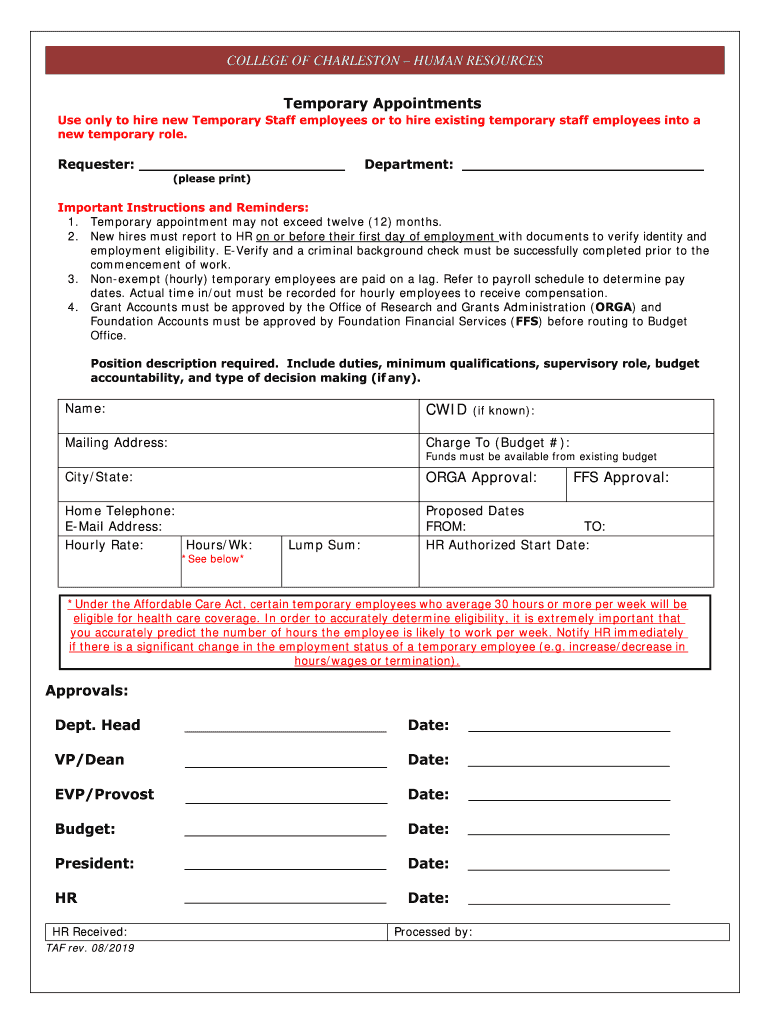
  2. Begin by filling in the 'Requester' and 'Department' fields at the top of the form. Ensure that all information is printed clearly.
  3. In the 'Position Description' section, provide a detailed description of the primary duties, qualifications, and supervisory roles associated with the temporary position.
  4. Complete the 'Proposed Dates' section by entering the start and end dates for the temporary appointment. Make sure to include any necessary approvals from ORGA or FFS.
  5. Fill out all required personal information such as name, CWID, mailing address, and contact details. This ensures HR can reach you if needed.
  6. Review all sections for accuracy before submitting. Ensure that all necessary signatures are obtained from department heads and other approvers listed at the bottom of the form.

Start using our platform today to streamline your document editing and form completion process for free!

See more Forms - Office of Human Resources - College of Charleston versions

We've got more versions of the Forms - Office of Human Resources - College of Charleston form. Select the right Forms - Office of Human Resources - College of Charleston version from the list and start editing it straight away!
Versions Form popularity Fillable & printable
2019 4.9 Satisfied (31 Votes)
2017 4.2 Satisfied (51 Votes)
be ready to get more

Complete this form in 5 minutes or less

Get form

Got questions?

We have answers to the most popular questions from our customers. If you can't find an answer to your question, please contact us.
Contact us
You may have a question or concern that requires you to contact a representative from the human resources (HR) department. As with most business communication, the typical way to interact with HR is via email.
You may contact Human Resources at 843-953-5512 for assistance between the hours of 8:30 a.m. and 5:00 p.m. (EST). You may also email Human Resources anytime at jobs@cofc.edu.
Refrain From Accusatory Remarks. Since your boss wont be there to speak for themselves when you talk to HR, its best to refrain from accusatory remarks. State the facts, especially those backed by evidence, and let HR take it from there. HR will meet with your boss separately with the evidence in the report.
More financial aid sources are available to students and families, including work-study programs, tax credits and college savings programs. VA Education Benefits and the GI Bill help veterans, service members and their qualified family members pay for college expenses.
The full form of HR is Human Resources.

Security and compliance

At DocHub, your data security is our priority. We follow HIPAA, SOC2, GDPR, and other standards, so you can work on your documents with confidence.

Learn more
ccpa2
pci-dss
gdpr-compliance
hipaa
soc-compliance

People also ask

The AllOne Health Employee Assistance Program (EAP) is a free service provided by the College of Charleston that offers a wide variety of counseling, referral, and consultation services.

Related links