




Here's how it works

01. Edit your form online
Type text, add images, blackout confidential details, add comments, highlights and more.

02. Sign it in a few clicks
Draw your signature, type it, upload its image, or use your mobile device as a signature pad.

03. Share your form with others
Send it via email, link, or fax. You can also download it, export it or print it out.
How to use or fill out LOUISIANA TECH UNIVERSITY EMPLOYEE TUITION BENEFIT FORM with our platform

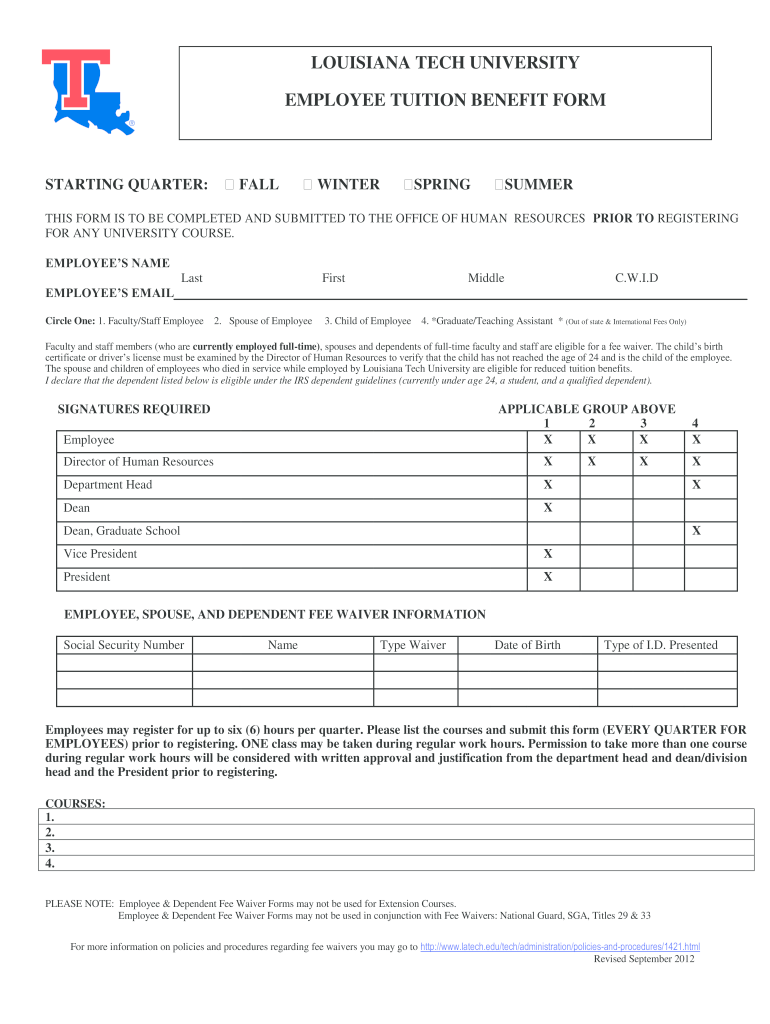
- Click ‘Get Form’ to open the LOUISIANA TECH UNIVERSITY EMPLOYEE TUITION BENEFIT FORM in the editor.
- Begin by selecting the starting quarter for your tuition benefit: Fall, Winter, Spring, or Summer. This is crucial for processing your request.
- Fill in your personal details including your name (last, first, middle) and C.W.I.D. Ensure accuracy as this information is essential for identification.
- Provide your email address and circle the applicable group: Faculty/Staff Employee, Spouse of Employee, Child of Employee, or Graduate/Teaching Assistant.
- Complete the dependent eligibility declaration by confirming that the listed dependent meets IRS guidelines. This may require additional documentation.
- Sign the form where indicated and ensure that all required signatures from relevant authorities (Director of Human Resources, Department Head, etc.) are obtained.
- List any courses you plan to register for (up to six hours per quarter) and submit this form prior to registration. Remember that only one class may be taken during work hours without special permission.
Start using our platform today to easily complete your LOUISIANA TECH UNIVERSITY EMPLOYEE TUITION BENEFIT FORM online for free!
Fill out LOUISIANA TECH UNIVERSITY EMPLOYEE TUITION BENEFIT FORM online
It's free
It's free
See more LOUISIANA TECH UNIVERSITY EMPLOYEE TUITION BENEFIT FORM versions
We've got more versions of the LOUISIANA TECH UNIVERSITY EMPLOYEE TUITION BENEFIT FORM form. Select the right LOUISIANA TECH UNIVERSITY EMPLOYEE TUITION BENEFIT FORM version from the list and start editing it straight away!
| Versions | Form popularity | Fillable & printable |
|---|---|---|
| 2012 | 4.8 Satisfied (91 Votes) |
Security and compliance
At DocHub, your data security is our priority. We follow HIPAA, SOC2, GDPR, and other standards, so you can work on your documents with confidence.
Learn more


