




Here's how it works



How to use or fill out goal sheet - Sacramento City Unified with our platform

- Click ‘Get Form’ to open the goal sheet in the editor.
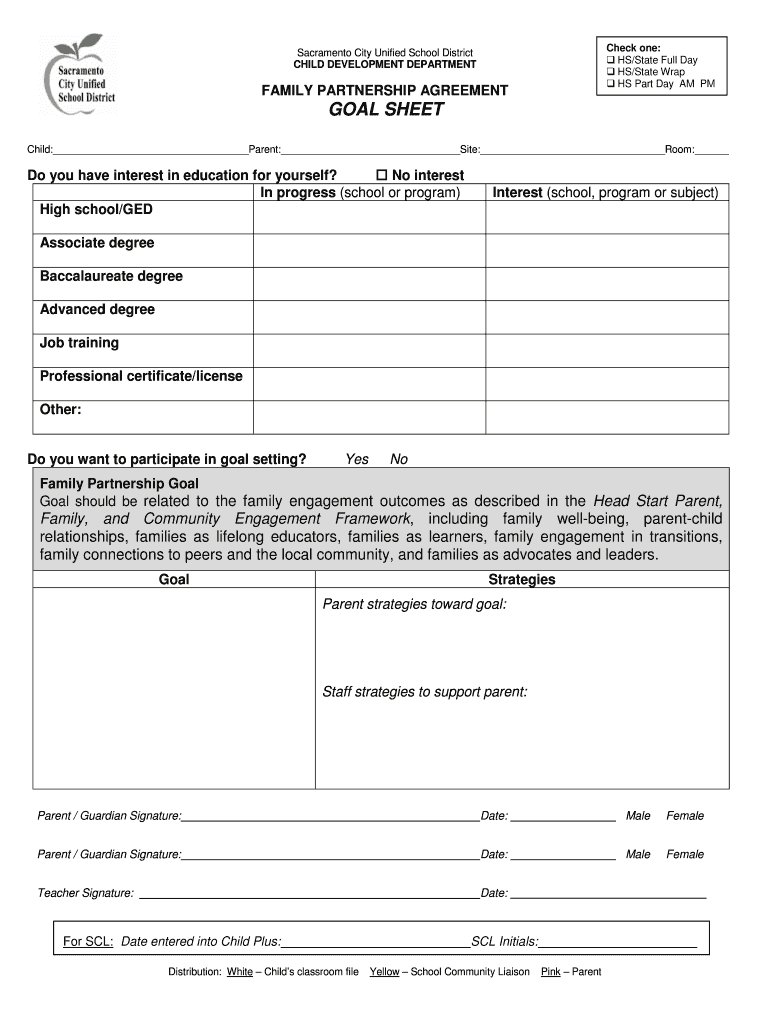
- Begin by filling in the child's name, parent's name, site, and room number in the designated fields at the top of the form.
- Indicate your interest in education by checking one of the options provided. This helps identify your educational goals.
- Decide if you want to participate in goal setting by selecting 'Yes' or 'No'. This is crucial for engaging with your family partnership agreement.
- In the 'Family Partnership Goal' section, write a specific goal related to family engagement outcomes as outlined in the Head Start framework.
- List strategies for both parents and staff that will support achieving this goal. Be clear and detailed to ensure effective collaboration.
- Finally, have both parent/guardian and teacher sign and date the form to validate your commitment and understanding of the goals set.
Start using our platform today to easily fill out your goal sheet for free!
It's free
See more goal sheet - Sacramento City Unified versions
| Versions | Form popularity | Fillable & printable |
|---|---|---|
| 2019 | 4.8 Satisfied (121 Votes) |
Got questions?
How can I sign my goal sheet - Sacramento City Unified without printing?
Electronic signatures are a great alternative to traditional signing, as they save time, effort, and money people spend on printing, scanning, and paper delivery. You can eSign your goal sheet - Sacramento City Unified utilizing a reliable and robust online document management services like DocHub. It complies with primary eSignature regulations (ESIGN and UETA), so all forms approved there are legally binding and have the same validity as manually signed ones.
How do you create an e-signature for the goal sheet - Sacramento City Unified on iOS?
In addition to an extensive toolset for editing PDFs on mobile phones, DocHub allows you to sign your goal sheet - Sacramento City Unified along the way. Open our editor in your browser, make changes using DocHub’s toolset, and finish your editing by eSigning the finished form.
Security and compliance
At DocHub, your data security is our priority. We follow HIPAA, SOC2, GDPR, and other standards, so you can work on your documents with confidence.
Learn more


