Homeland security employment authorization 2026

Get Form
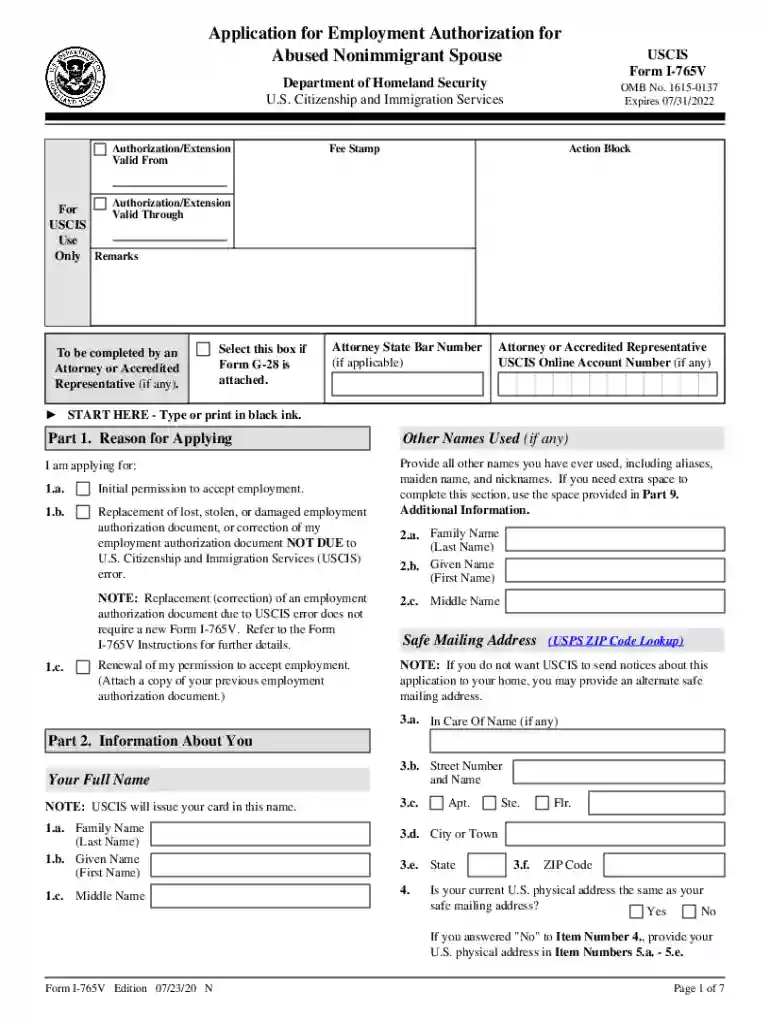
uscis i 765v Preview on Page 1

Here's how it works

01. Edit your uscis i 765v online
Type text, add images, blackout confidential details, add comments, highlights and more.

02. Sign it in a few clicks
Draw your signature, type it, upload its image, or use your mobile device as a signature pad.

03. Share your form with others
Send it via email, link, or fax. You can also download it, export it or print it out.

How to use or fill out homeland security employment authorization with our platform

Form edit decoration
9.5
Ease of Setup
DocHub User Ratings on G2
9.0
Ease of Use
DocHub User Ratings on G2
  1. Click ‘Get Form’ to open the homeland security employment authorization form in the editor.
  2. Begin with Part 1, where you will select your reason for applying. Options include initial permission, replacement of a lost document, or renewal. Ensure you check the appropriate box.
  3. In Part 2, provide your full name and any other names used. Fill in your safe mailing address if you prefer not to receive correspondence at your home address.
  4. Continue to Part 3, where you will enter biographic information such as ethnicity, race, height, weight, and eye color. Make sure all selections are accurate.
  5. In Part 4, provide details about your spouse if applicable. This includes their name, immigration status, and other relevant information.
  6. Complete Parts 5 and 6 by providing marriage information and signing the applicant's statement. Ensure that all fields are filled out completely to avoid delays.

Start using our platform today for free to streamline your form completion process!

See more homeland security employment authorization versions

We've got more versions of the homeland security employment authorization form. Select the right homeland security employment authorization version from the list and start editing it straight away!
Versions Form popularity Fillable & printable
2024 4.7 Satisfied (38 Votes)
2020 4.8 Satisfied (61 Votes)
be ready to get more

Complete this form in 5 minutes or less

Get form

Got questions?

We have answers to the most popular questions from our customers. If you can't find an answer to your question, please contact us.
Contact us
How to Make an Expedite Request If you have a financial emergency and need a faster decision on your immigration work permit, you can file an I-765 Permission to Work expedite request. Ask the USCIS handling your work permit application for an expedited processing request receipt notice.
Documents that Establish Both Identity and Employment Authorization U.S. Passport or U.S. Passport Card. Permanent Resident Card or Alien Registration Receipt Card (Form I-551) Foreign passport that contains a temporary I-551 stamp or temporary I-551 printed notation on a machine-readable immigrant visa.
To apply for your work permit (EAD), file an Application for Employment Authorization (Form I-765), review the instructions, and pay the filing fee. Depending on your immigration category, your EAD work permit will be good for 1 or 2 years. If USCIS approves your request, they may send your EAD in the mail.
Once you have the new Form I-20, you must file a Form I-765, Application for Employment Authorization, with USCIS within 30 days of receiving your recommendation. If USCIS approves you to work, they will send you a Form I-766, Employment Authorization Document, (EAD) with the dates that you may work off-campus.
All documents must be unexpired. U.S. passport or U.S. passport card. Form I-551, Permanent Resident Card or Alien Registration Receipt Card (commonly called a Green Card.) Foreign passport that contains a temporary I-551 (ADIT) stamp or temporary I-551 printed notation on a machine-readable immigrant visa (MRIV).

Security and compliance

At DocHub, your data security is our priority. We follow HIPAA, SOC2, GDPR, and other standards, so you can work on your documents with confidence.

Learn more
ccpa2
pci-dss
gdpr-compliance
hipaa
soc-compliance