




01. Edit your american guardian online
Type text, add images, blackout confidential details, add comments, highlights and more.

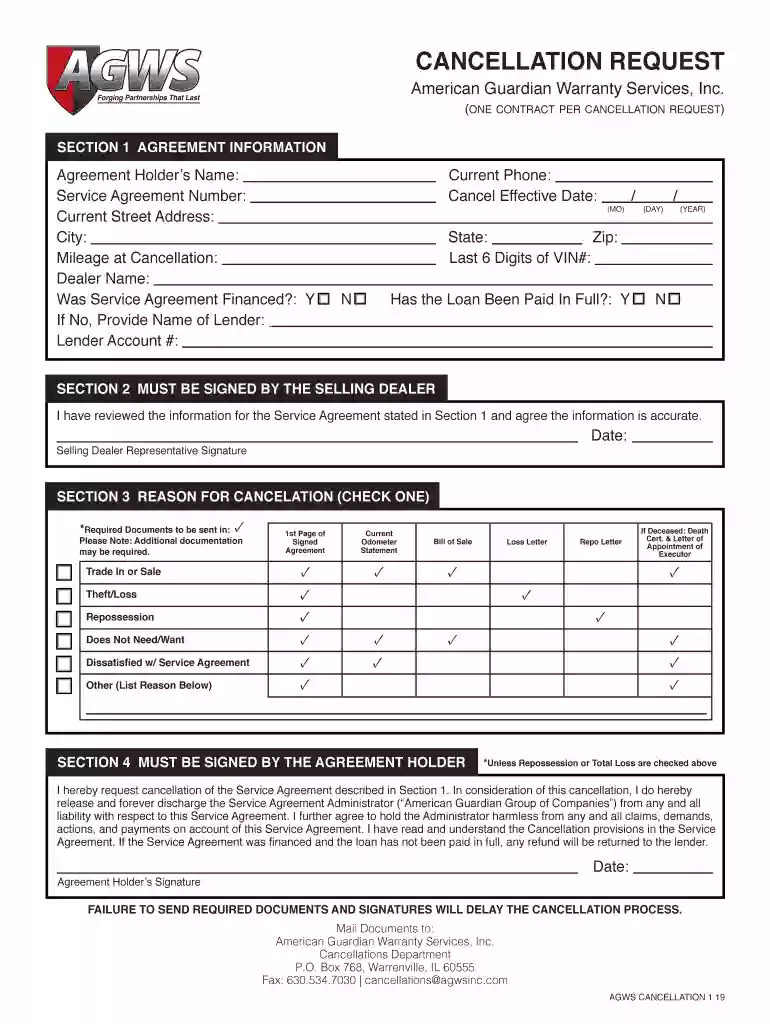
Type text, add images, blackout confidential details, add comments, highlights and more.

Draw your signature, type it, upload its image, or use your mobile device as a signature pad.

Send agws warranty via email, link, or fax. You can also download it, export it or print it out.

Start using our platform today to streamline your cancellation process for free!
We've got more versions of the american guardian form. Select the right american guardian version from the list and start editing it straight away!
At DocHub, your data security is our priority. We follow HIPAA, SOC2, GDPR, and other standards, so you can work on your documents with confidence.
American Guardian Warranty Services Inc. Anthem Elementary School. Apogee Insurance Group. Aquilon Energy Services, Inc. Arbor Eye Care. Argonne NationalRead more
Apr 1, 2015 Phone: 608-627-1497 Fax: 608-627-1488 Technical Service Phone: 608-627-TECH. All SS parts are guaranteed to the original purchaser to be
American Guardian Warranty Services, Inc. 800 Roosevelt Road, Building E, Suite 100. Glen Ellyn, Illinois 60137. Dated this ~ day of January, 2003.Read more


