




Here's how it works



How to use or fill out FINAL INDEMNITY HEALTH PROPOSAL FORM - CARE - 7 Sep 2012

- Click ‘Get Form’ to open it in the editor.
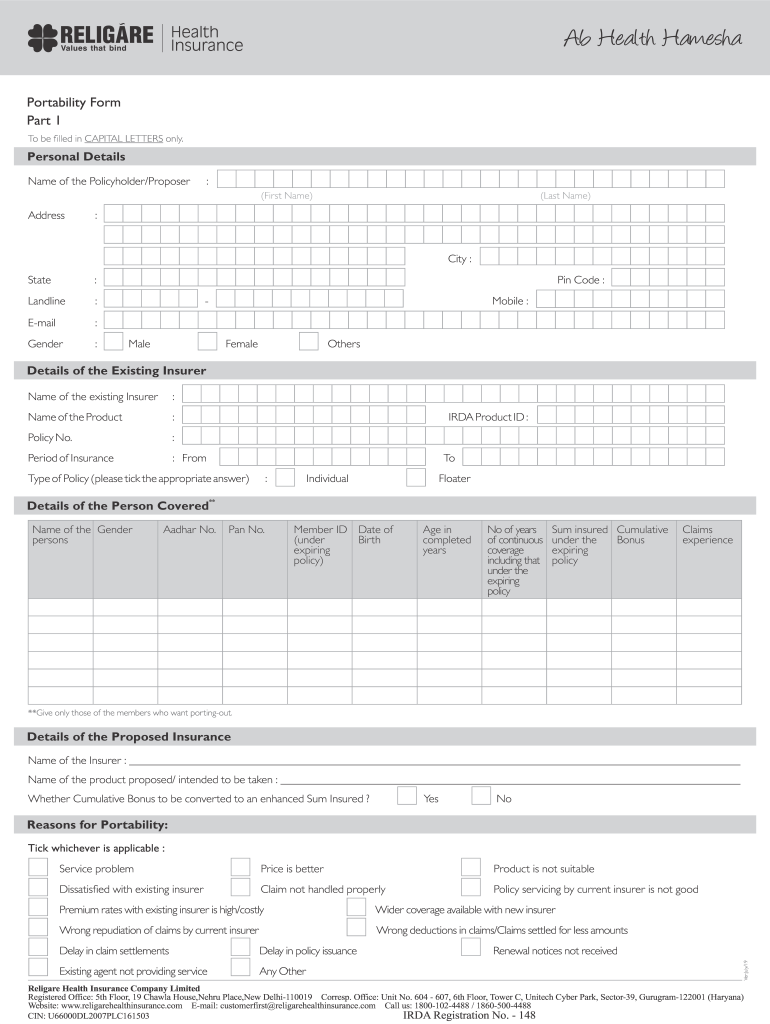
- Begin by filling in your personal details in CAPITAL LETTERS. Include your name, address, contact information, and gender.
- Next, provide details of your existing insurer. Fill in the name of the insurer, product name, policy number, and insurance period.
- In the 'Details of the Person Covered' section, list all individuals you wish to port. Include their names, Aadhar numbers, PAN numbers, and other relevant details.
- For the proposed insurance section, enter the name of the new insurer and product you intend to take. Indicate whether you want to convert cumulative bonuses.
- Select reasons for portability by ticking applicable boxes. This helps clarify your motivations for switching insurers.
- Finally, review your entries for accuracy before signing and dating the form at the bottom.
Start using our platform today to complete your FINAL INDEMNITY HEALTH PROPOSAL FORM effortlessly!
It's free
See more FINAL INDEMNITY HEALTH PROPOSAL FORM - CARE - 7 Sep 2012 versions
| Versions | Form popularity | Fillable & printable |
|---|---|---|
| 2019 | 4.8 Satisfied (50 Votes) |
Got questions?
Can I sign my FINAL INDEMNITY HEALTH PROPOSAL FORM - CARE - 7 Sep 2012 with my phone?
Of course, it is possible with DocHub. This secure and compliant online editor has a phone-based signing option. When you log in to your DocHub account and import your FINAL INDEMNITY HEALTH PROPOSAL FORM - CARE - 7 Sep 2012 to our editor, fill out all required areas and use the Sign feature on the top barf. Click on Create your signature and choose Phone from the available choices. Here, you scan a QR code using your smartphone and draw your signature on your phone display, as you usually do when approving hard copies. If you access DocHub right from your mobile device, you can electronically sign your template by drawing your eSignature, uploading its picture, or simply with a typed name.
How do you fill out FINAL INDEMNITY HEALTH PROPOSAL FORM - CARE - 7 Sep 2012 online?
You can find and modify your FINAL INDEMNITY HEALTH PROPOSAL FORM - CARE - 7 Sep 2012 online by using DocHub. Its simple but feature-rich design allows you to begin productive work immediately after you register your account. Create your account and add your document, then our user interface will guide you via our stress-free form completion experience.
Security and compliance
At DocHub, your data security is our priority. We follow HIPAA, SOC2, GDPR, and other standards, so you can work on your documents with confidence.
Learn more


