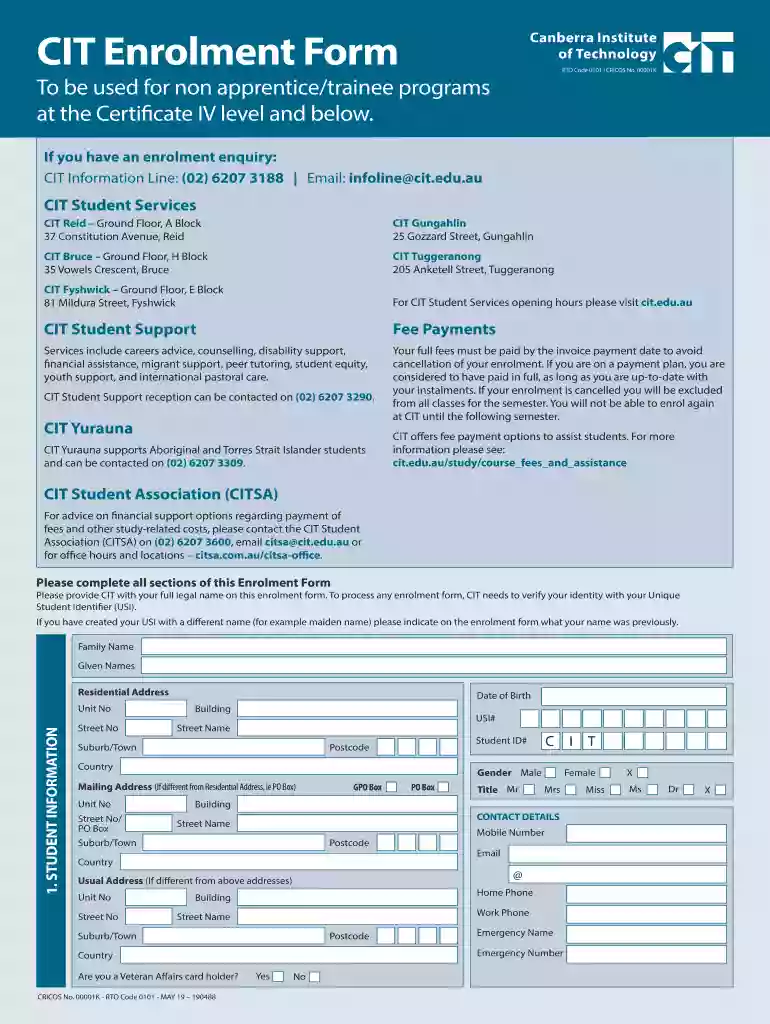
cit enrolment form Preview on Page 1

Cit enrolment 2026

Here's how it works

  • 01. Edit your cit enrolment form online

    Type text, add images, blackout confidential details, add comments, highlights and more.

  • 02. Sign it in a few clicks

    Draw your signature, type it, upload its image, or use your mobile device as a signature pad.

  • 03. Share your form with others

    Send cit enrolment via email, link, or fax. You can also download it, export it or print it out.

How to use or fill out CIT Enrolment with our platform

Form edit decoration
9.5
Ease of Setup
DocHub User Ratings on G2
9.0
Ease of Use
DocHub User Ratings on G2
  1. Click ‘Get Form’ to open the CIT Enrolment Form in the editor.
  2. Begin by filling out your personal information in Section 1. Provide your full legal name, date of birth, and Unique Student Identifier (USI). Ensure that all details match your identification documents.
  3. In Section 2, indicate your highest qualification and reasons for enrolling. This helps CIT understand your background and motivations.
  4. Complete Section 3 regarding program enrolment. Specify the program code and title for each course you wish to enroll in. If withdrawing from a program, clearly mark that section.
  5. Review Section 4 for student declaration. Confirm that all information is accurate and consent to the collection of personal data as outlined.
  6. Finally, ensure you sign the form electronically or print it for manual signing before submission.

Start using our platform today to simplify your CIT enrolment process!

See more cit enrolment form versions

We've got more versions of the cit enrolment form form. Select the right cit enrolment form version from the list and start editing it straight away!

VersionsForm popularityFillable & printable
20194.8 Satisfied (114 Votes)

be ready to get more

Complete this form in 5 minutes or less

Security and compliance

At DocHub, your data security is our priority. We follow HIPAA, SOC2, GDPR, and other standards, so you can work on your documents with confidence.

Related links

Business Electronic Funds Transfer - Division of Revenue

Enrollment box. Division at (302) 577-8255. Instructions for ACH Credit are available in the Enrollment box below. The payment options are ACH Debit and ACH

Learn more
PROGRAMME GUIDE

Write your Enrolment Number, Name, Full Address, Signature and Date on the top right hand corner of the first page of your response sheet. enrolment number and

Learn more
CIT University Enrollment Guide | How to Apply and Enroll

Learn how to enroll at CIT University. Follow the step-by-step enrollment process, requirements, and application guide for new students in Cebu.

Learn more
If you believe that this page should be taken down, please follow our DMCA take down process here