




Here's how it works



How to use or fill out Alabama INV Inspection with our platform

- Click ‘Get Form’ to open the Alabama INV Inspection application in the editor.
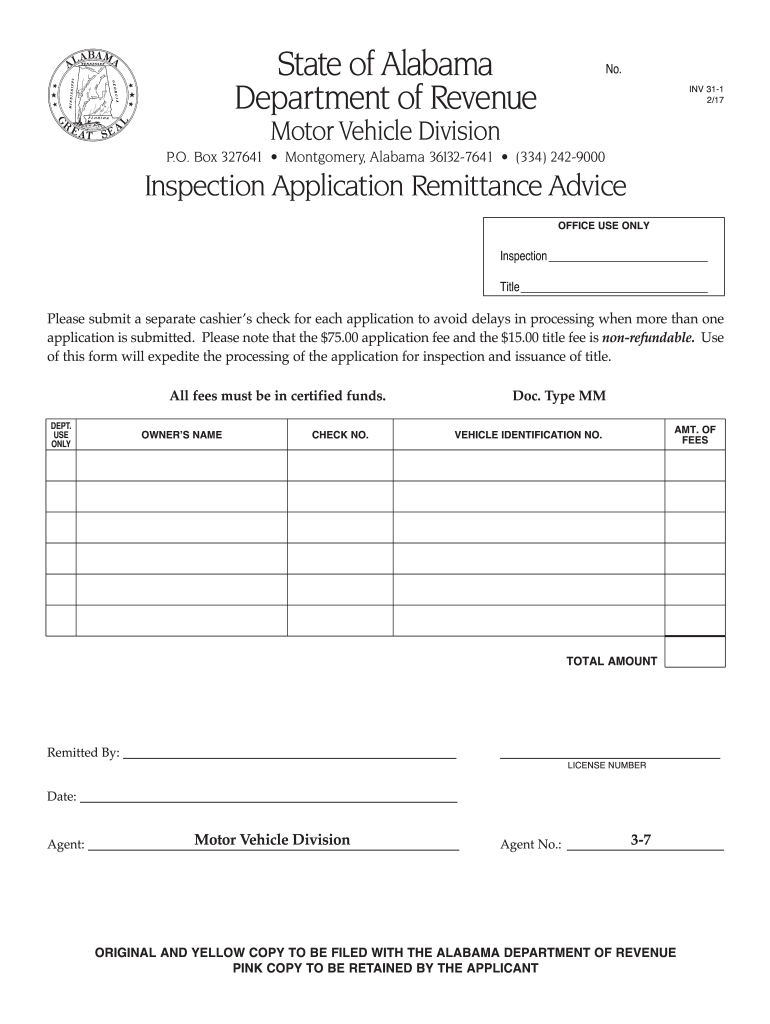
- Begin by entering the owner's name in the designated field. Ensure that the name matches the identification documents for accuracy.
- Next, locate the Vehicle Identification Number (VIN) section and input the VIN of your vehicle. This is crucial for processing your inspection application.
- In the fees section, clearly indicate the amount of fees being submitted. Remember, a $75 application fee and a $15 title fee are required, both of which must be in certified funds.
- Complete the remittance details by filling in your check number and total amount remitted. This ensures proper tracking of your payment.
- Finally, sign and date where indicated to validate your application before submitting it to avoid any delays.
Start using our platform today to streamline your Alabama INV Inspection process for free!
It's free
See more alabama inv inspection versions
| Versions | Form popularity | Fillable & printable |
|---|---|---|
| 2017 | 5 Satisfied (26 Votes) |
Got questions?
Can I use DocHub to create legal eSignatures on my alabama inv inspection?
Yes, you can utilize DocHub for signing any business and private documentation, including your alabama inv inspection. All eSignatures you generate with our service are legally binding and court-admissible, as DocHub complies with criteria required by ESIGN and UETA. Save your accomplished form with a detailed Audit Trail if needed.
Do I need to install software to modify my alabama inv inspection?
If you edit your alabama inv inspection with DocHub, you only require a steady internet connection and virtually any browser installed on your device. No need to install any third-party software or research guides. Just open a tab with DocHub, drag and drop your file, and edit it on the spot.
Security and compliance
At DocHub, your data security is our priority. We follow HIPAA, SOC2, GDPR, and other standards, so you can work on your documents with confidence.
Learn more


