




Here's how it works



How to use or fill out INSPECTION CONSTRUCTION APPLICATION - Richmond, TX with our platform

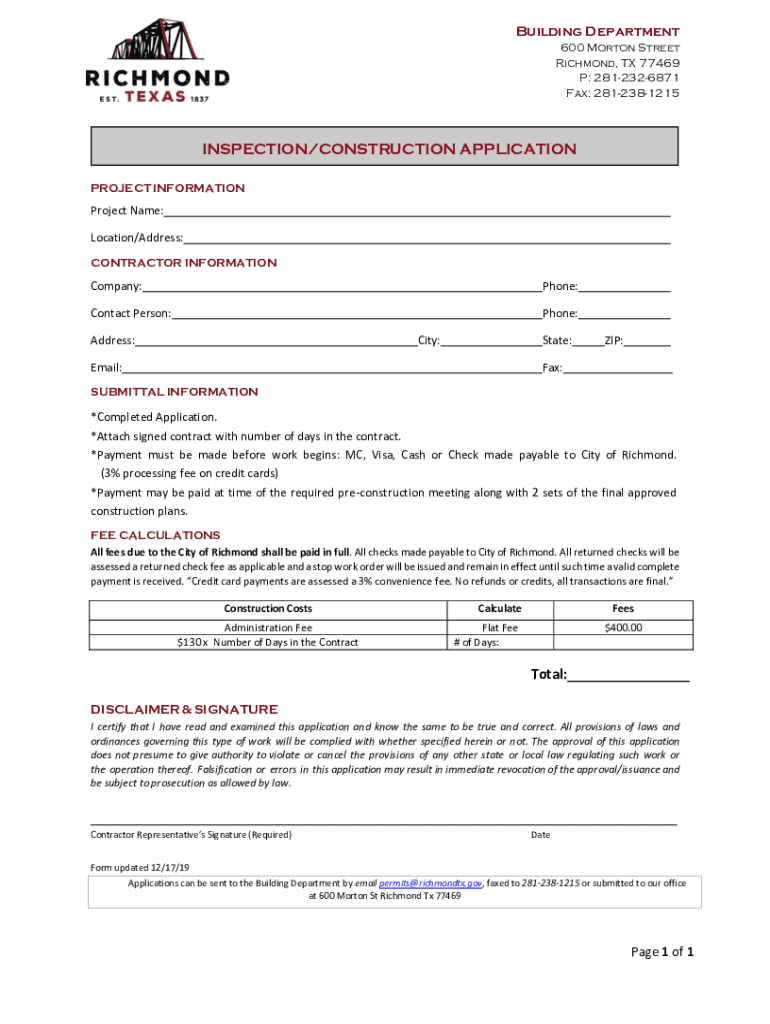
- Click ‘Get Form’ to open the INSPECTION CONSTRUCTION APPLICATION in the editor.
- Begin by filling out the PROJECT INFORMATION section. Enter the Project Name and Location/Address accurately to ensure proper identification.
- Next, complete the CONTRACTOR INFORMATION section. Provide your Company name, Phone number, Contact Person's name, their Phone number, Address, City, State, Email, and ZIP code.
- In the SUBMITTAL INFORMATION section, ensure you have attached a signed contract that specifies the number of days in the contract. Remember that payment must be made before work begins; you can choose from MC, Visa, Cash or Check options.
- Calculate your fees in the FEE CALCULATIONS section. Input your Construction Costs and Administration Fee based on the number of days in your contract to determine total fees due.
- Finally, review the DISCLAIMER & SIGNATURE section. Ensure all information is accurate before signing and dating the application.
Start using our platform today for free to streamline your document editing and submission process!
It's free
See more INSPECTION CONSTRUCTION APPLICATION - Richmond, TX versions
| Versions | Form popularity | Fillable & printable |
|---|---|---|
| 2019 | 4.8 Satisfied (25 Votes) |
Got questions?
How can I sign my building permit cost calculator document on iOS?
With DocHub, you can easily approve your building permit cost calculator document or any other paperwork on iOS, even without setting up additional applications. You can access your DocHub account from any internet-connected browser and complete and sign your form in any preferred method with just a few clicks.
How do you complete fee construction application online?
You can complete and sign your fee construction application on the internet, even on a tight deadline. All you need to access high quality editing tools on any device is a DocHub account, that you can register in a few moments. Once you sign up, add your file or find what you are searching for in our catalog, complete it utilizing the editing tools you need, and place your electronic signature on it at the end.
Security and compliance
At DocHub, your data security is our priority. We follow HIPAA, SOC2, GDPR, and other standards, so you can work on your documents with confidence.
Learn more


