




Here's how it works



How to use or fill out carlisle waterproofing warranty with our platform

- Click ‘Get Form’ to open the Carlisle Waterproofing Warranty in the editor.
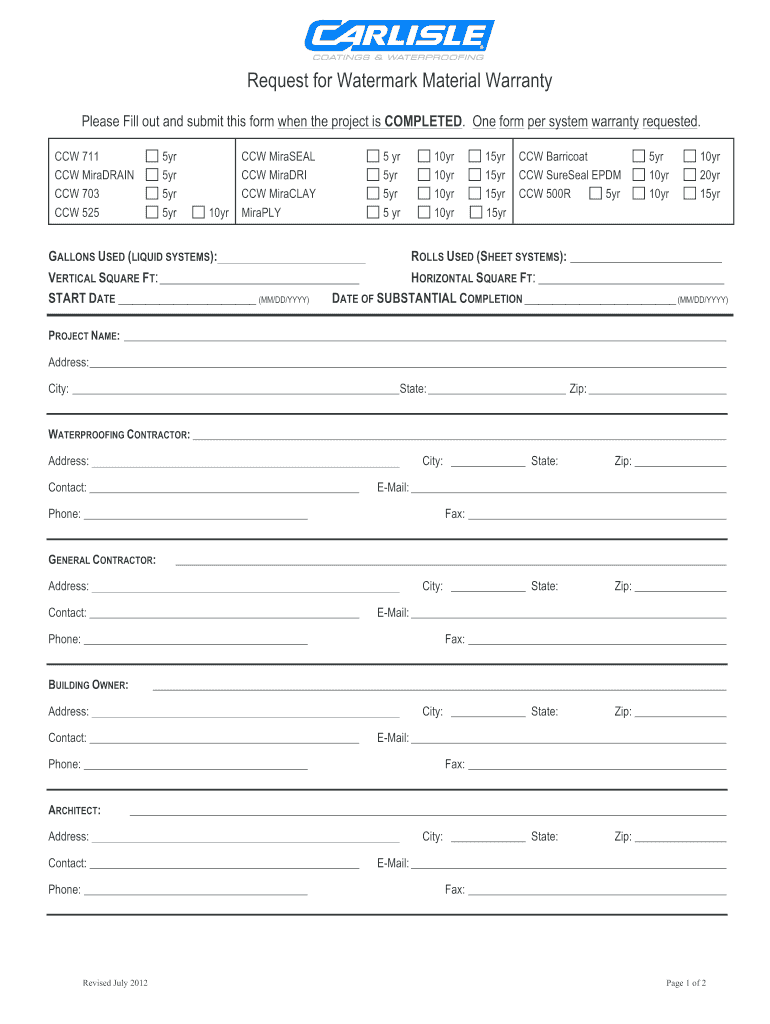
- Begin by filling out the project details, including the 'Project Name', 'Address', 'City', 'State', and 'Zip'. This information is crucial for identifying your warranty.
- Next, indicate the materials used by checking the appropriate boxes under 'CCW Products Used' and entering quantities for gallons or rolls as applicable.
- Fill in the dates for 'Start Date' and 'Date of Substantial Completion' using the MM/DD/YYYY format to ensure clarity.
- Complete contractor details, including contact information for both the waterproofing contractor and general contractor. Ensure all fields are filled accurately.
- Finally, review all entered information for accuracy before signing. Use our platform's signature feature to add your signature electronically.
Start using our platform today to streamline your warranty submission process for free!
It's free
See more carlisle waterproofing warranty versions
Got questions?
Can I use DocHub to create legal eSignatures on my carlisle waterproofing warranty?
Yes, you can use DocHub for signing any business and private paperwork, including your carlisle waterproofing warranty. All eSignatures you generate with our service are legally binding and court-admissible, as DocHub complies with criteria required by ESIGN and UETA. Save your completed paperwork with a detailed Audit Trail if necessary.
What internet browser do I need to edit carlisle waterproofing warranty online?
If you want to edit your carlisle waterproofing warranty online quickly, it does not matter what web browser you use. DocHub’s simple editing instruments are accessible using any internet browser. Just open the appropriate tab in the editor, add your file, and fill it out without stress.
Who makes MiraDRAIN?
What is MiraDRAIN?
What is MiraCLAY waterproofing?
Security and compliance
At DocHub, your data security is our priority. We follow HIPAA, SOC2, GDPR, and other standards, so you can work on your documents with confidence.
Learn more


