




Here's how it works



How to use or fill out d2l2jhoszs7d12 cloudfront stateFederal U.S. Department of State EXPIRES: 12-31-2019 ESTIMATED BURDEN with our platform

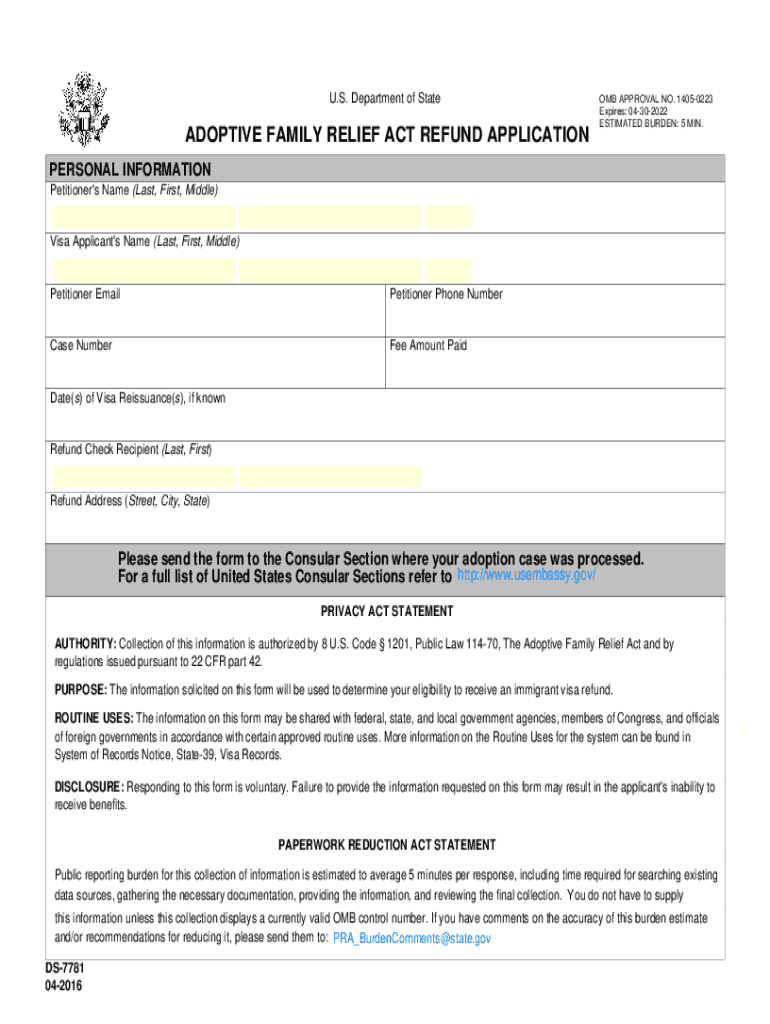
- Click ‘Get Form’ to open it in the editor.
- Begin by entering the Petitioner's Name in the designated field, ensuring you include Last, First, and Middle names.
- Next, fill in the Visa Applicant's Name using the same format as above.
- Provide your email address and phone number in the respective fields for communication purposes.
- Input your Case Number and Fee Amount Paid to help process your application efficiently.
- If known, enter the Date(s) of Visa Reissuance(s) to provide additional context for your request.
- Specify the Refund Check Recipient's name and their address, including Street, City, and State for accurate delivery.
- Once completed, review all entries for accuracy before submitting the form to the appropriate Consular Section as indicated.
Start using our platform today to fill out your form quickly and easily!
It's free
See more d2l2jhoszs7d12 cloudfront stateFederalU S Department of State EXPIRES: 12-31-2019 ESTIMATED BURDEN versions
| Versions | Form popularity | Fillable & printable |
|---|---|---|
| 2016 | 4.8 Satisfied (136 Votes) |
Got questions?
How can I sign my d2l2jhoszs7d12 cloudfront stateFederalU S Department of State EXPIRES: 12-31-2019 ESTIMATED BURDEN on iOS?
With DocHub, you can quickly approve your d2l2jhoszs7d12 cloudfront stateFederalU S Department of State EXPIRES: 12-31-2019 ESTIMATED BURDEN or any other paperwork on iOS, even without setting up additional applications. You can access your DocHub account from any web-connected browser and complete and sign your form in any preferred method with just a couple of clicks.
How do you edit d2l2jhoszs7d12 cloudfront stateFederalU S Department of State EXPIRES: 12-31-2019 ESTIMATED BURDEN on iOS?
You can easily edit fill out your d2l2jhoszs7d12 cloudfront stateFederalU S Department of State EXPIRES: 12-31-2019 ESTIMATED BURDEN on any iOS gadget. Open an internet browser of your choice, go to the DocHub site, authorize or create a new account, upload your file for editing, and make your required alterations. Our service is mobile-friendly, so utilizing its features on your smartphone will be a no-brainer, even on the first try.
Security and compliance
At DocHub, your data security is our priority. We follow HIPAA, SOC2, GDPR, and other standards, so you can work on your documents with confidence.
Learn more


