




Here's how it works



How to use or fill out Iowa Form 19 download with our platform

- Click ‘Get Form’ to open the Iowa Form 19 in the editor.
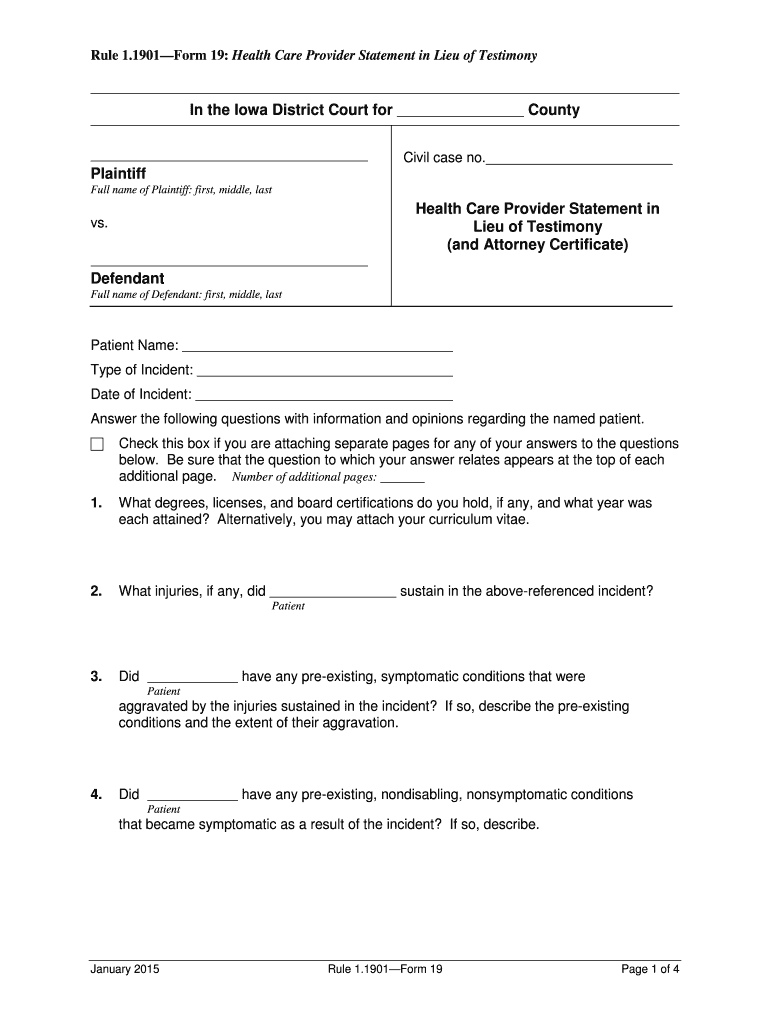
- Begin by entering the case details, including the county and civil case number at the top of the form.
- Fill in the full names of both the plaintiff and defendant, ensuring accuracy for legal purposes.
- Provide patient information, including their name, type of incident, and date of incident. This section is crucial for context.
- Answer each question regarding the patient's injuries and treatment. Be thorough; you can attach additional pages if necessary.
- Complete the oath and signature section at the end of the form, certifying that all information is true and correct.
- If applicable, fill out the attorney certificate on the next page, detailing any communications related to the case.
Start using our platform today to fill out your Iowa Form 19 easily and for free!
It's free
See more iowa form 19 download versions
| Versions | Form popularity | Fillable & printable |
|---|---|---|
| 2015 | 4.8 Satisfied (197 Votes) |
Got questions?
Can I sign my iowa form 470 2486 rev 11 19 on a mobile?
Yes, you’ll find many different apps for this on the web. However, if you need to eSign your iowa form 470 2486 rev 11 19 without installing additional software, DocHub is the optimum choice you can make. This powerful editor works on mobile devices just as on desktops. Open our editor in any internet browser, register or sign in to your account, and start managing your paperwork.
How to manage my iowa title 19 application form from Gmail?
In case your go-to electronic mail service is Gmail, you can easily integrate your DocHub editor into your work. Modify your iowa title 19 application form with DocHub tools and attach it to your drafts in Gmail. See how effortless it is to exchange papers and collaborate with a swift PDF editing solution at hand.
Security and compliance
At DocHub, your data security is our priority. We follow HIPAA, SOC2, GDPR, and other standards, so you can work on your documents with confidence.
Learn more


