




Here's how it works

01. Edit your manti la sal forest plan online
Type text, add images, blackout confidential details, add comments, highlights and more.

02. Sign it in a few clicks
Draw your signature, type it, upload its image, or use your mobile device as a signature pad.

03. Share your form with others
Send manti la sal national forest plan via email, link, or fax. You can also download it, export it or print it out.
How to use or fill out UNITED STATES DEPARTMENT OF AGRICULTURE FOREST with our platform

- Click ‘Get Form’ to open the document in the editor.
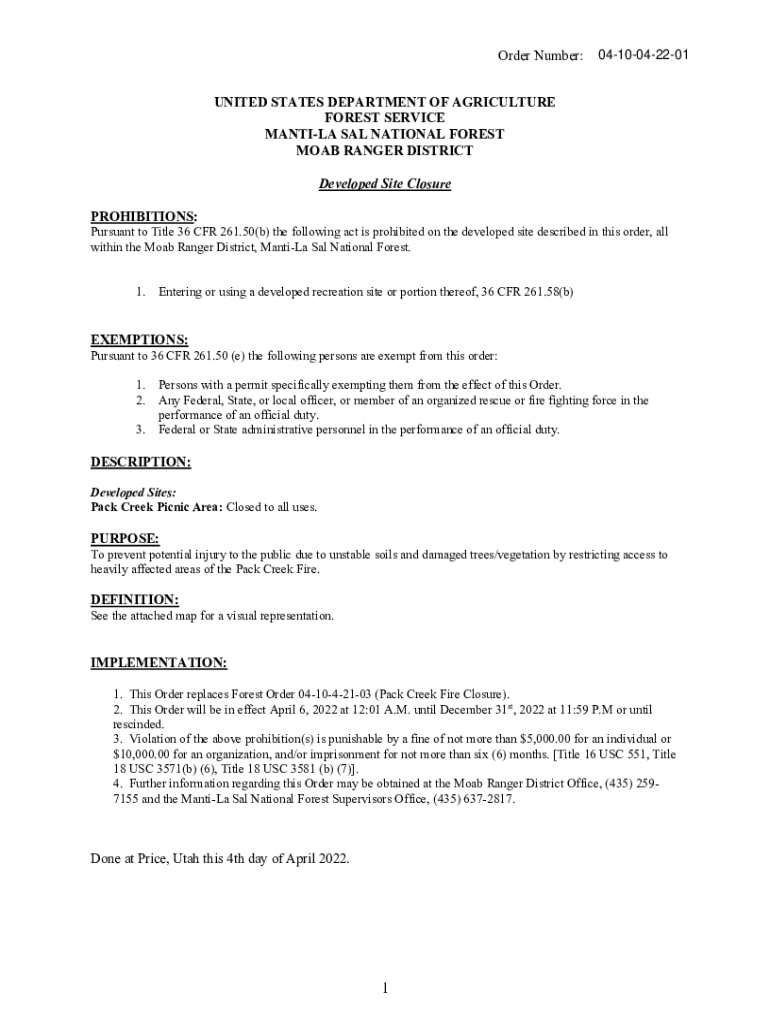
- Begin by reviewing the 'Prohibitions' section. This outlines what activities are restricted at the developed site, specifically regarding access to recreation areas.
- Next, check the 'Exemptions' section. Here, you can identify who is allowed access despite the prohibitions, such as individuals with specific permits or emergency personnel.
- In the 'Description' section, familiarize yourself with the specific sites affected by this order, like the Pack Creek Picnic Area, which is closed to all uses.
- Review the 'Purpose' and 'Implementation' sections for important details on why these restrictions are in place and how long they will last.
- If you need to sign or share this document, utilize our platform’s signing feature for a seamless experience.
Start using our platform today to easily fill out and manage your USDA Forest Service documents online for free!
Fill out UNITED STATES DEPARTMENT OF AGRICULTURE FOREST online
It's free
It's free
See more UNITED STATES DEPARTMENT OF AGRICULTURE FOREST versions
We've got more versions of the UNITED STATES DEPARTMENT OF AGRICULTURE FOREST form. Select the right UNITED STATES DEPARTMENT OF AGRICULTURE FOREST version from the list and start editing it straight away!
| Versions | Form popularity | Fillable & printable |
|---|---|---|
| 2022 | 4.8 Satisfied (51 Votes) |
Security and compliance
At DocHub, your data security is our priority. We follow HIPAA, SOC2, GDPR, and other standards, so you can work on your documents with confidence.
Learn more


